Digiparc · Häufig gestellte Fragen
Häufig gestellte Fragen
Lösungen für Flotte und Transport
Antworten auf häufige Fragen zu Digiparc: Umfang, Einführung, Support, Datensicherheit und Ergonomie.
General questions
What is Digiparc?
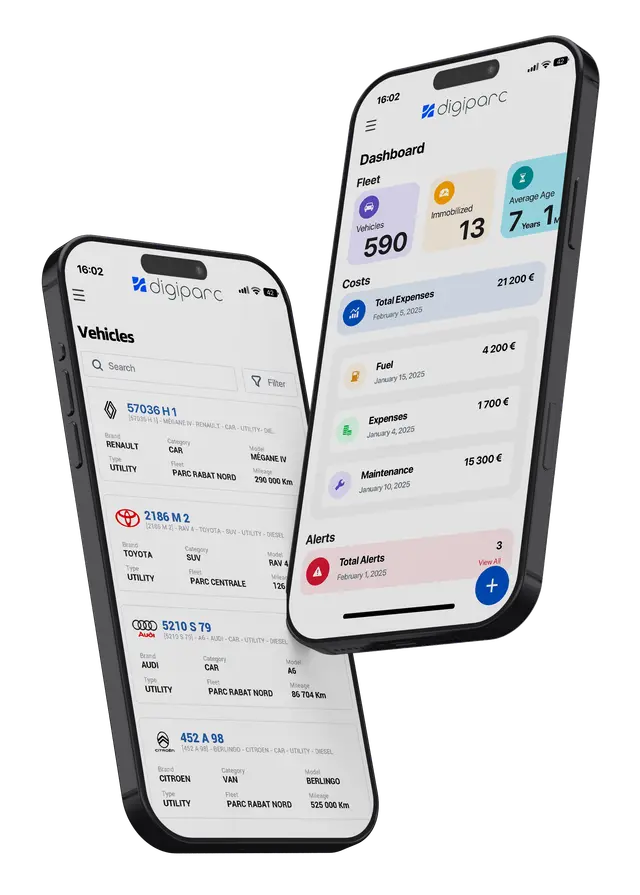
Digiparc is an ERP focused on fleet and transport management. Fully web-based and available as SaaS (cloud), it helps companies optimise vehicles, costs, drivers and maintenance operations.
Which industries does Digiparc serve?
Digiparc is versatile across many sectors:
- Transport: freight, urban, tourism, staff transport, etc.
- Logistics: flows and delivery optimisation.
- Construction: site vehicles and equipment.
- Industry: industrial and production fleets.
- Vehicle rental: contracts and utilisation.
- Food supply chain: deliveries and sensitive goods.
- Waste collection: rounds and routes.
- Public sector and multinationals: car pools and resource optimisation.
Can Digiparc manage assets other than vehicles?
Yes. Any asset requiring tracking and maintenance: cars and trucks, agricultural and industrial equipment, heavy machinery, marine assets, machine tools, installations and more—with preventive maintenance, logistics and cost tracking.
Can I use Digiparc from my country?
Yes. International-friendly settings include:
- Measurement units
- Time zone
- Time format
- Date format
- Currency
What contractual options exist?
Flexible commercial patterns:
- Quarterly service basis to reduce large upfront on-site investments.
- Pay only for the licences you need each year.
- Add or remove licences as requirements change.
Rollout
Is there anything to download or install?
For SaaS there is no need to install on corporate PCs or store data locally, which lowers hardware spend. Provide user credentials; a browser and internet connection are enough.
How is customer training organised?
Typically 2–3 days covering configuration and modules, split into:
- Profile-based training for daily users.
- Functional administrator training for advanced settings, import/export and reporting.
Can I import fuel transactions from my card provider file?
Digiparc integrates with major fuel card providers; statements can be imported automatically.
Can mileage be updated from a GPS system?
Yes. GPS vendor integrations can automatically feed geolocation data and mileage updates.
How does bespoke development work?
A four-step process:
- Needs analysis
- Functional specification
- Build and integration testing
- UAT and go-live
Maintenance and support
What support is included?
Ongoing assistance including:
- Channels: web, email, phone, WhatsApp and chat.
- Hours: Monday–Friday, 9:00–18:00 GMT+1.
- Level 1 and 2 support engineers.
- Unlimited tickets at no extra charge.
- Regular improvements and upgrades.
How does Digiparc stay current technically?
Continuous improvement:
- Frequent release cycles with new capabilities several times a year.
- Low-friction upgrades, often outside peak hours.
- Formal customer feedback loop feeding the roadmap.
- UX kept intuitive while adopting modern technology.
How often do you ship updates?
Continuous delivery: smaller weekly changes and larger monthly updates. No action required on your side for hosting and technical operations. News is shared via announcements, in-app notifications, product newsletters and blog posts.
Data security and performance
Is my data secure?
Yes. Digiparc continuously invests in security with robust controls aligned to industry best practices.
Who owns my data?
You remain the data owner and accountable. Digiparc is committed to protecting it against threats.
What technical protections are used?
Including firewalls, intrusion detection, SSL and application hardening, 24/7 security monitoring, and controlled in-house development practices.
What about portability and policies?
You retain full rights. Export and migration are supported.
- Privacy: no third-party sharing without consent.
- Full access while the account is active.
- Common export formats for portability.
How is service continuity ensured?
Key measures:
- Availability target of at least 99.5%.
- Backups and redundancy to mitigate hardware failure.
- Performance monitoring for rapid incident response.
User experience
Is Digiparc really user-friendly?
The UI balances depth and simplicity:
- Rename data fields.
- Show only required fields.
- Reorder fields to match your process.
- Restrict features and visibility by role.
- Flexible contracts to match your organisation.
Which browsers are supported?
Digiparc works best on modern browsers. Google Chrome and Mozilla Firefox are recommended; other mainstream browsers are supported.
Which languages are available?
French and English are core product languages. Label translation mechanisms let you adapt the UI with currency and metric preferences per country.