Module · CMMS
Validation Interventions
Validation Interventions
Closing intervention requests is an effective method for finalizing and organizing operational requests. Designed to simplify the validation process, this functionality allows each request to be processed directly from a centralized interface, guaranteeing smooth and precise management.
When a request is closed, a pop-up prompts the user to enter theactual end date, essential for documenting the finalization of the intervention. Once this step is completed, an intervention is automatically generated from the request, ensuring continuity in monitoring activities. The status of the request then changes to “closed” mode, becoming final and non-modifiable, which guarantees impeccable traceability.
Thanks to this approach, closing requests reduces processing times while providing a clear and structured organization of validated interventions. Teams benefit from increased visibility into completed tasks, allowing them to effectively reorganize their priorities and resources based on operational needs.
With precise and constantly updated information, closing intervention requests is positioned as an essential tool for streamlining the management of activities. By increasing transparency and facilitating decision-making, this functionality contributes to increased overall efficiency and better responsiveness to operational challenges.
Closing an intervention request
To close an intervention request, simply click on the buttonTo encloselocated in the request list.
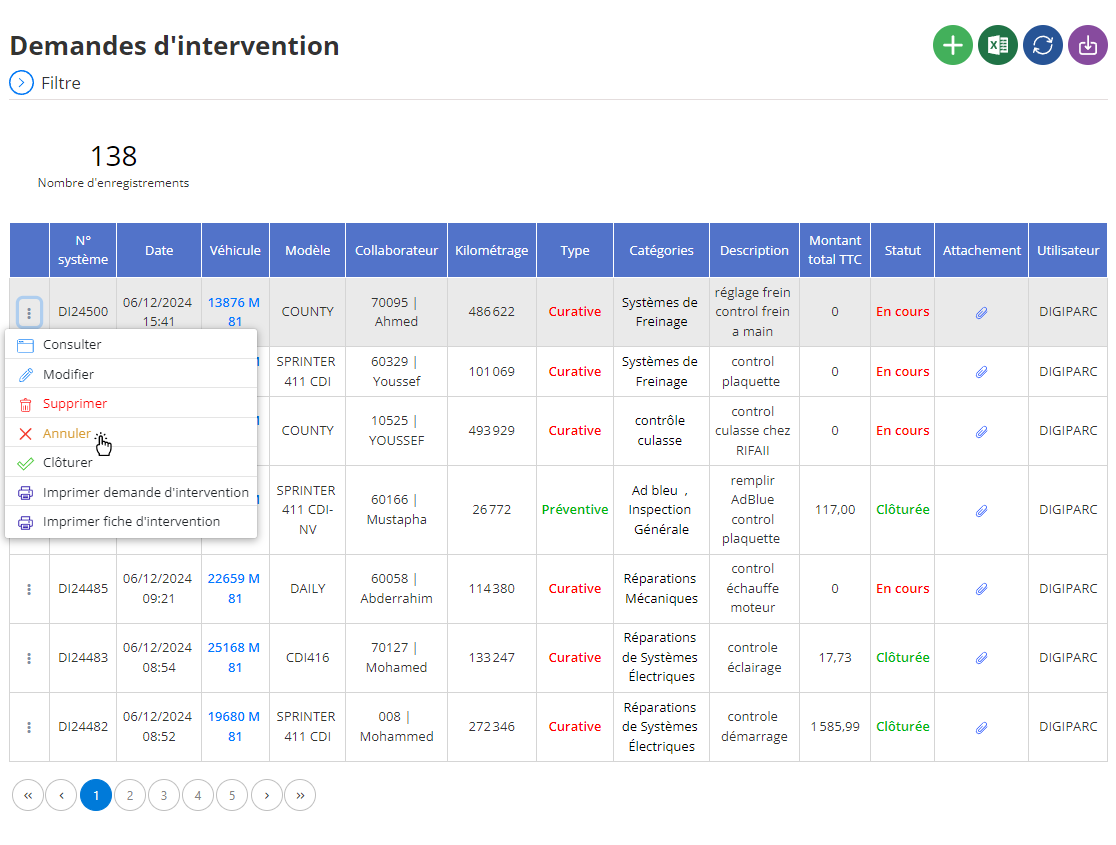
Once this action is carried out, a pop-up window appears, asking to fill in theactual end date, which corresponds to the effective date of the end of the intervention. This field is required to validate the action.
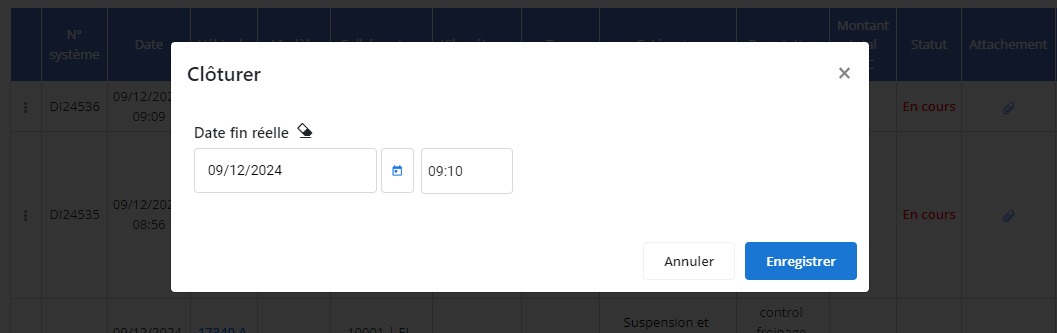
After providing this information and clicking onTo validate, an intervention is automatically created from the closed request. The status of the request then changes to indicate that it has been closed, and this status becomes final, with no possibility of further modification.
Cancellation of an intervention request
If an intervention request needs to be canceled, the user can select the optionCancel.
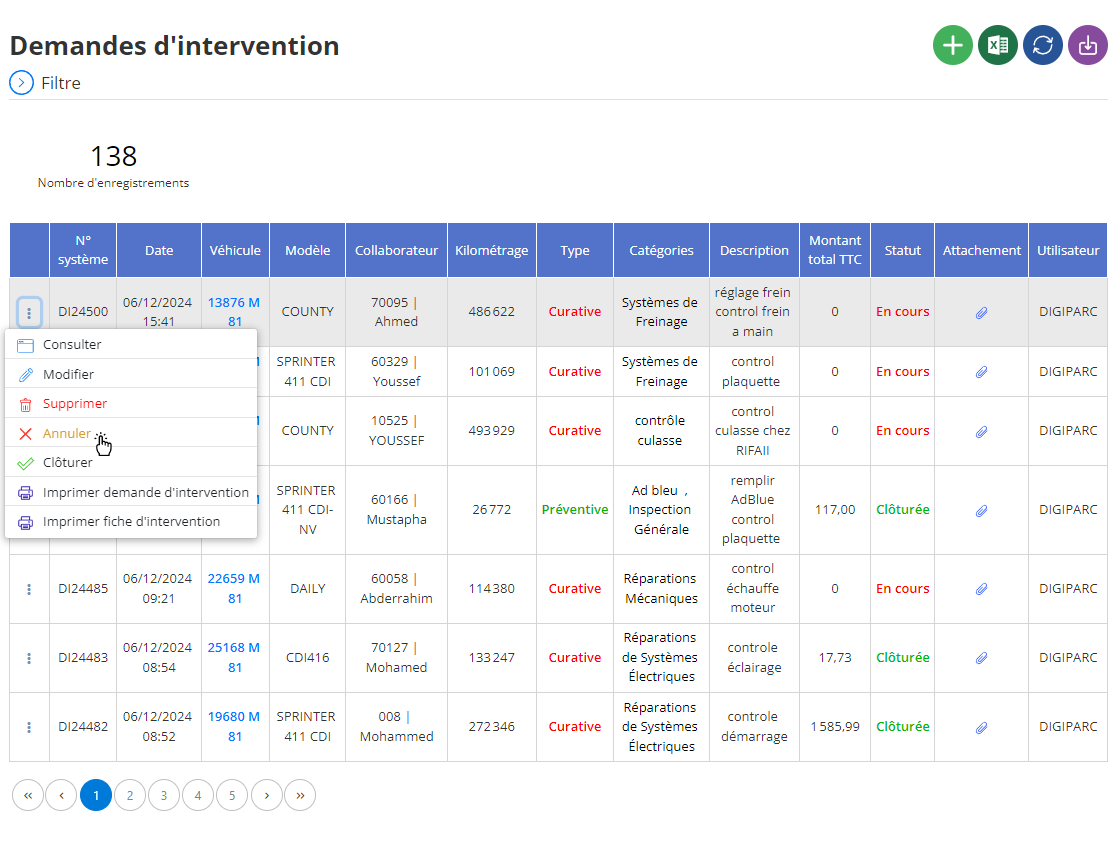
This action brings up a confirmation window asking whether or not to validate the cancellation.
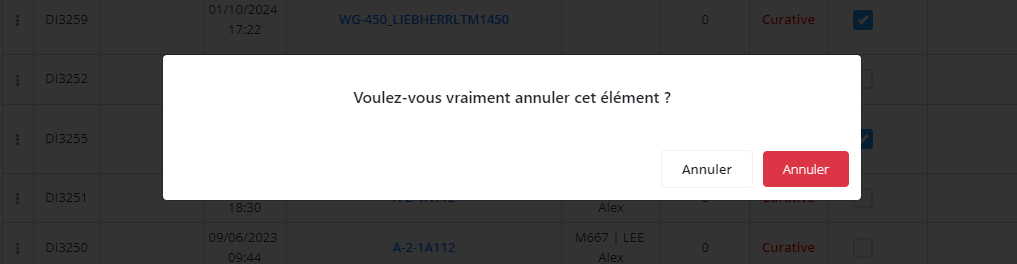
If an intervention request needs to be canceled, the user can select the optionCancel. This action brings up a confirmation window asking whether or not to validate the cancellation. By clicking on the buttonCancel(red), the request is canceled, and its status is immediately updated to reflect this state. Just like for closing, the new status is final and can no longer be modified after validation.
Key points to remember
When closing, an intervention is automatically created to allow detailed monitoring of the actions taken. On the other hand, the cancellation of a request simply marks the end of its processing without creating an intervention. In both cases, the statuses of requests, whether closed or canceled, can no longer be modified, guaranteeing rigorous management and complete traceability of operations. These centralized and intuitive features ensure rapid and accurate processing of intervention requests.

