Module · CMMS
Quote Details
Quote Details
The section dedicated to quote details offers a complete and structured presentation of the constituent elements of each financial proposal. It allows users to precisely explore the different components of a quote, thus facilitating a careful assessment of associated costs. Thanks to a clear and intuitive organization, this section becomes an essential tool for monitoring the services and parts offered in each intervention.
The detailed display of quotes promotes increased transparency and a better understanding of expenses. Each user can thus analyze the services and associated parts, evaluate their relevance, and ensure that everything corresponds to the needs and expectations of the project. This section also helps optimize financial decision-making, by providing complete visibility into total amounts, taxes and unit costs.
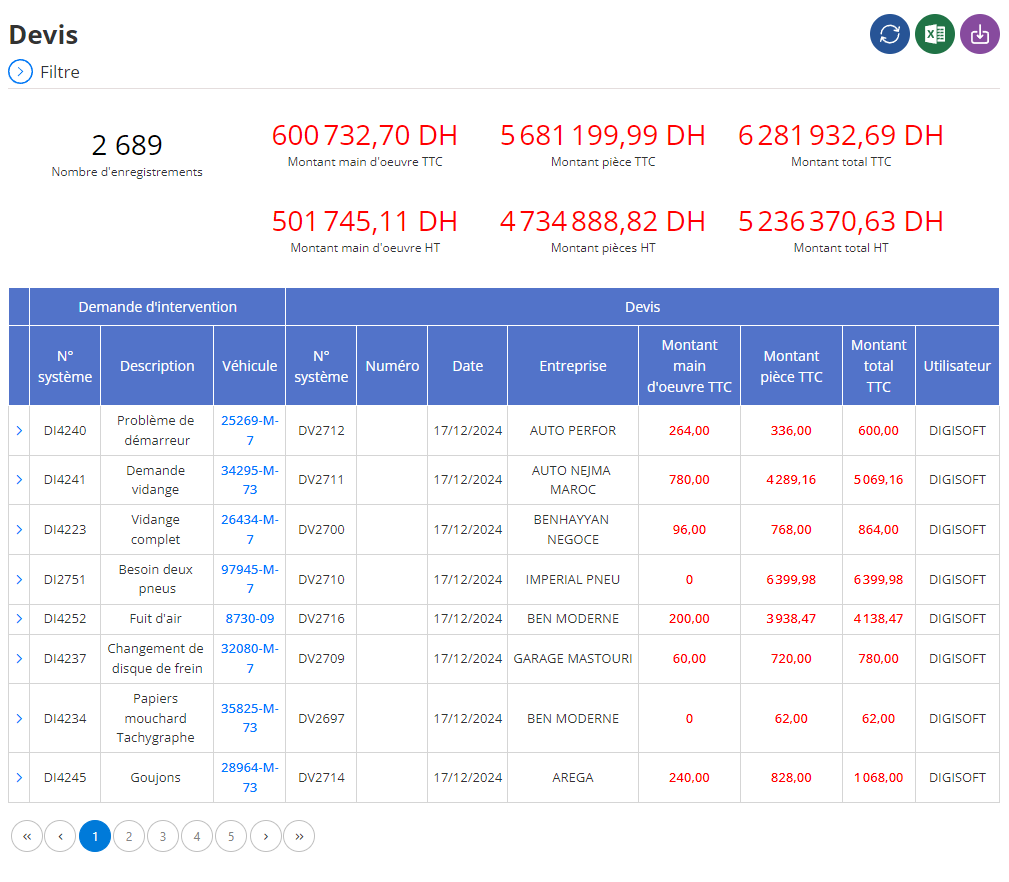
Viewing quote details
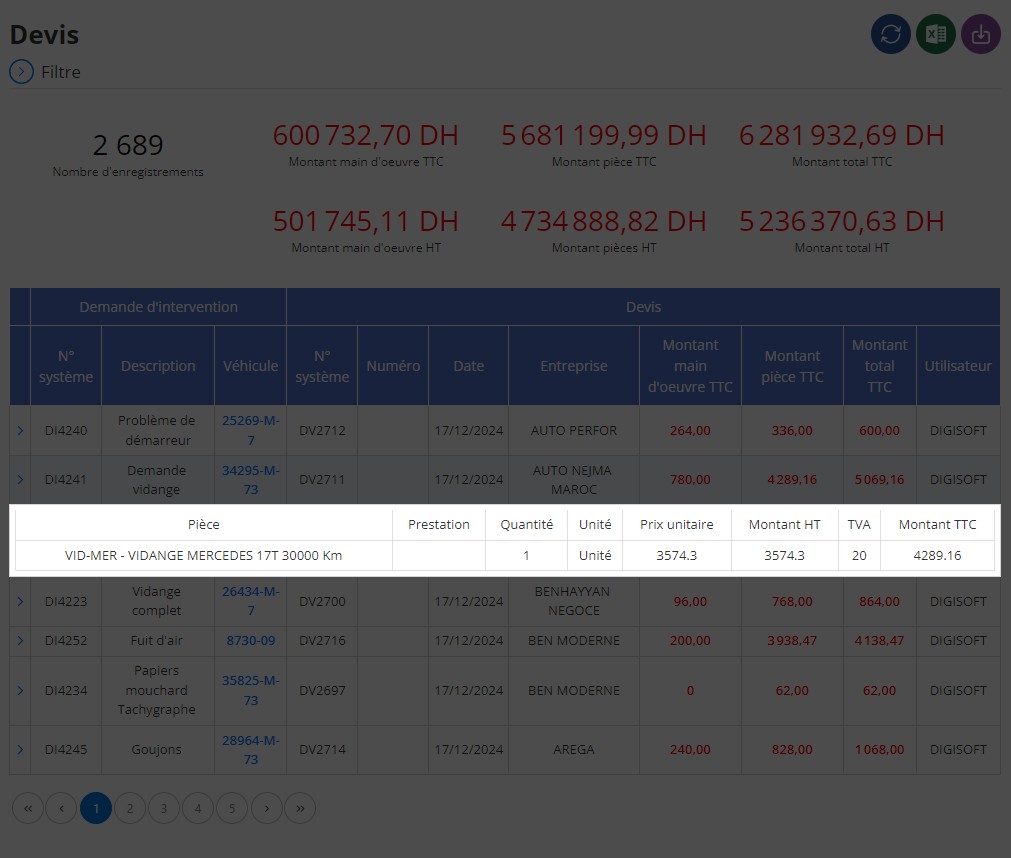
In the main part of the interface, quote details are presented in the form of a structured table, where each line corresponds to a specific element of a quote. Here are the main columns and their usefulness:
-
Piece :This field precisely describes the parts necessary for the intervention. It is essential to understand the physical elements required for the project and to verify their adequacy with the technical needs.
-
Benefit:This column specifies the services or tasks associated with the intervention. This includes, for example, specific repairs, maintenance or diagnostics.
-
Quantity:This field indicates the quantity of parts or services provided for in the quote. This information is crucial for monitoring the accuracy of requirements and forecasts.
-
Unit:This detail specifies the unit of measurement for quantities, such as "part", "hour", or "lot". This facilitates better understanding of data and helps standardize quote formats.
-
Unit Price:This field displays the individual cost of each part or service. It is a key indicator for comparing options and assessing the competitiveness of offers.
-
Amount excluding tax:This column groups together the costs excluding taxes for each item. It offers an initial estimate of expenses before taxes are applied.
-
VAT:The amount of applicable value added tax is indicated here, allowing the final cost to be accurately calculated.
-
Amount including tax:This field presents the total amount including taxes for each line of the quote, providing a complete view of the final costs.
This section dedicated to quote details provides a complete solution for monitoring and analyzing financial elements. It is part of a global approach to optimizing resources, cost control, and transparency in processes.
By bringing together all key data in a single interface, users can make informed decisions, ensure compliance of interventions and ensure that financial proposals fully meet operational needs.
Detailed management of quotes, through this section, proves to be an essential pillar for controlling costs and guaranteeing the success of projects. Thanks to a clear and exhaustive presentation, each user can precisely evaluate the services and parts offered, compare quotes effectively, and optimize financial processes. This approach, focused on transparency and efficiency, constitutes a major asset for companies wishing to rationalize their expenses while maintaining a high level of quality in their operations.

