Module · Finance
Export of the Bank Journal
Export of the Bank Journal
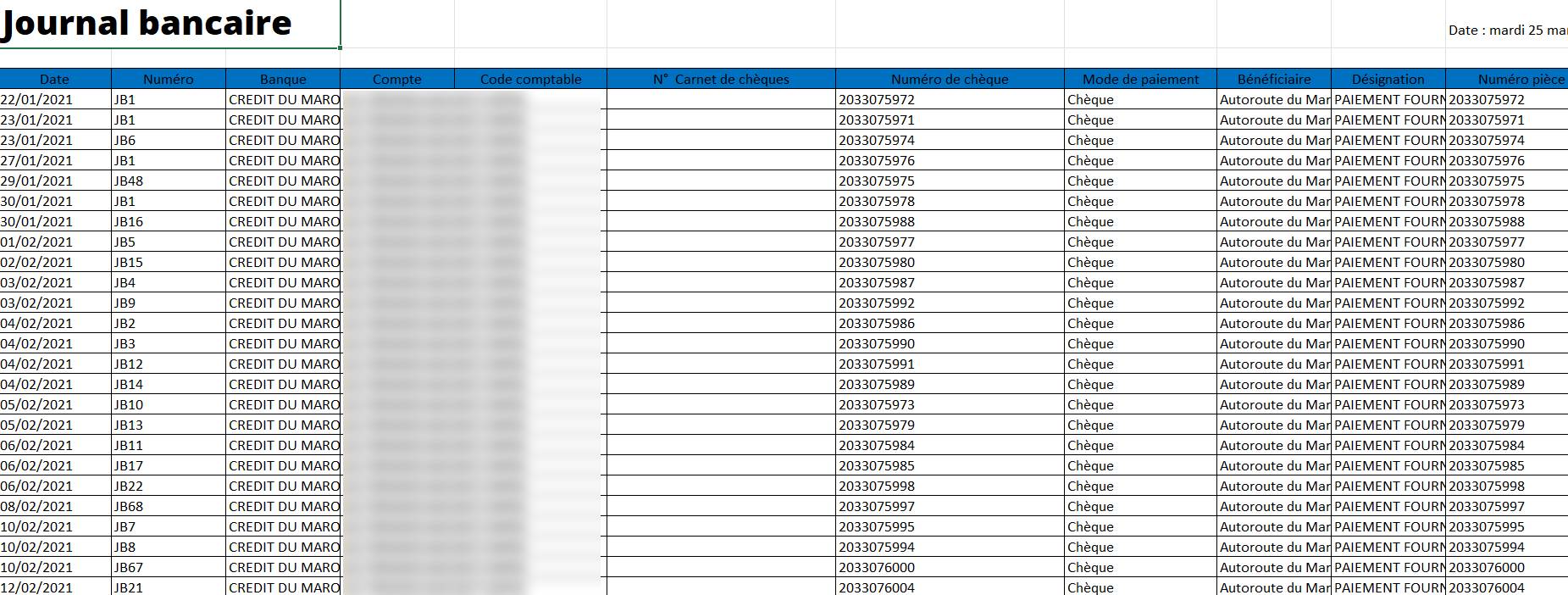
L'bank journal exportallows you to generate a file containing all the banking transactions recorded in the system. This feature is useful fordata sharingwith other services,checking bank entriesor even theexternal financial analysis.
Steps to Export Bank Journal
Access the Export Option
-
From the bank management interface, navigate to the sectionBanking Journal.
-
Click on theexport buttonavailable on the interface.

Generate the Export File
-
Once the criteria are defined, click on"Export".
-
The system generates a fileExcel format, containing the selected information.
Download and Use the File
-
This file can be used forfinancial reports, of theexternal Analyticsgold hassharing with other serviceslike accounting.
Advantages of Banking Journal Export
Save timeby quickly retrieving all transactions.
Precise trackingbanking transactions with detailed data.
Make accounting easierby sharing information with the teams concerned.
Structured formatcompatible with financial analysis tools.

