

Module · Purchasing
Filtering Invoices
Filtering Invoices
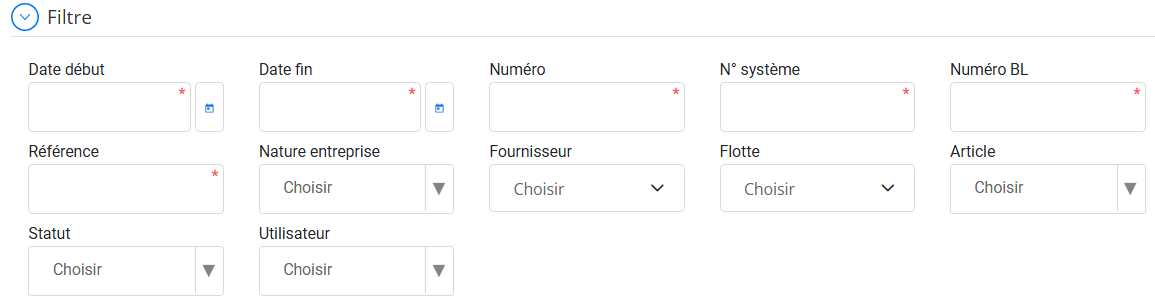
This functionality allows you tosearch and sort efficientlysupplier invoices recorded in the system, using a series ofprecise criteria.
Filter purpose:
-
Quickly identify a specific invoice.
-
Track payment status.
-
Control invoices by supplier, fleet or item.
-
Save time in accounting management.
Filter available criteria:
| Criteria | Description |
|---|---|
| Start/end date | Allows you to filter invoices according to a specific period. |
| Number | Manual or internal invoice number. |
| System No. | Number automatically generated by the system. |
| BL number | Link invoices to associated delivery notes. |
| Reference | Custom reference entered during creation. |
| Business nature | Type d’entreprise (ex. fournisseur local / étranger). |
| Supplier | Allows you to target invoices from a specific supplier. |
| Fleet | Filter by fleet concerned in the invoice. |
| Item/Part | Find invoices containing a given item. |
| Status | View invoices onlypaid, unpaid, partially paid, etc. |
| User | Identifies who created or modified the invoice. |
Advantage
Thanks to this multi-criteria search, the system offers aclear, filtered and focused visioninvoices, useful for audits, controls or reminders.