

Module · Purchasing
Gestion Avoirs
Gestion Avoirs
Therebill of creditis used forcorrect to supplie invoicein the event of parts returned, invoicing errors or commercial discounts.
It allows toreduce the total amount owed to the supplieren l’associant à une ou plusieurs factures initiales.
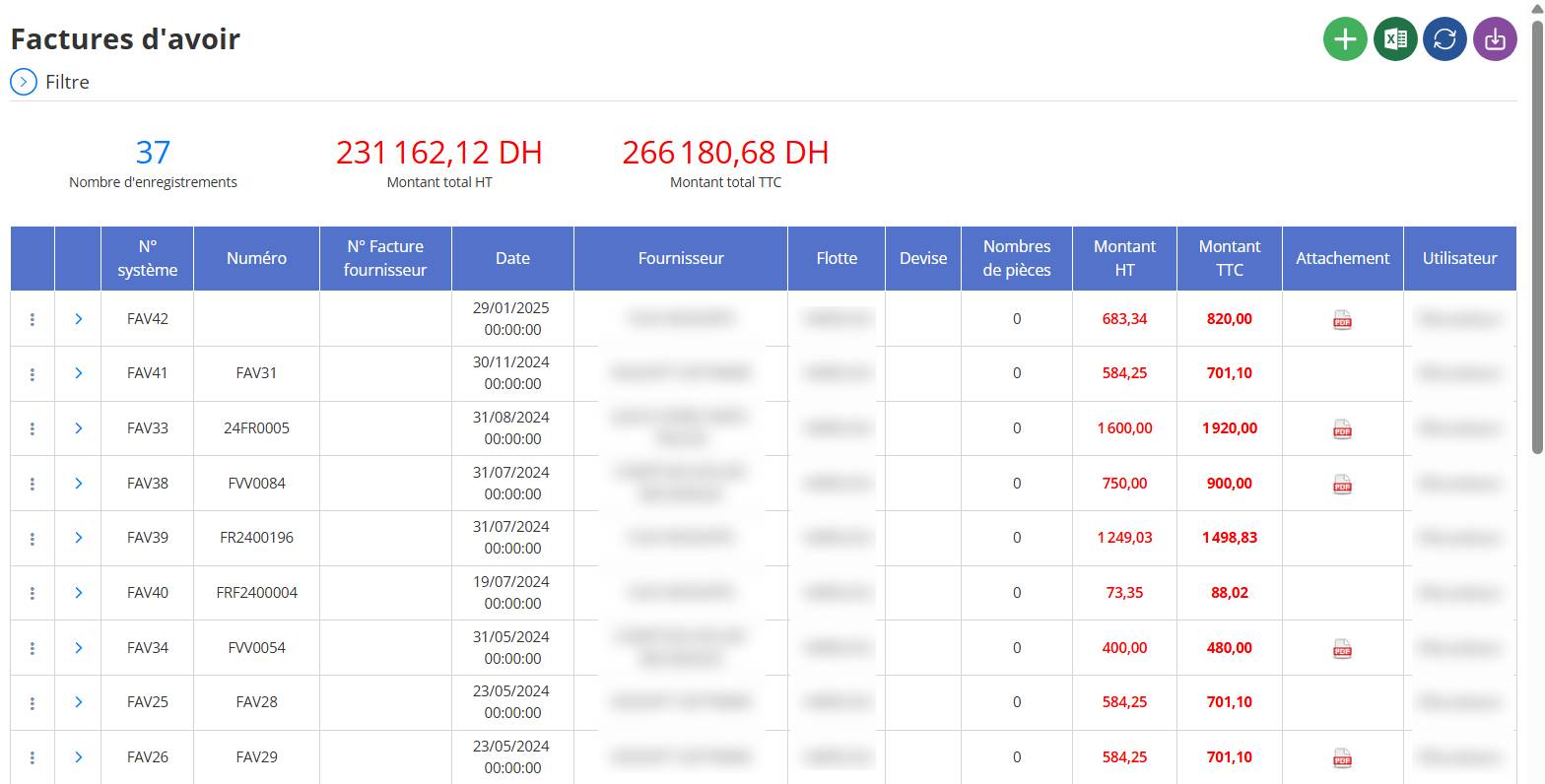
Adding a credit note invoice (supplier credit note)
This operation is used when a supplier needs to reimburse you or cancel all or part of an existing invoice, generally because of:
-
a return of parts,
-
of an overpayment
-
or a billing error.
Steps for adding a credit note:
Go to module:
Go to the section“Credit invoices”depuis le menu principal.
Cliquer sur le boutonAddOr+ New:
This will open theadd formof a credit note.
Complete the required fields:

-
Supplier: select the supplier concerned.
-
Date of receipt: creation date of the credit note invoice.
-
Credit invoice number: either generated automatically or entered manually depending on your configuration.
-
Returned parts or products: indicate the part(s) concerned.
-
Amount excluding tax / VAT / tax included: these fields will be calculated based on the added parts.
-
Pattern (optional but recommended): explain why the asset is created.
-
Link to an existing invoice (if applicable):
If this credit note is a partial or total correction of an existing supplier invoice, select the invoice to correct. -
Check totalsand ensure all fields are correct.
-
Cliquer sur
Saveto validate the credit.
Expected result:
-
The credit invoice is added to the list with status
Unresolved. -
If it is linked to an original invoice, thebalance dueto this provider is automatically updated.