Module · Reporting
Gestion Citernes
Gestion Citernes
Le rapport"Citernes"permet de suivre la gestion des stocks de carburant dans les différentes citernes des parcs de l’entreprise. Il affiche les quantités rechargées, consommées et restantes, permettant ainsi un suivi précis et une optimisation de l’approvisionnement en carburant.
Ce rapport est essentiel pour éviter les ruptures de stock, détecter d’éventuelles anomalies de consommation et assurer une gestion efficace des ressources en carburant.
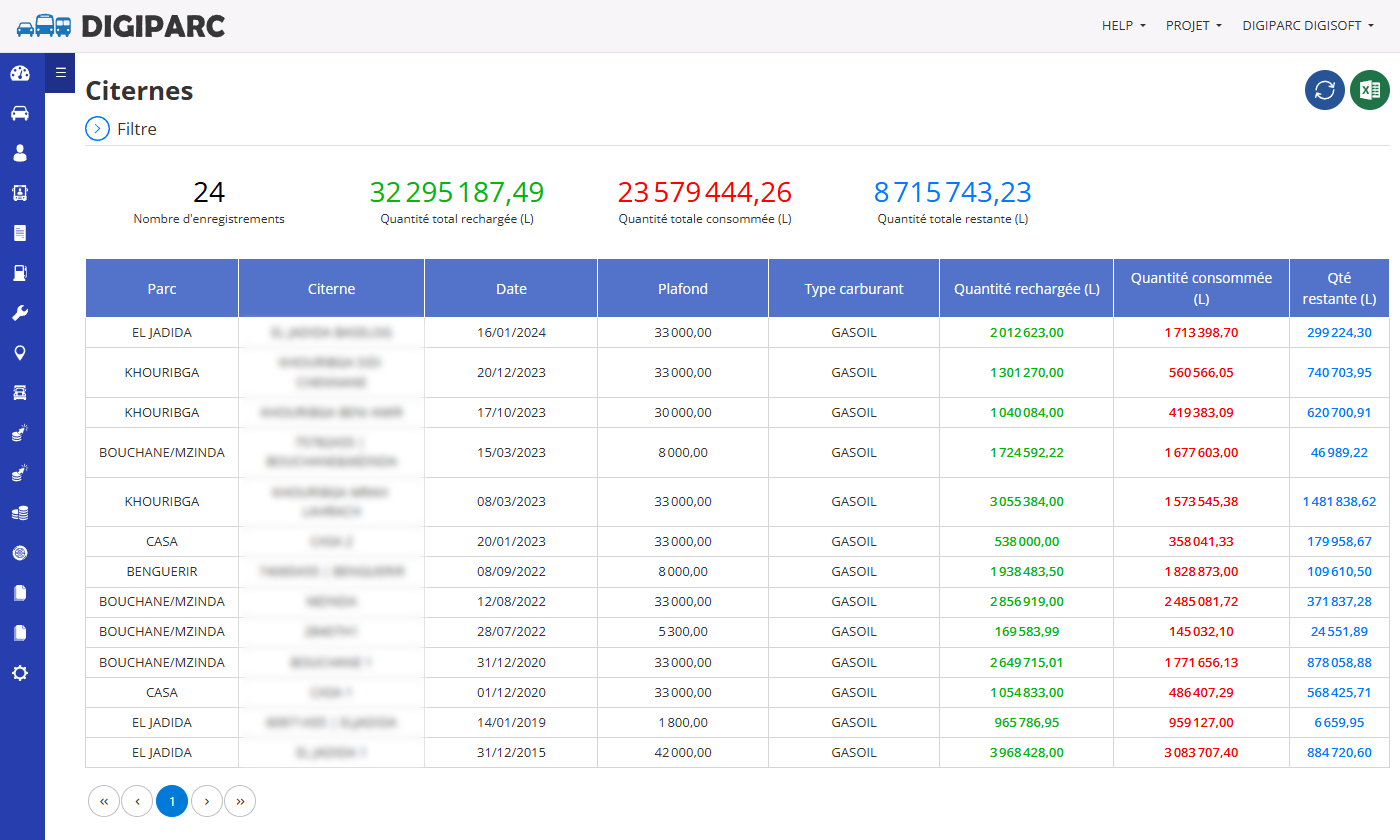
Explication détaillée des colonnes
- Parc: Nom du site ou de l’emplacement où se trouve la citerne.
- Citerne: Identifiant ou nom de la citerne contenant le carburant.
- Date: Date d’enregistrement de l’opération (recharge ou consommation).
- Plafond: Capacité maximale de la citerne en litres.
- Type carburant: Type de carburant stocké (exemple : Gasoil, Essence, etc.).
- Quantité rechargée (L): Volume de carburant ajouté dans la citerne lors d’un rechargement.
- Quantité consommée (L): Volume de carburant utilisé ou distribué depuis la citerne.
- Qté restante (L): Quantité de carburant encore disponible dans la citerne après consommation.
Valeur ajoutée du rapport
- Optimisation de l’approvisionnement: Permet de planifier les recharges en carburant en fonction de la consommation réelle.
- Surveillance des stocks: Aide à éviter les pénuries et les excès de stockage.
- Détection des anomalies: Facilite l’identification des écarts anormaux entre les quantités rechargées et consommées.
- Amélioration de la gestion financière: Permet un meilleur contrôle des coûts liés à l’achat et à l’utilisation du carburant.

