

Module · Admin
Approvals Management
Approvals Management
The approvals management module offers a reliable and methodical solution for administering all data relating to official authorizations. Designed to meet the needs of rigor and practicality, this system allows users to centralize essential information and guarantee its regular updating.
With this module, approvals can be documented in detail, integrating key information such as issue and expiry dates, issuing entities, specific conditions and categories covered. By ensuring careful organization of this data, the system makes it easier to monitor deadlines and anticipate necessary renewals or updates.
This rigorous management helps maintain regulatory compliance and reinforces the reliability of internal processes. Thanks to quick and simplified access to relevant information, teams can focus on analysis and decision-making, while relying on a database that is always updated and structured.
By optimizing the administrative procedures linked to approvals, this module becomes an essential ally for organizations keen to ensure complete traceability and proactive management of their authorizations.
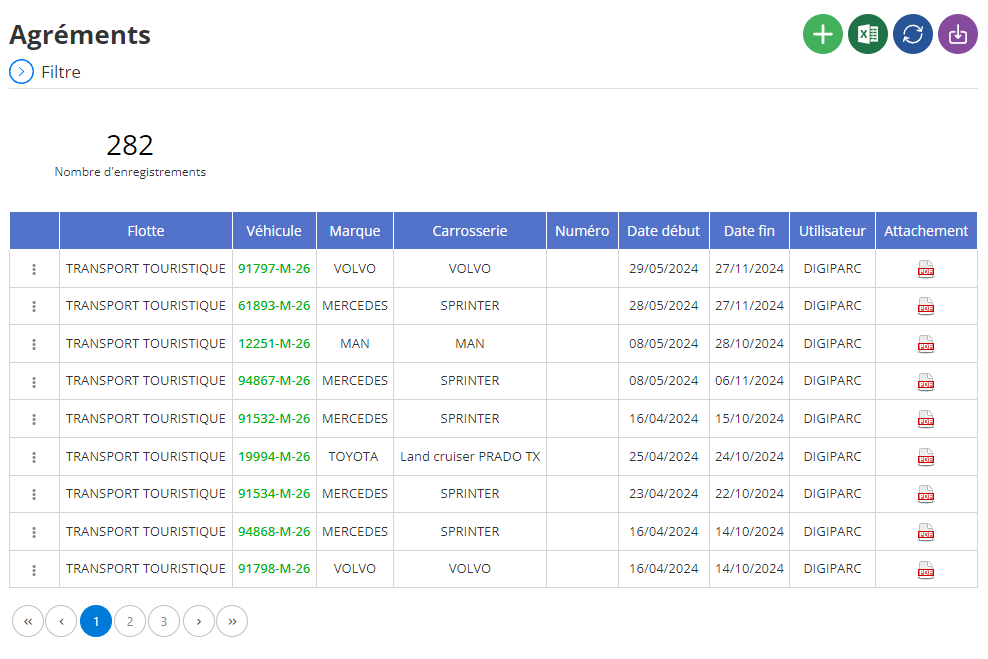
Adding a new approval
The interface dedicated to adding an approval allows you to provide all the information necessary to document each approval associated with a vehicle. This tool plays an essential role in administrative monitoring, guaranteeing rigorous management of approvals, particularly for transport fleets or company vehicles.
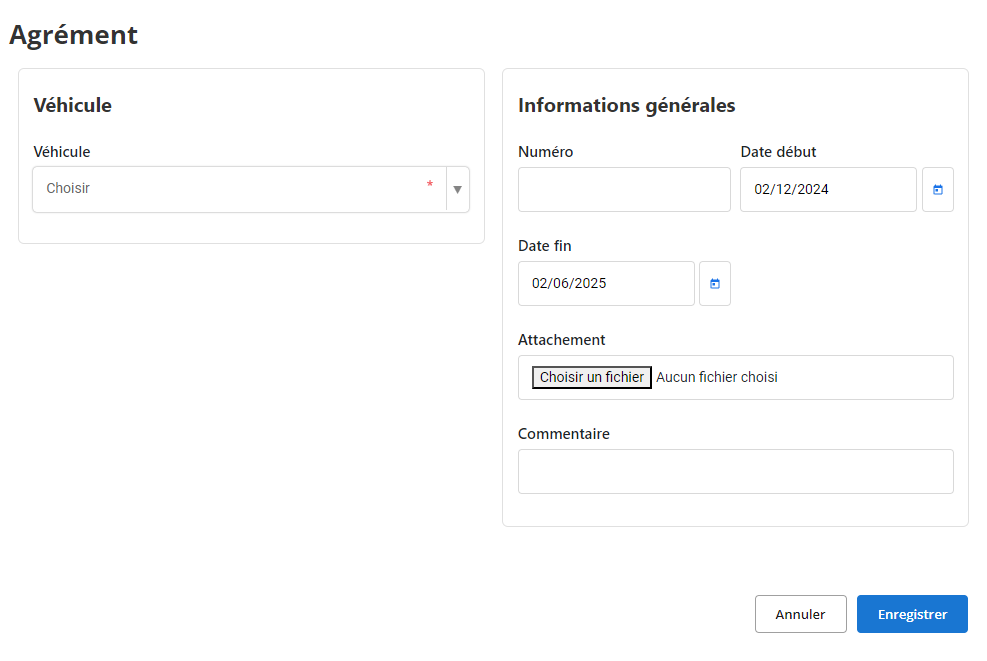
-
Associated fleet:Select the fleet to which the vehicle belongs from a predefined list. This step makes it possible to classify approvals according to vehicle groups (for example: tourist transport, public transport, etc.), thus facilitating their monitoring.
-
Vehicle:Indicate the registration number of the vehicle concerned by the approval. This field establishes a direct link between the approval and the vehicle, essential to avoid any confusion.
-
Brand and Bodywork:Enter the make of the vehicle (Volvo, Mercedes, Toyota, etc.) as well as its body type (sprinter, utility vehicle, etc.). This information makes it possible to quickly identify the characteristics of the vehicle associated with the approval.
-
Approval number:Enter the unique approval number, which will serve as a reference for all subsequent administrative procedures or checks.
-
Date de début et Date de fin :Spécifiez la période de validité de l’agrément en renseignant les dates de début et de fin. Ces données sont cruciales pour s’assurer que tous les véhicules disposent d’agréments valides, réduisant ainsi le risque de non-conformité.
-
Utilisateur :Mentionnez l’utilisateur ou l’administrateur responsable de l’ajout ou de la gestion de cet agrément. Cela permet de maintenir une traçabilité des opérations effectuées.
-
Documents joints :Si nécessaire, joignez des fichiers numériques associés à l’agrément, tels que des scans de documents officiels ou des certificats. Cette fonctionnalité garantit que toutes les pièces justificatives soient centralisées et facilement accessibles en cas de besoin.
-
Comments:This free space is intended for additional comments or observations. It may include information on the specific conditions of approval, specific follow-ups or points to check during renewals.
Thanks to this tool, approval management becomes more efficient and better structured. Each vehicle can be tracked individually, with clear and easily searchable information. This allows managers to optimize fleet operations, ensure constant regulatory compliance and prevent any oversights when it comes to license renewal.
Modification of an approval
To update approval information, first navigate to the approvals section of the system. Use the search tools available to locate precisely the approval you wish to modify. You can carry out your search based on criteria such as the vehicle number, the associated fleet, or the start and end dates of validity. Once the approval has been identified, select the “Modify” option to open the update interface.
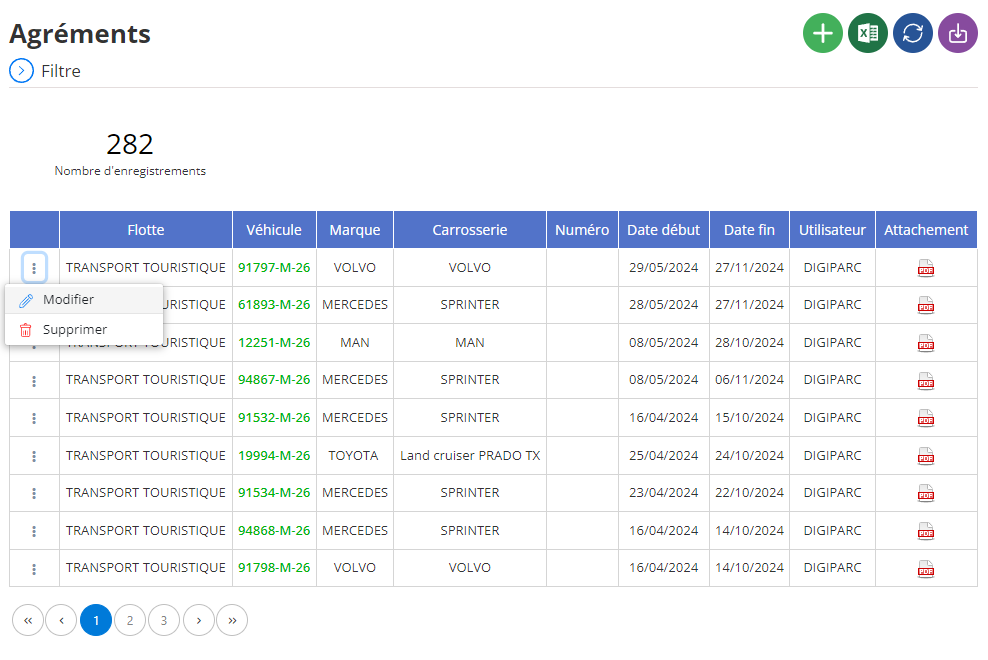
In the dedicated interface, you will have the possibility to correct or update essential information related to the approval. Common items to change include:
-
Associated fleet:You can adjust or correct the name of the fleet to which the vehicle belongs. This is useful, for example, in the event of an internal reorganization or a change of fleet category.
-
Vehicle concerned:If an error has occurred in vehicle selection, it is possible to reassign the approval to the correct registration number, ensuring an exact match.
-
Brand and body:If details about the vehicle, such as make or bodywork, require updating (for example after a change in the system), these fields can be revised.
-
Approval number:In the event of an error or administrative modification, the approval number may be corrected to reflect the official and validated version of the document.
-
Validity dates:One of the most frequent changes concerns the start and end dates of the validity of the approval. This may be necessary, particularly during an early renewal or extension.
-
Attached documents:If new files or supporting documents need to be added (for example, an updated version of the certificate), the interface allows these elements to be included to ensure complete and compliant documentation.
-
Comments:The field of observations can also be enriched to add details or remarks on the modifications made, providing a clear and detailed history of the evolution of the approval.
Updating approvals is a sensitive task that requires great precision. Inaccurate or outdated data can lead to administrative complications, particularly during inspections or compliance checks. Thanks to proactive and organized management, vehicle approvals remain up to date, which helps to strengthen the operational reliability of the fleet. In addition, this approach facilitates access to essential data for audits and long-term monitoring.
Deletion of an approval
To remove an approval from the database, start by accessing the approvals section in the system. Use the search options to identify the specific approval in question. You can refine your search by filtering by vehicle number, fleet or even validity dates. Once the approval is located, select it, then start the removal process.
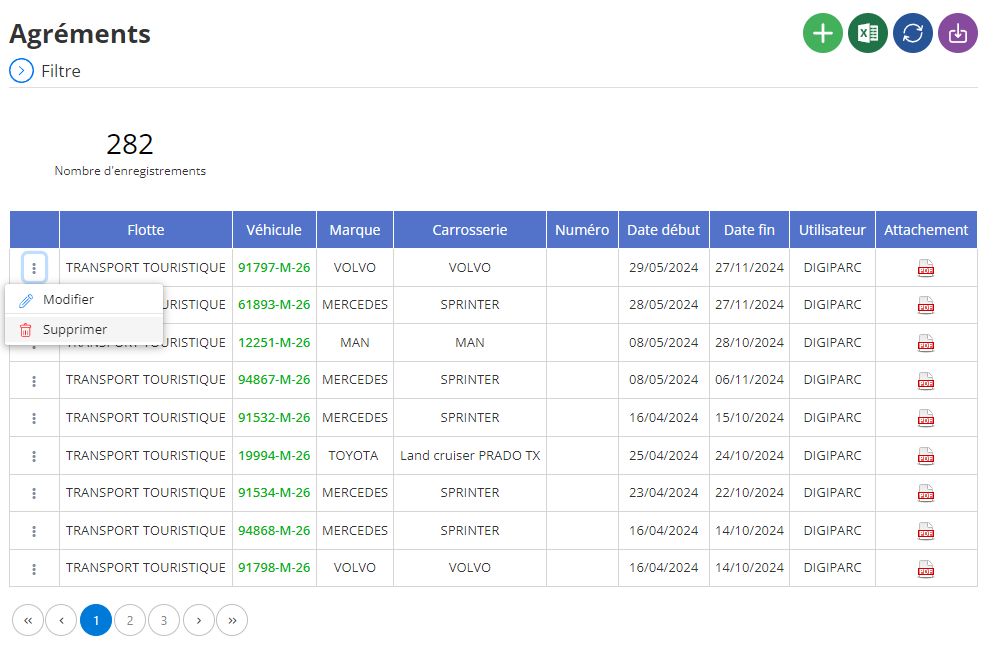
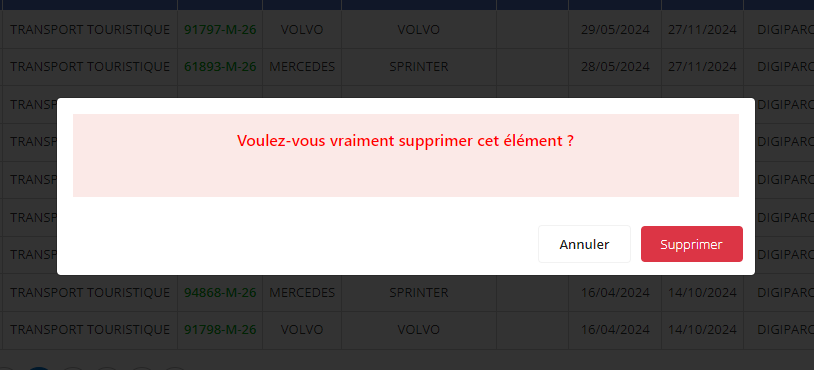
Before confirming the deletion, a validation window will appear on the screen. This step is crucial to ensure that the action is well intentioned. It is important to note that the deletion of an approval is final and cannot be canceled. All information associated with this approval, such as vehicle details or validity dates, will be irretrievably deleted.
The deletion of an approval requires particular attention, particularly if this information may be necessary for administrative monitoring or for future audits. Before proceeding, it is advisable to check whether this data has been archived or saved elsewhere. This precaution ensures that only information that has become obsolete or useless is deleted from the system.
By adopting a thoughtful approach, you guarantee rigorous management of approvals while limiting the risk of errors that could impact administrative or regulatory operations.