Module · Admin
Claims Management
Claims Management
The claims management module is designed to simplify and structure the processing of events affecting your vehicle fleet. This centralized solution guarantees rigorous monitoring of each claim, offering a clear and detailed overview for rapid and informed decision-making.
With this system, each disaster can be recorded by specifying key elements such as the date, time, location, nature of the incident, the parties involved, and the impacts observed. This detailed information makes it possible to create a precise history, essential for analyzing trends, anticipating risks, and optimizing overall fleet management.
Consultation of data is simplified thanks to an intuitive interface, allowing easy access to recent or past claims files. This module also promotes proactive organization by highlighting the actions to be taken, such as repairs, administrative procedures or contacts with insurers.
By ensuring complete traceability and rigorous management, this module becomes a strategic tool for any organization wishing to minimize the financial and operational impacts linked to disasters. It improves responsiveness to unforeseen events, while strengthening transparency and precision in event monitoring.
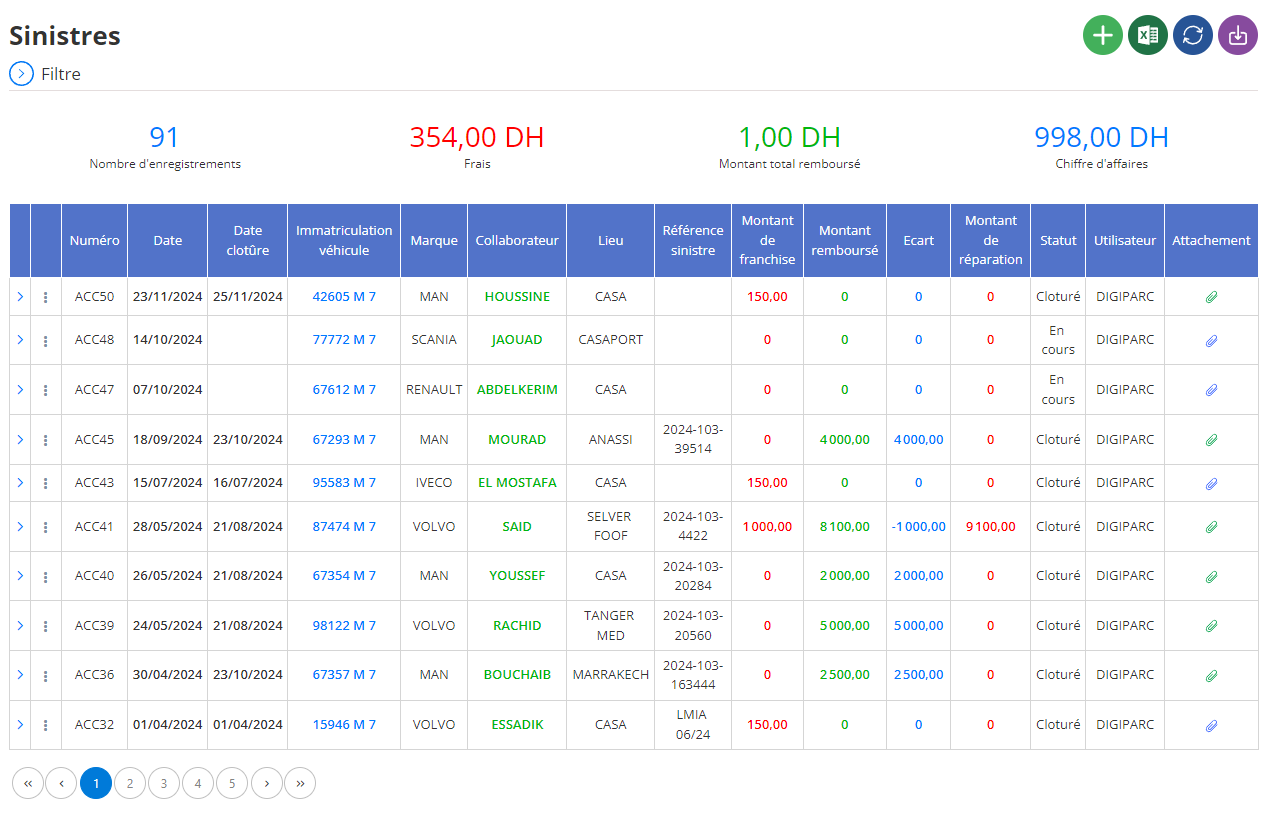
Adding a new disaster
The claims management interface allows you to centralize and organize all the information necessary to record a claim linked to a company vehicle. This tool facilitates incident tracking, while ensuring data accuracy for efficient and transparent management.
Circumstances of the disaster
Start by filling in the details of the circumstances surrounding the loss. This information includes:
- Date and time of the disaster: These fields allow you to accurately record when the incident occurred.
- Type of losses: Select the category corresponding to the event (for example: accident, theft, broken glass). This choice helps classify claims for subsequent analyses.
- Place: Indicate the address or the exact location where the disaster took place for better traceability.
- Findings and reports: You can associate documents such as the report or any other investigation report linked to the disaster. These supporting documents are essential for the declaration and management of the file with insurance companies.
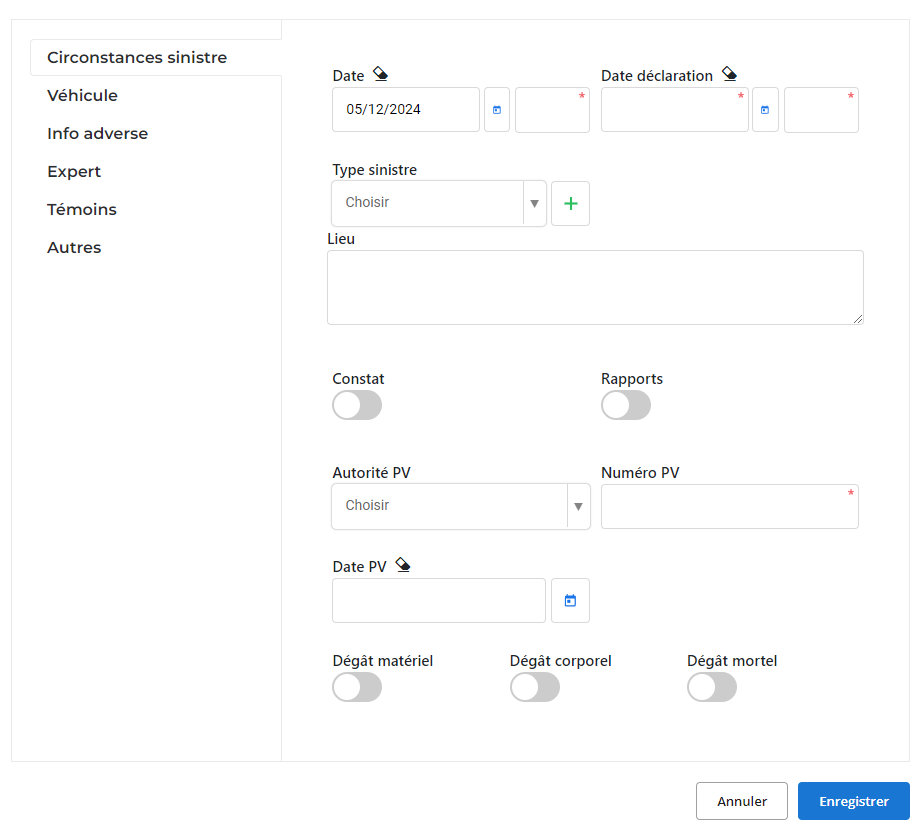
Vehicle information
Each claim must be associated with a specific vehicle. Select the vehicle concerned by indicating its main details such as registration, type, or brand. This makes it possible to centralize the history of incidents linked to this vehicle.
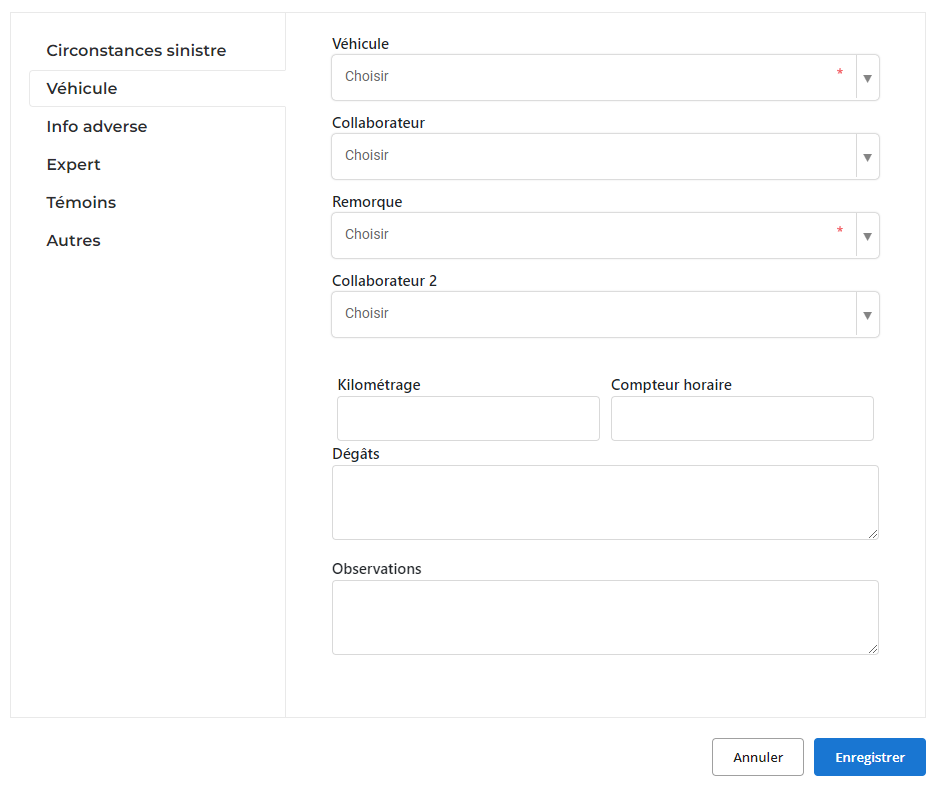
Adverse information
In cases where the loss involves a third party (for example, another driver or vehicle), provide relevant information about the adversary. This data includes the identity, address, and any other details allowing the opposing party to be identified, thus facilitating legal or administrative procedures if necessary.
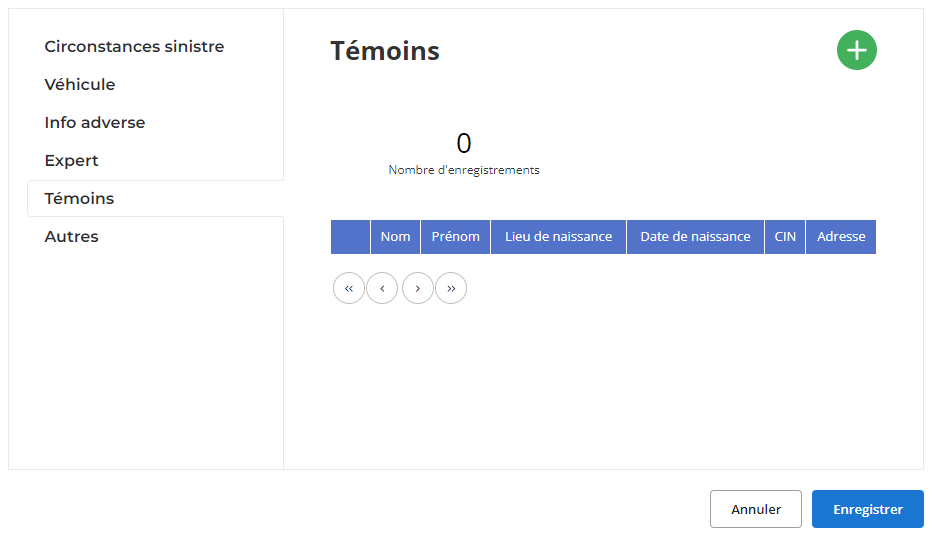
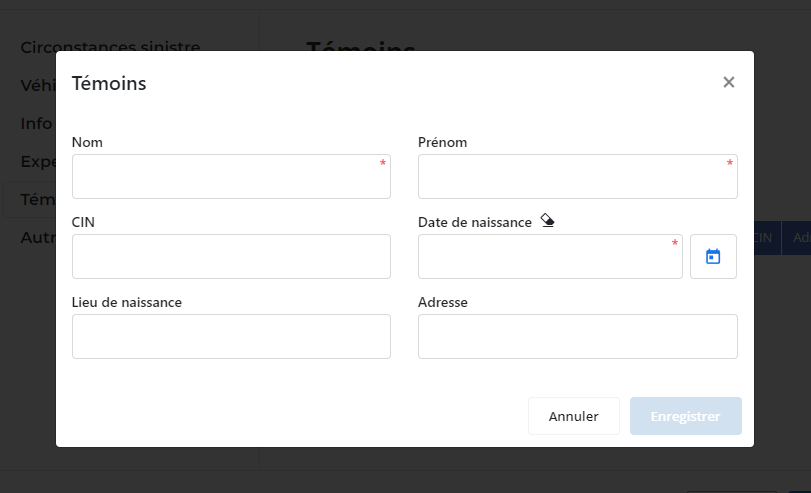
Witnesses
If witnesses were present at the time of the disaster, their addition to the system is crucial. Record their name, first name, contact details, and any other useful information for possible declarations or verifications. This data can play a decisive role in resolving a dispute or establishing responsibilities.
Experts
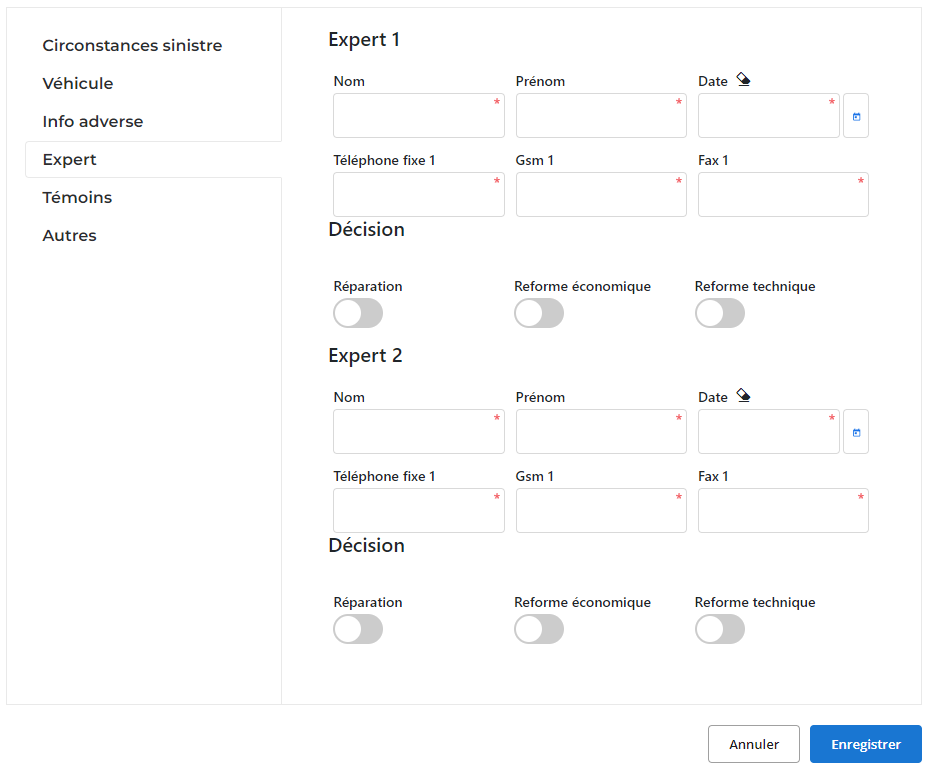
Monitoring a claim may require the intervention of experts to assess material damage or bodily injury. The interface allows you to record the contact details of the experts, their decisions, as well as their technical reports. This guarantees rigorous and documented processing of each file.
Additional details
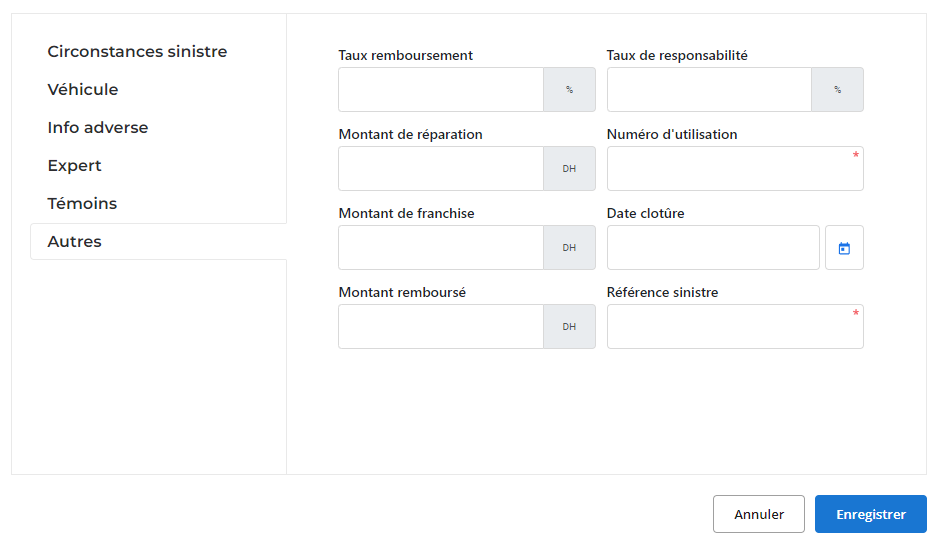
Finally, other fields allow you to include data specific to the disaster, such as:
- Damage statement: Distinguish between property damage, bodily injury or other types of losses.
- Comments: A space is provided to add remarks or specific details about the incident.
Once all the information has been completed, click “Save” to validate the data. This step finalizes the addition of the claim and ensures that all information is saved in the system in an organized manner.
Thanks to this tool, managers have a robust platform to accurately record each claim. This allows efficient processing of files, whether complaints with insurers or internal analyzes to improve risk management.
Modification of a claim
To modify the information relating to a claim already registered, start by accessing the section dedicated to claims in the management system. Use the available search tools to locate the relevant disaster. You can filter files based on criteria such as the date of the incident, the vehicle involved, the type of loss, or any other relevant element. Once the disaster has been identified, select the “Modify” option to access the update interface.
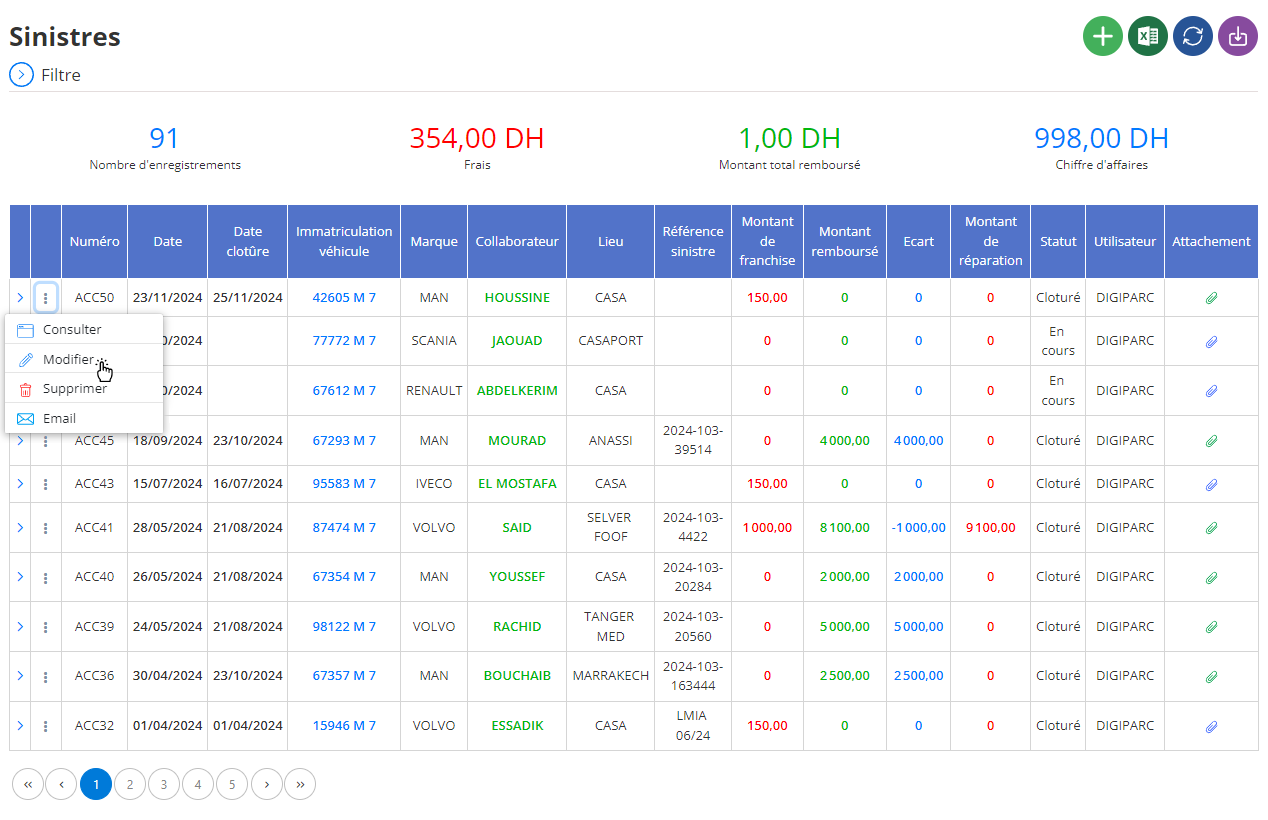
In the editing interface, it is possible to adjust a variety of essential information related to the claim. This includes in particular:
- Incident details: Correct or complete the data relating to the date, location, or type of disaster to ensure an accurate description of the event.
- Vehicle concerned: If necessary, update the information of the vehicle involved, such as its registration or other important characteristics.
- Parties involved: Edit or add details about third parties involved in the claim, such as the opposing driver, their vehicle, or their contact details. This facilitates administrative and legal procedures.
- Reports and supporting documents: Add or replace documents related to the claim, such as the report or expert reports, in order to maintain a complete and up-to-date file.
- Additional comments: Enrich or adjust the remarks and details relating to the incident to provide a better understanding of the circumstances or decisions taken.
After making the necessary adjustments, click the “Save” button to confirm the changes and save them to the system. This action allows the file to be definitively updated, while maintaining a structured and precise history of incidents. With this update, managers can have up-to-date data for efficient claims processing and in-depth claims analysis.
By optimizing claims-related information, businesses strengthen their ability to manage incidents proactively and strategically. This process ensures better preparation for insurance claims, improves communication with involved third parties and provides a clear overview for future decisions.
Deleting a claim
To delete a claim from the database, start by accessing the claims section in the system. Use the search filters to find the folder you want to delete. You can search based on criteria such as the date of the incident, the vehicle involved, or the parties involved. Once the disaster is located, select it, then click on the “Delete” option to initiate the process.
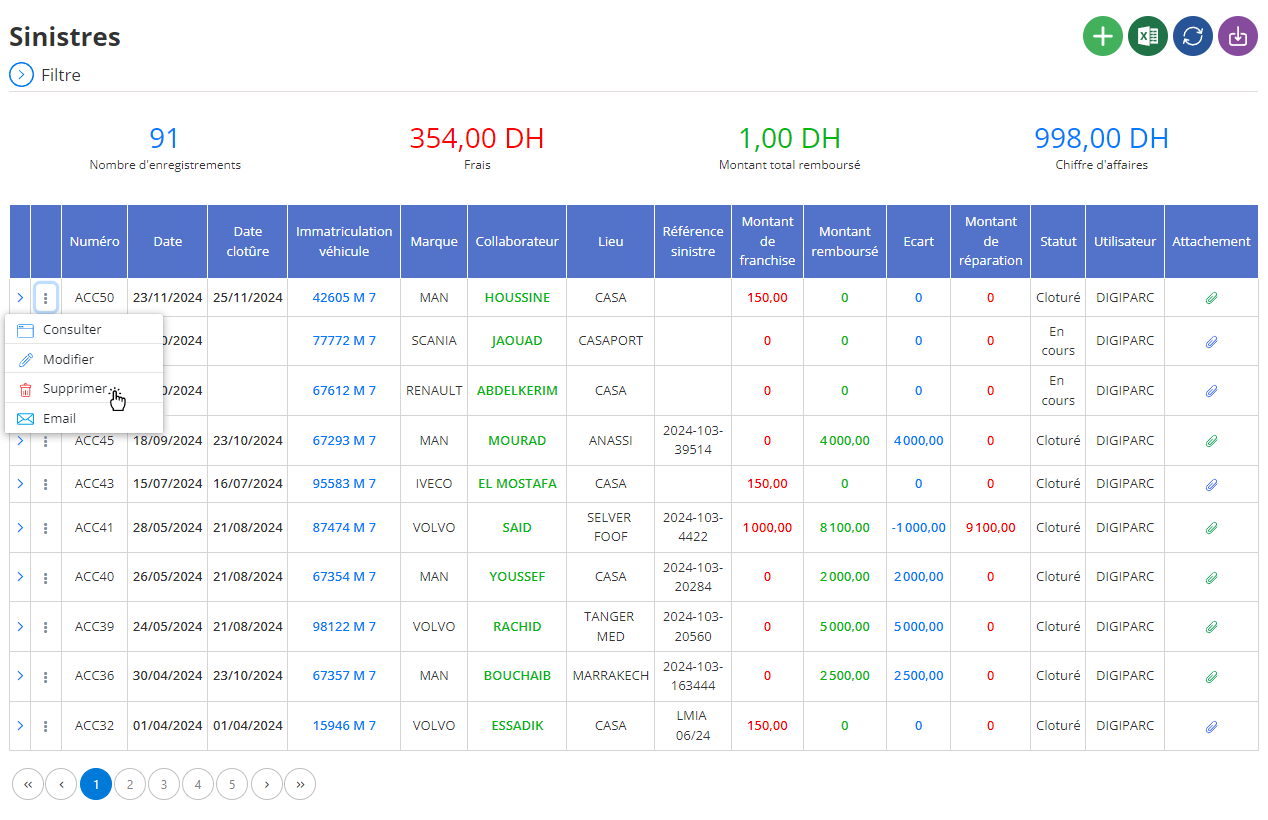
Before validating this action, a confirmation window will be displayed to ensure that the deletion is intentional. It is essential to understand that this operation is definitive: all information associated with the disaster, such as reports, declarations or observations, will be irreversibly erased. This is why it is recommended to carefully check that the claim to be deleted does not contain important or necessary data for future analysis purposes.
Deleting a claims file requires particular caution, especially if the data could be useful for monitoring trends, annual reviews or discussions with insurance companies. Before proceeding, it is advisable to backup or archive important information. This precaution helps preserve critical data while eliminating obsolete or erroneous records from the system.
By acting diligently and methodically, the deletion of a claim helps to maintain a clear and relevant database, thus facilitating the management of other files and the making of informed decisions.
Consultation of a claim
The claims consultation interface provides access to all recorded information regarding a given incident. This tool offers a complete and detailed view of elements relating to the claim, thus simplifying access to essential data for effective file management.
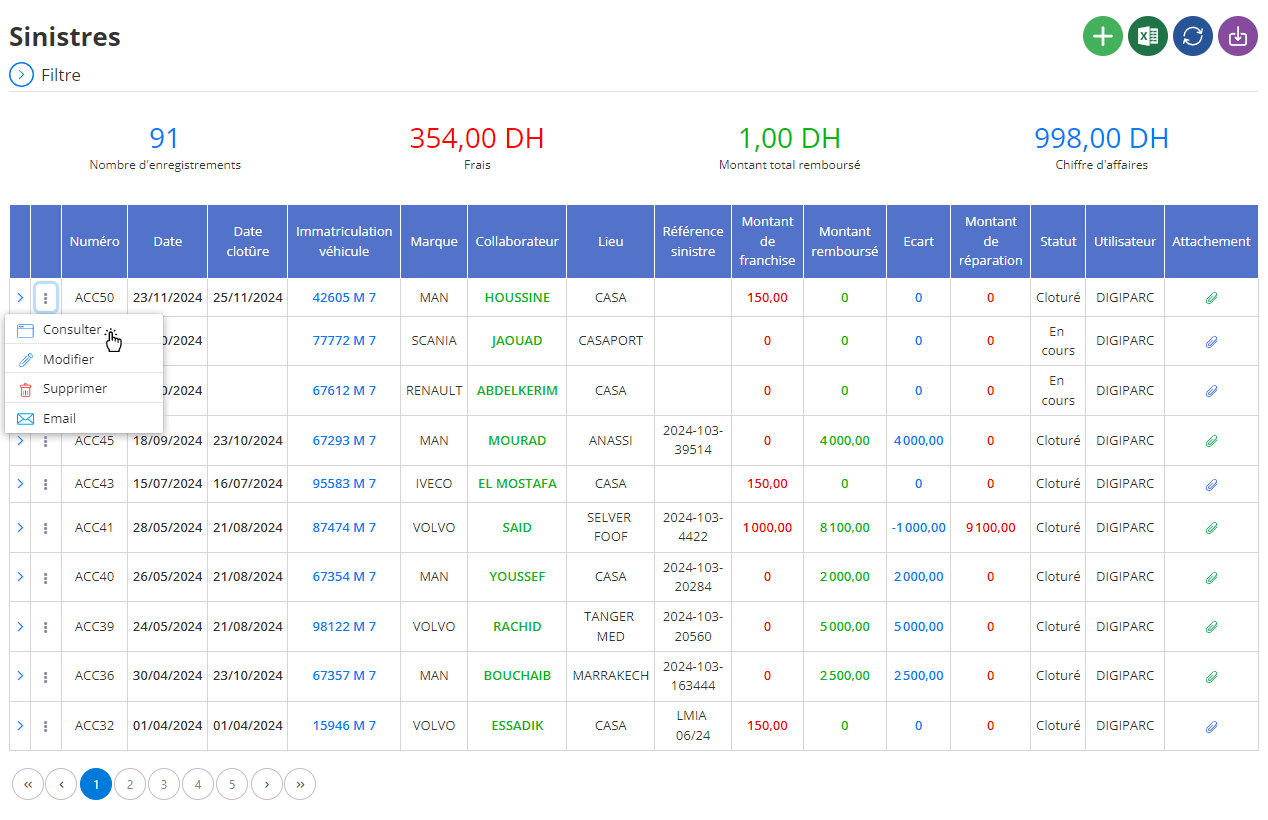
When you select a specific disaster, all recorded details are clearly displayed on the screen. You can view the following information:
Circumstances of the disaster: This section presents a detailed description of the events surrounding the disaster, including the date, location of the incident, and type of disaster. This allows you to quickly understand the context in which the event occurred.
Vehicle concerned: You will find information such as the registration, make and model of the vehicle involved. This data facilitates the rapid identification of impacted assets.
Parties involved: Details of drivers, policyholders or third parties affected by the loss are presented here. This includes their names, contact details and insurance information, ensuring clear stakeholder management.
Expertise: This section brings together information concerning the experts involved, their evaluations, and the technical or economic decisions taken. This data makes it possible to monitor recommendations or actions already taken.
Witnesses: If there are witnesses associated with the case, their information, such as names and contact information, is listed. These elements are essential to confirm or contest the statements made.
Attached documents: All relevant files relating to the incident, such as expert reports, photos of the incident, or declarations, are accessible here. This guarantees full traceability and facilitates subsequent consultation.
Comments: A section reserved for additional observations is also available. It may include remarks on the follow-up given to the disaster, notes on the points to be checked or even specific recommendations for closing or monitoring the file.
Thanks to this interface, consulting claims becomes more intuitive and organized. By centralizing essential information, it offers a clear overview to facilitate analyses, accelerate decision-making, and improve overall file management.

