The registration card management module offers a complete and efficient solution for administering all information related to vehicle registration. By centralizing this essential data, it ensures optimal organization and rigorous monitoring of administrative documents.
With this system, users can enrich the database by registering new registration documents, detailing information such as the registration number, the vehicle model, the date of entry into circulation, or even the associated owner. Updates are simplified, making it possible to quickly integrate modifications linked to changes of ownership or an update of the vehicle's technical information.
This module also facilitates the consultation of existing data, offering a clear and precise view of current registrations. In addition, it guarantees a methodical organization, making the necessary verifications or controls easy, while ensuring compliance with administrative and legal requirements.
By automating and centralizing these processes, the system not only improves data reliability, but also saves valuable time. It thus becomes an essential tool for any organization wishing to rationalize the management of its vehicle fleet and ensure impeccable traceability.
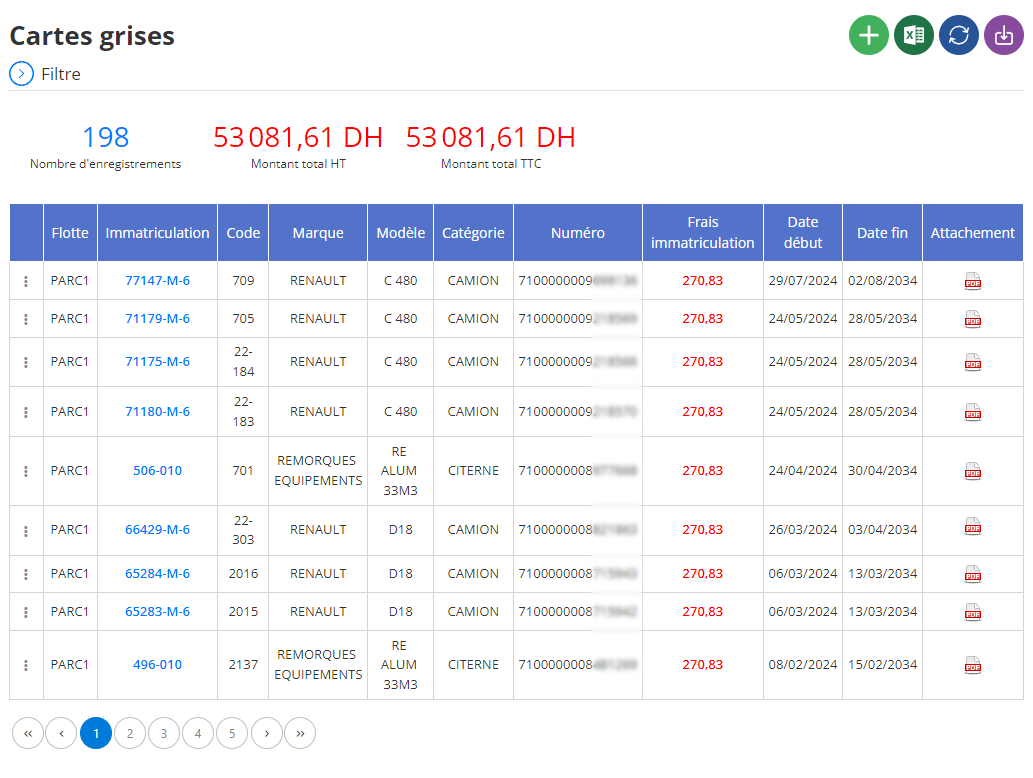
Adding a new registration card
The interface for adding a registration document ensures complete and rigorous management of documents relating to the organization's vehicles. Thanks to this interface, it is possible to record all the information necessary to guarantee optimal traceability and compliance with current regulations. Here are the details of the fields to fill in:
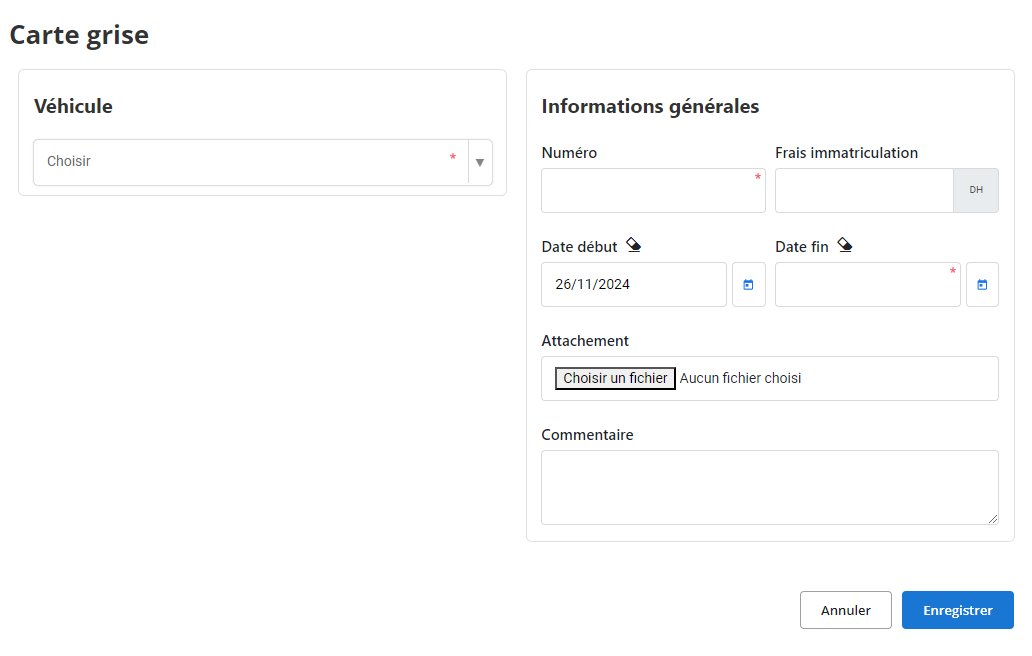
vehicle: Select the vehicle concerned from the drop-down list. This choice allows the registration document to be directly associated with the corresponding vehicle, thus facilitating research and administrative monitoring.
Number: Enter the unique registration number. This field is mandatory, because it constitutes the main identifier for any subsequent consultation or verification.
Registration fees: Indicate the costs incurred for vehicle registration, expressed in the local currency (for example, in dirhams). This information is essential for tracking administrative costs related to vehicle fleet management.
Start date: Specify the date from which the registration document is valid. This allows the validity period to be tracked precisely.
End date: Enter the expiration date of the registration document. This field is essential to anticipate renewals and avoid any delays or penalties.
Attachment: Add documents as attachments, such as a scanned copy of the registration document or related supporting documents. This functionality ensures centralization of information and easy access when needed.
How: Free space is provided to record any additional remarks, such as vehicle-specific information or reminders regarding upcoming procedures.
Using this interface, administrators can efficiently record and organize vehicle registration information, ensuring optimized and compliant fleet management. The clarity and precision of the data entered allows rapid access to critical information and facilitates possible audits or controls.
With this system, the management of registration documents not only becomes more fluid, but also better integrated into overall vehicle management processes.
Modification of a registration document
To update the information relating to a registration card, access the section dedicated to the management of registration cards in the system. Use the search tools provided to quickly locate the card in question. You can carry out the search according to the registration number, the associated vehicle, or even the validity dates. Once the gray card has been identified, select the option“To modify”to access the update interface.
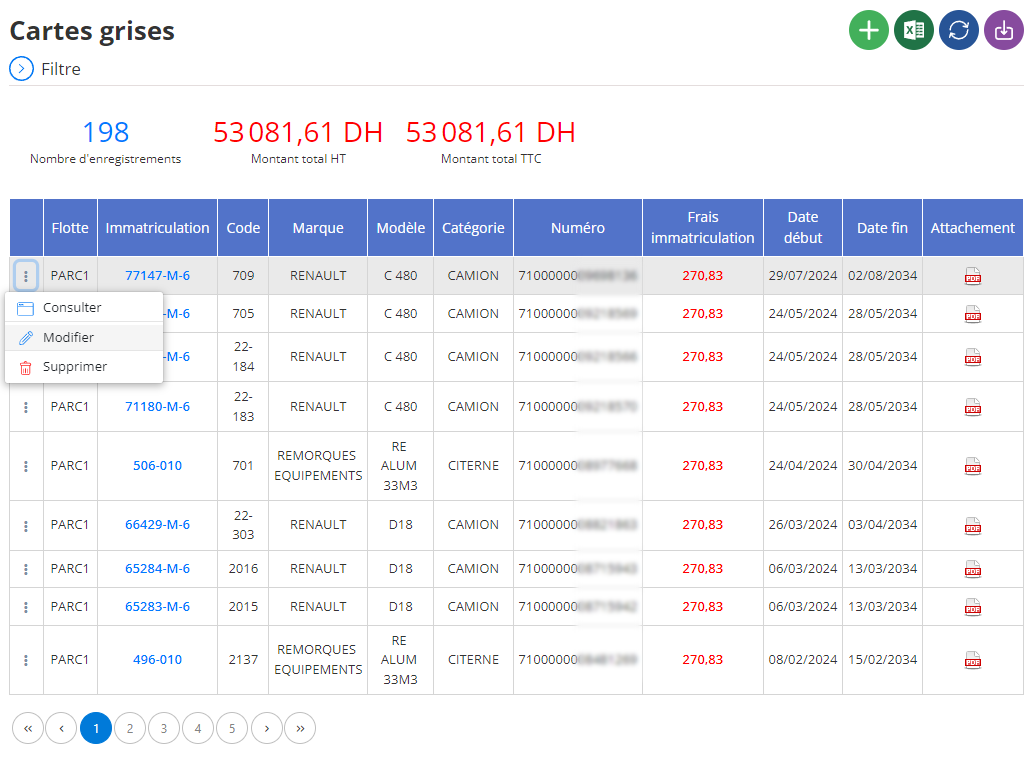
After making the necessary changes, click“Save”to validate and save the new information. This step is essential to ensure that the system always reflects accurate and up-to-date data.
Accurately updating a registration document is essential to guarantee smooth and compliant management of the vehicle fleet. A properly documented registration document helps prevent delays in renewals, avoid administrative fines or penalties, and ensure complete traceability of vehicles.
With an up-to-date history, managers can optimize vehicle management, plan timely renewals and ensure administrative documents comply with legal requirements. This approach contributes to a structured and professional organization of all vehicle fleet data.
Deleting a gray card
To remove a registration card from the database, access the section dedicated to registration registration management. Using the available search tools, precisely locate the registration document in question by filtering by the card number, the associated vehicle, or even the validity dates. Once identified, select the gray card, then click on the option“DELETE”to start the process.
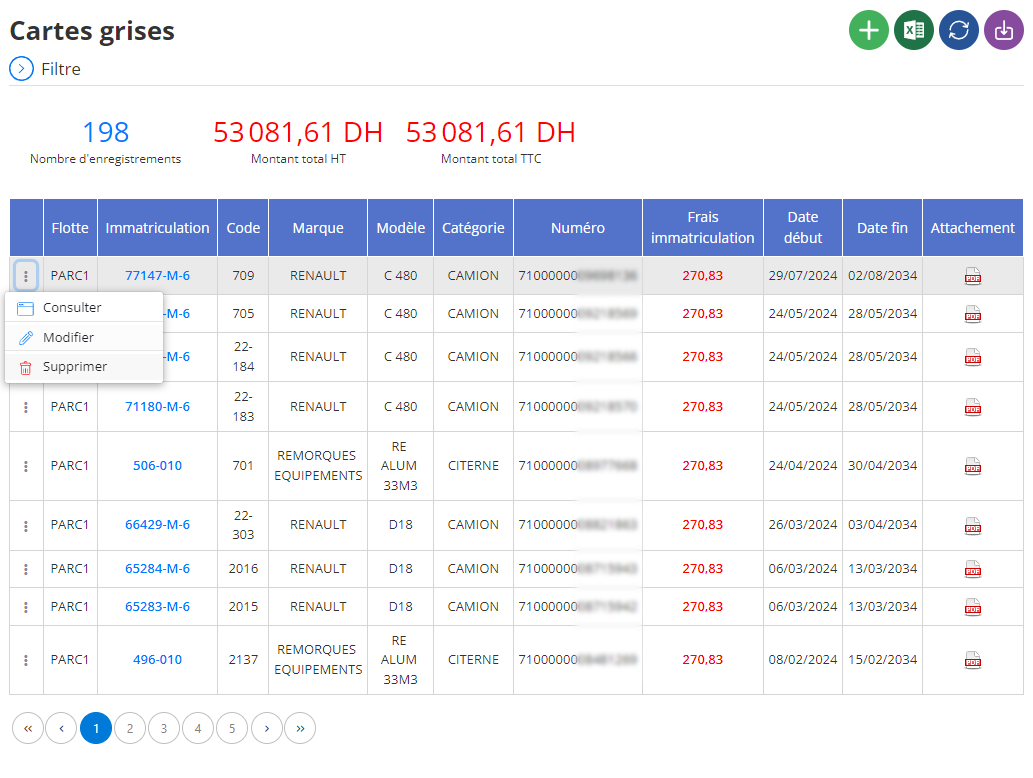
A confirmation window will appear, asking you to validate your choice. It is crucial to note that the deletion of a registration document is an actiondefinitive and irreversible. Once confirmed, all data associated with the card, such as vehicle information, validity dates, registration fees and attachments, will bepermanently lost.
Before validating the deletion, take the time to verify that this action is really necessary and that no important information risks being deleted by mistake. This step is particularly important in the context of rigorous administrative monitoring, where each document can be essential at a given moment.
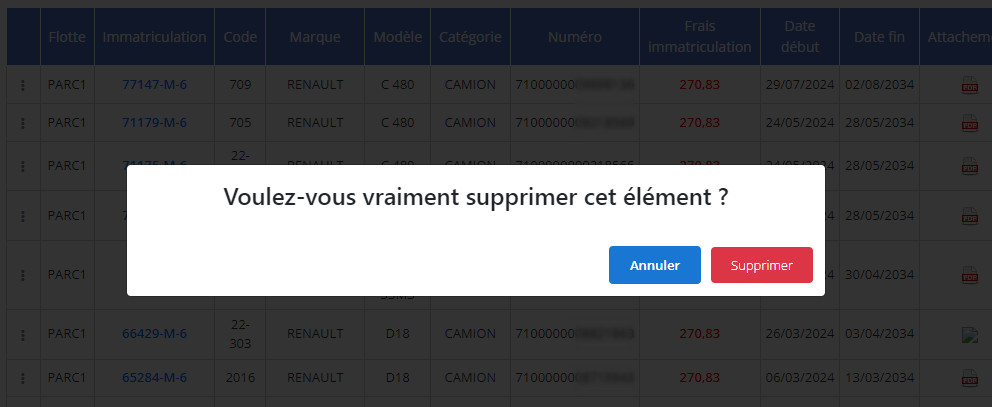
The deletion of a registration document must be limited to cases where the information is definitively obsolete or useless for vehicle fleet management. For example, when a vehicle has been removed from inventory or sold, and its documents are no longer relevant to the administrative needs of the business.
By taking a methodical approach, managers can ensure that only non-essential data is erased. This helps maintain a clean, relevant database aligned with operational needs, while preventing the loss of critical information for the organization.
Consultation of a gray card
The gray card consultation interface offers detailed access to all the information recorded concerning this essential document. This tool is designed to enable smooth management and optimal traceability of registration documents associated with the organization's vehicle fleet.
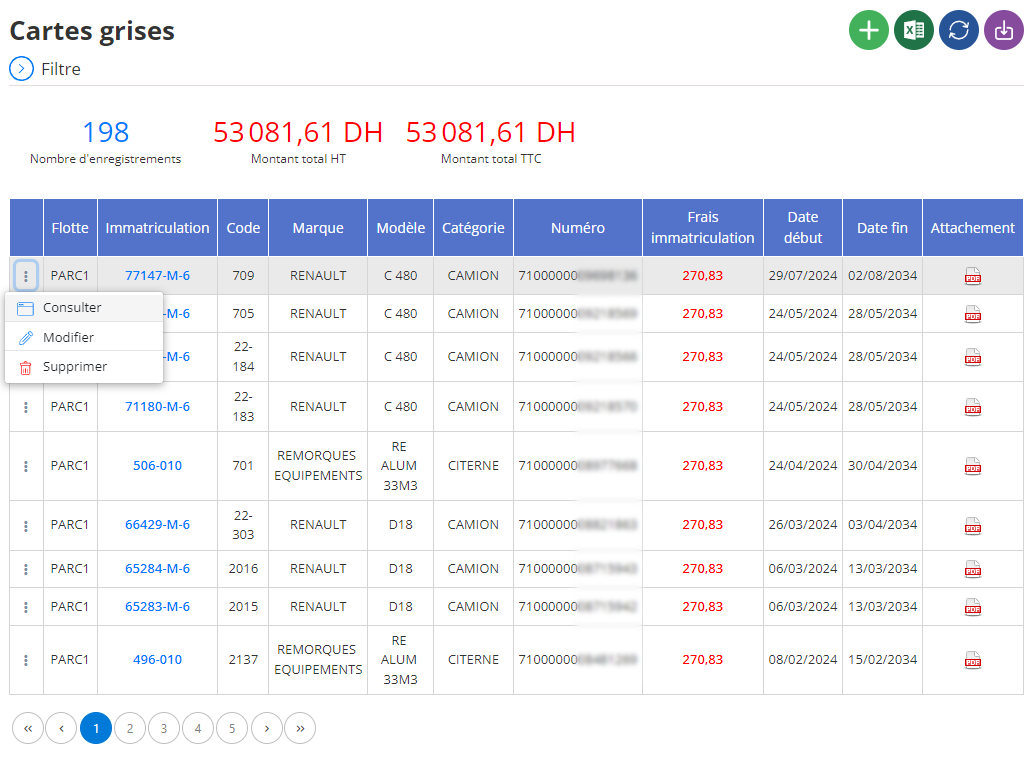
When a specific gray card is selected, all related data is displayed in a clear and structured manner. Here is the information available in this interface:
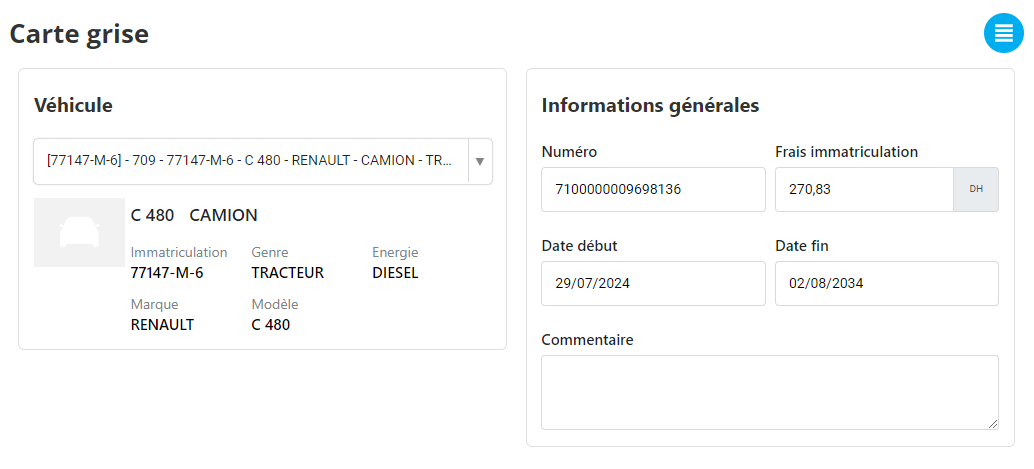
This interface offers a complete and detailed view of each registration document, thus simplifying the administrative management process of the vehicle fleet. With centralized, well-organized information, managers can quickly access critical data, reduce the risk of errors, and ensure consistent regulatory compliance.
By integrating this tool into daily management, companies can optimize the monitoring of vehicle registration documents, effectively plan renewals, and maintain complete documentation, aligned with their operational needs.

