

Module · Admin
Attachment Documents
Attachment Documents
The management of claims-related documents in the system is designed to simplify and efficiently organize the tracking of attachments related to each claim. This feature allows users to view, add or manage documents directly from the claims interface.
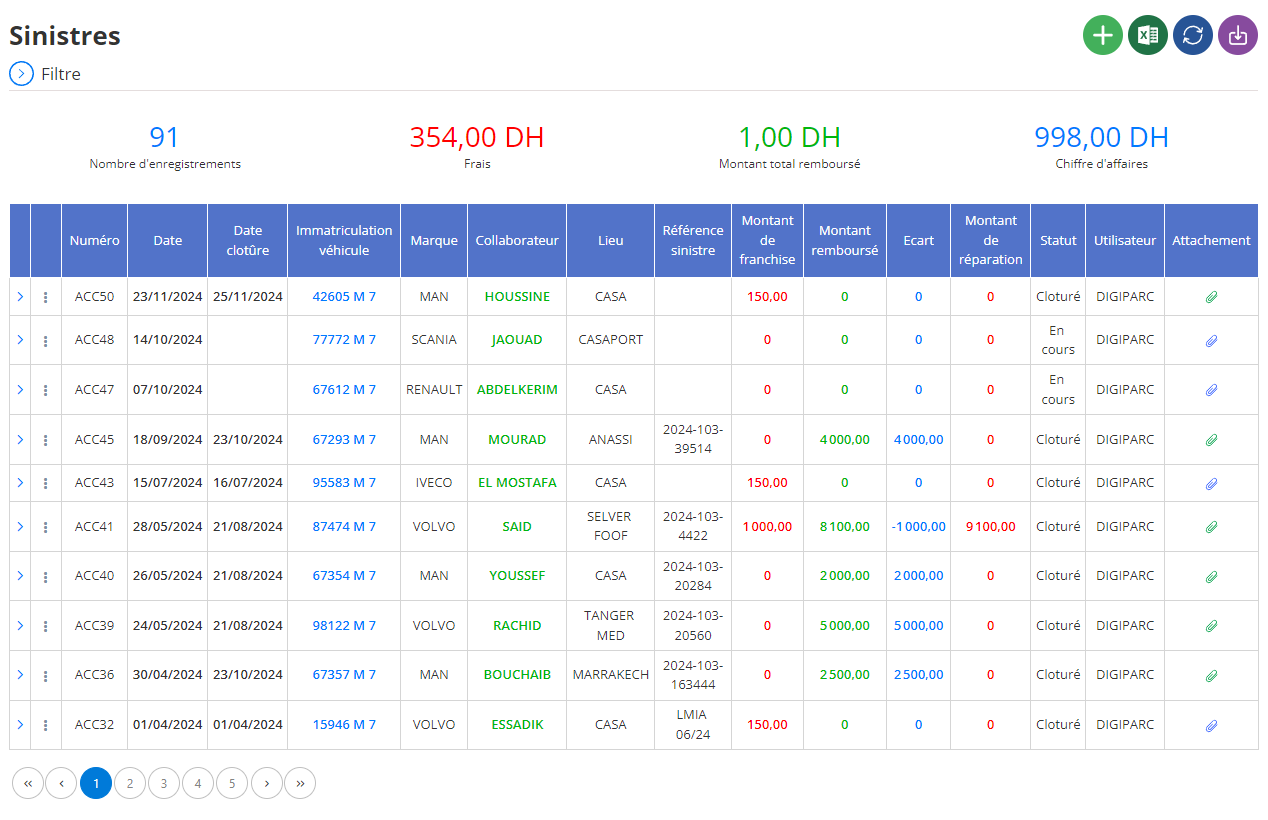
Consultation of attachments associated with a disaster
In the claims list, each line corresponding to a claim has an attachment icon located at the far right. This icon represents access to documents associated with the selected disaster.
Steps to view attachments:
- Identify the disaster concerned: Browse the list and locate the line corresponding to the claim for which you wish to consult the associated documents.
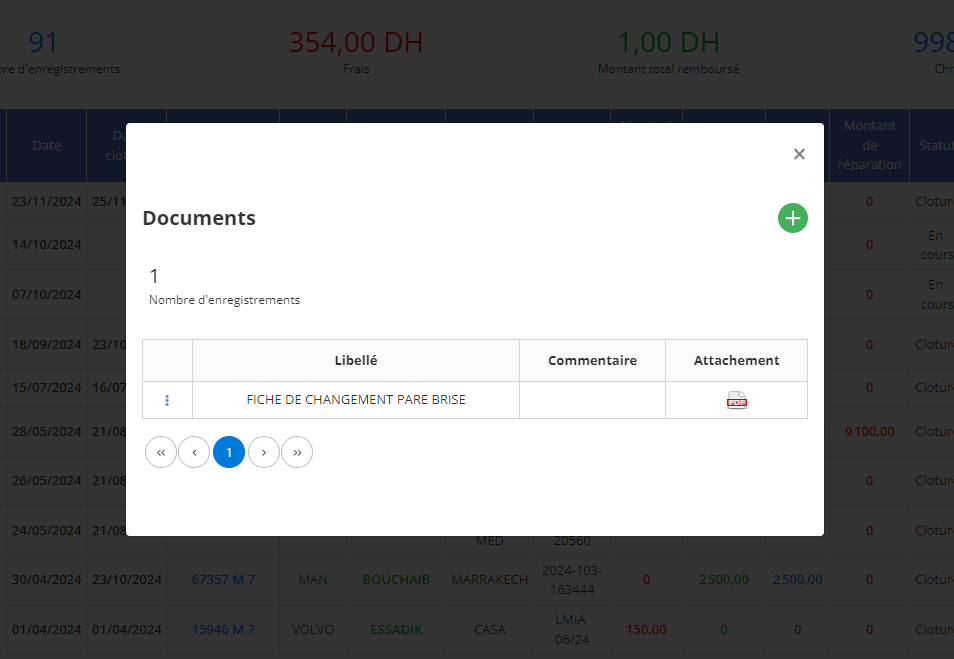
- Click on the attachment icon: By clicking on this icon, a pop-up window is displayed. This window presents:
- The list of documents previously attached to the claim.
- Columns indicating thewording(name of document), thecommentsassociated, and a button todownloadthe document if necessary.
This view allows users to quickly review the history of already associated files and ensure they have the required documents for this disaster.
Adding a new document
If a new document needs to be attached to a claim, the system allows for quick and intuitive addition using the button“+”located in the upper right corner of the pop-up window.
Steps to add a document:
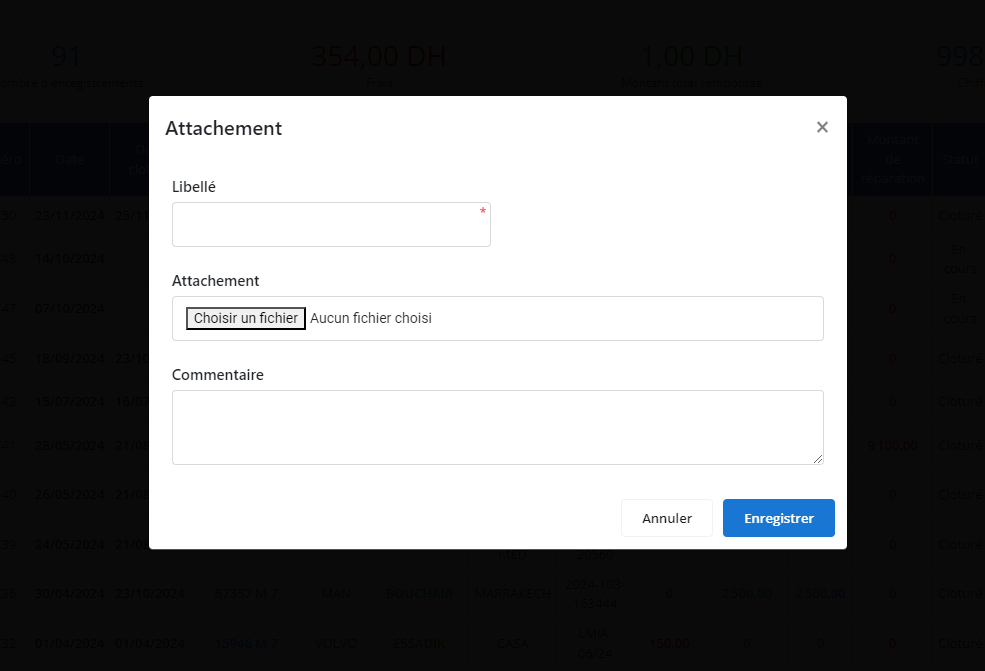
- Click on the “+” button: This opens a new pop-up window titled“Attachment”to add a document.
- Complete the required fields:
- Wording: Enter the name or description of the document (for example,“Expert report”Gold“Repair bill”).
- Attachment: Click the button“Choose a file”to select the document from your computer or device.
- Comment(optional): Add a remark or note explaining the content or relevance of the document.
- Save the document: Once all the fields are completed, click on the button"Save". The document will be automatically added to the attachment history for the selected disaster.
This feature improves claims management by providing a seamless interface for document tracking. It guarantees centralization of important files, simplifies the addition process and ensures total visibility of the information associated with each incident.
With this efficient document management, users can respond more quickly to stakeholder needs, reduce claims processing times and ensure better coordination between the teams involved.