

Module · Admin
Insurance Management
Insurance Management
The International Insurance Administration module is designed to meet the specific needs of organizations operating globally. By centralizing and structuring all information relating to international insurance policies, this system guarantees rigorous and simplified management, ensuring constant compliance and optimal responsiveness to global requirements.
With this module, each international insurance can be precisely documented, integrating details such as coverage areas, providers involved, specific contract terms, validity dates, and legal obligations specific to each country or region. This methodical organization allows users to have a clear and detailed overview, essential for anticipating renewals, assessing coverage needs, or responding quickly to unforeseen situations.
Additionally, this system facilitates access to key information, allowing teams to view the necessary data in just a few clicks. This accessibility promotes proactive management, where adjustments can be made quickly to accommodate changes in local regulations or operational requirements.
By streamlining administrative processes linked to international insurance, this module becomes a strategic tool for companies operating in a global environment. It allows them to guarantee the security of their activities, improve compliance, and strengthen their operational efficiency thanks to optimized management aligned with international standards.
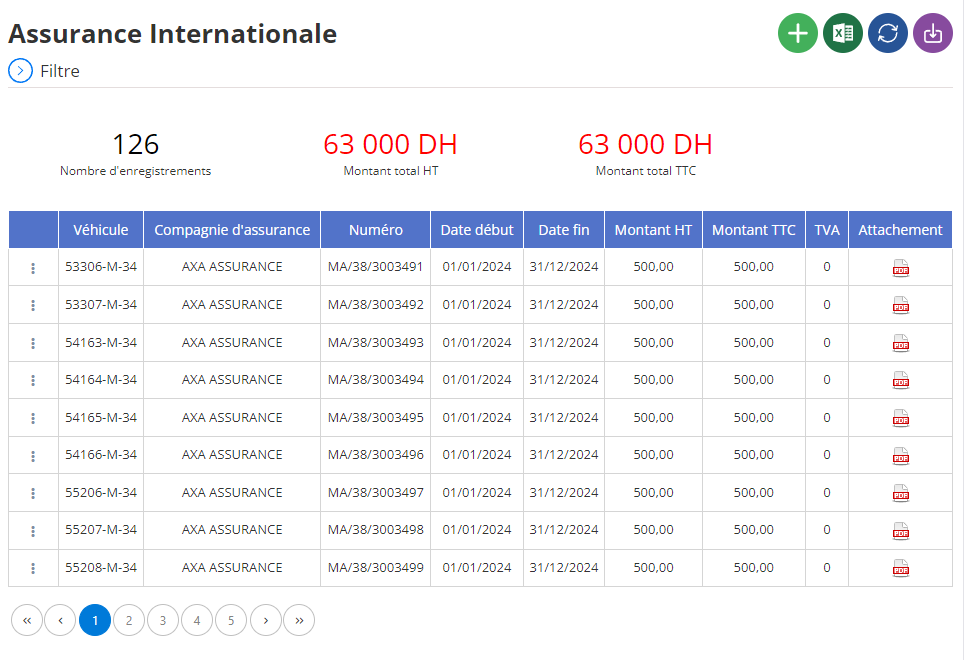
Adding international insurance
This intuitive interface is specifically designed to register international insurance, ensuring precise management of insurance contracts associated with each vehicle. The objective is to centralize essential information relating to insurance, while ensuring effective traceability to facilitate their management.
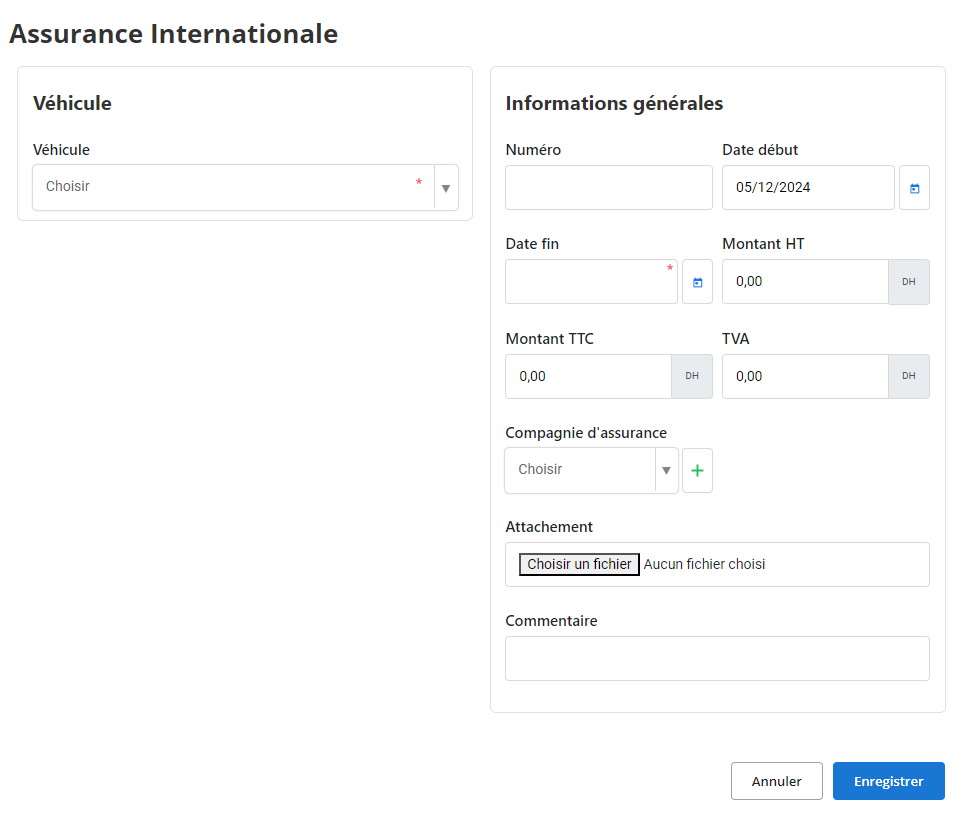
Vehicle:In this field, select the vehicle concerned from the drop-down list. This step allows you to clearly associate the insurance with a specific vehicle, which is essential to avoid any confusion and to ensure adequate coverage.
Number:This field is reserved for the unique insurance number. This number serves as the main reference to quickly identify the insurance contract in the system.
Start date and End date:Enter the insurance validity dates. These fields allow you to accurately monitor the coverage period and anticipate renewals or possible interruptions.
Amount excluding VAT, VAT, and Amount including tax:These fields allow you to indicate the costs associated with the insurance, detailing the amount excluding taxes, the applicable VAT rate, and the total amount including taxes. This information is essential for rigorous financial management of insurance.
Insurance company:Select or add the insurance company responsible for the contract via the drop-down list or using the “+” button. This ensures that all provider information is centralized and easy to access.
Attachment:This space is dedicated to adding files associated with the insurance contract, such as digital copies of policies, invoices or supporting documents. This ensures traceability and quick access to these important documents when needed.
How:This free field offers the possibility of adding specific observations regarding insurance. This may include comments on specific contract terms, points to watch out for, or suggestions for future contracts.
Using this interface, managers can record all the information necessary for optimal management of international insurance. This promotes smooth organization and a reduction in risks linked to oversights or administrative errors, while facilitating rapid consultation of active contracts.
Modification of international insurance
To update information associated with international insurance, start by accessing the insurance section in the system. Use the available search tools to quickly locate the insurance you want to change. You can filter the results according to the vehicle concerned, the contract number, the insurance company, or the validity period. Once the insurance has been identified, select the “Modify” option to open the interface dedicated to updating the data.
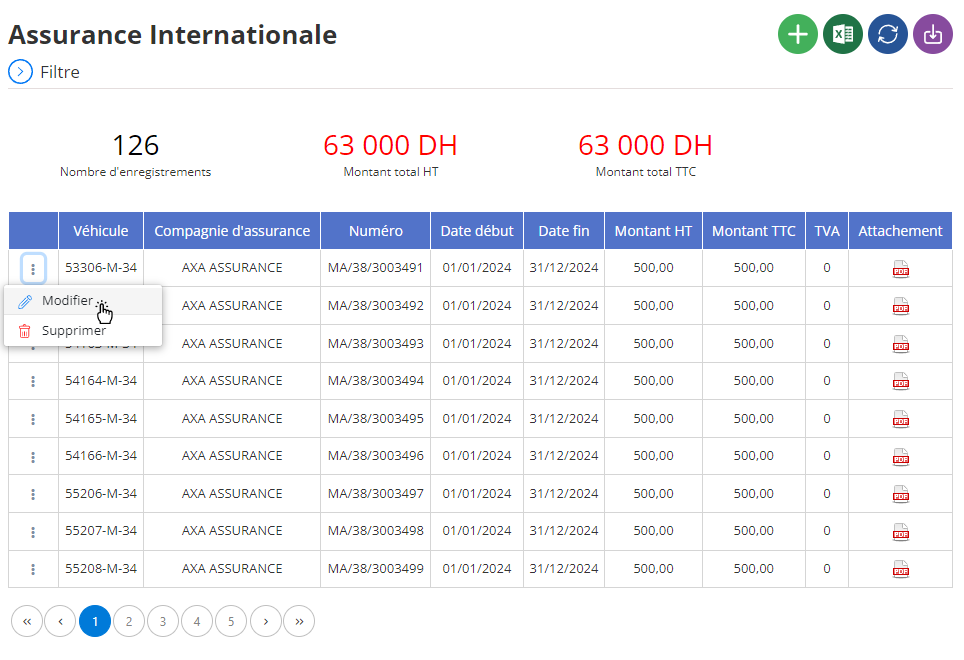
In this interface, it is possible to make adjustments to several fundamental elements. This includes in particular:
- Vehicle concerned:You can confirm or update the association between the vehicle and the contract, ensuring an exact match.
- Insurance number:Check or adjust this number to ensure it remains consistent with official documents and easily traceable in the system.
- Validity dates:Change the start and end dates if there are changes to the coverage period. This may include extensions, early terminations or renewals.
- Costs and amounts:Update the information relating to the amounts excluding tax, the VAT applied, and the total including tax, in the event of a modification of the contract or an adjustment of fees.
- Insurance company:If necessary, change the insurance company to reflect a contract transfer or change of provider.
Additionally, it is crucial to check that the attached files are still relevant and up to date. This may include adding a new copy of the insurance policy, endorsements, or any other supporting document related to the amended contract.
Finally, use the fieldHowto record any observations or clarifications related to the modification made. This may include comments on adjustments made or recommendations for better monitoring of the contract.
Once all the information has been verified and adjusted, click “Save” to validate and save the changes. This step ensures the accuracy of data in the system and maintains rigorous insurance management. Thanks to up-to-date and centralized information, managers can ensure that each vehicle benefits from appropriate coverage, while minimizing the risk of administrative error or omission.
Removal of international insurance
To delete international insurance from the database, first access the list of contracts registered in the system. Use the available search filters to precisely locate the contract to be deleted, by selecting the vehicle concerned, the insurance company, or the validity period. Once the contract has been identified, select it, then click on the “Delete” option to start the process.
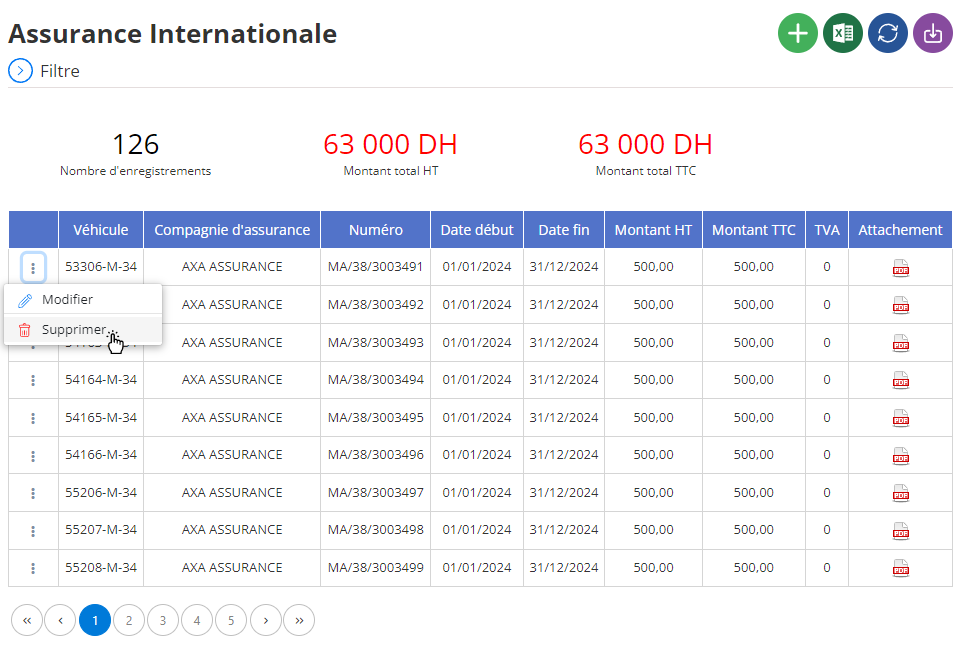
A confirmation window will appear on the screen, asking you to validate this action. It is crucial to note that the cancellation of an insurance contract is final and irreversible. This means that all information associated with this contract, such as supporting documents, financial details, and any other related data, will be permanently deleted from the system. Therefore, it is strongly recommended to carefully verify that this deletion is intentional and that no important or necessary data will be lost by mistake.
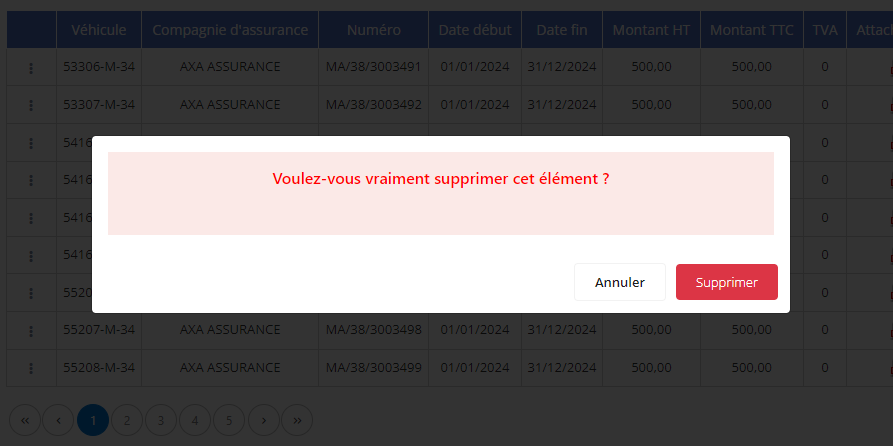
The removal of international insurance must be carried out with the greatest caution. If the data associated with the contract may have future use, for example for audits, financial analyzes or traceability of past coverage, it may be wise to archive essential information before proceeding. This precaution helps ensure that only truly obsolete or unnecessary data is removed from the system.
By adopting such an approach, you ensure rigorous and responsible management of insurance contracts while minimizing the risk of errors or loss of critical information for the company.