

Module · Admin
Gauging Management
Gauging Management
The measurement certificate management module offers a complete and structured solution for the management of documents relating to vehicle measurement checks. This system facilitates the organization, monitoring and updating of certificates necessary to guarantee vehicle conformity, while ensuring precise traceability and rapid access to essential information.
Thanks to this module, each tonnage certificate can be recorded with precise details, including the type of control carried out, the results obtained, the validity date, as well as information on the entity which issued the certificate. This allows for centralized management, where all data is organized in a clear and easily searchable manner, significantly simplifying document management.
This system ensures that information is constantly updated, providing perfect visibility into which certificates are currently valid and which require updating. Easy and quick access to certificates avoids any loss of time during verifications or inspections, while ensuring constant compliance with legal and regulatory standards.
With an approach dedicated to simplicity and rigor, this module becomes an essential tool for companies or organizations needing to effectively manage their tonnage certificates. It not only ensures vehicle compliance, but also optimizes administrative processes, thus strengthening the overall performance and safety of operations.
Addition of tonnage certificate
This user-friendly interface allows you to efficiently record essential information related to atonnage certificate. By centralizing this data, it guarantees optimal management of certifications while ensuring compliance and administrative monitoring. Here is a detailed overview of the functionalities and fields available in this addition form:
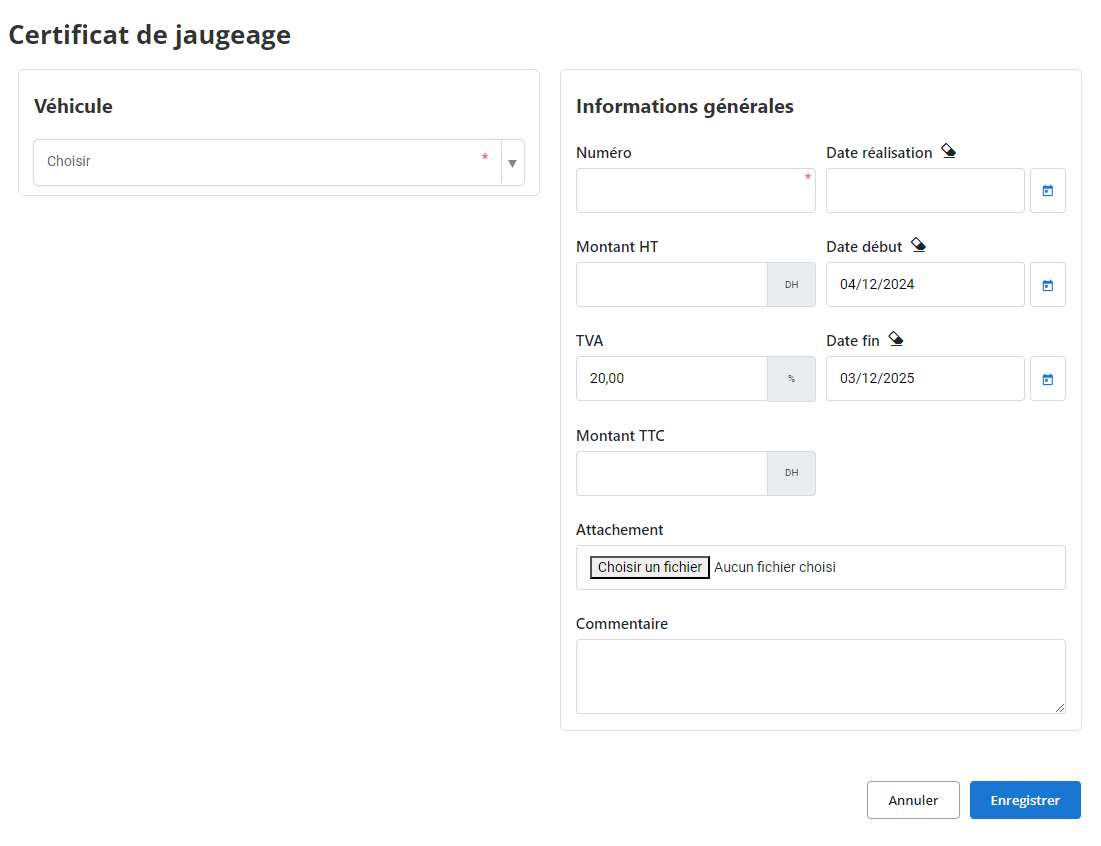
Vehicle:This field allows you to select the vehicle concerned from a drop-down list. This step is essential to associate the certificate with the specific vehicle, ensuring optimal traceability and organization of technical documents.
General information:
-
Number:Enter the unique number of the measurement certificate. This number serves as a main reference to quickly identify the document and avoid duplication or confusion.
-
Completion date:Enter the date the certificate was issued. This information guarantees the accuracy of deadlines and facilitates periodic monitoring.
-
Amount excluding tax:Indicate the amount excluding taxes linked to the certificate. This field is particularly useful for managing the financial and accounting aspects related to this operation.
-
VAT (%):By default, a value is suggested (e.g.: 20%), but it remains modifiable according to the regulations in force or the specifics of the contract.
-
Amount including tax:Once the amount excluding tax and VAT has been entered, this field automatically calculates the total amount including all taxes, simplifying calculations and avoiding errors.
-
Start date and End date:
- Start date:Indicates the start date of the certificate's validity.
- End date:Enter the end of validity date, ensuring clear monitoring of certification periods and necessary renewals.
Attachment:The "Attachment" section allows you to import documents related to the certificate, such as supporting documents, technical reports or official copies. This functionality guarantees centralization of documents, simplifying their subsequent consultation.
How:A dedicated space to add specific observations or remarks. This field allows you to record contextual details, such as instructions related to the use of the certificate or reminders for future deadlines.
This intuitive interface is an essential tool for administrative and technical teams wishing to centralize and structure their processes related to tonnage certificates.
Modification of a tonnage certificate
To update the information on a tonnage certificate, start by going to the tonnage certificates section in the system. Use the search tools to locate the certificate you want to modify, filtering by criteria such as certificate number, date of issue, or other relevant information. Once the certificate is found, select the "Modify" option to access the modification interface.
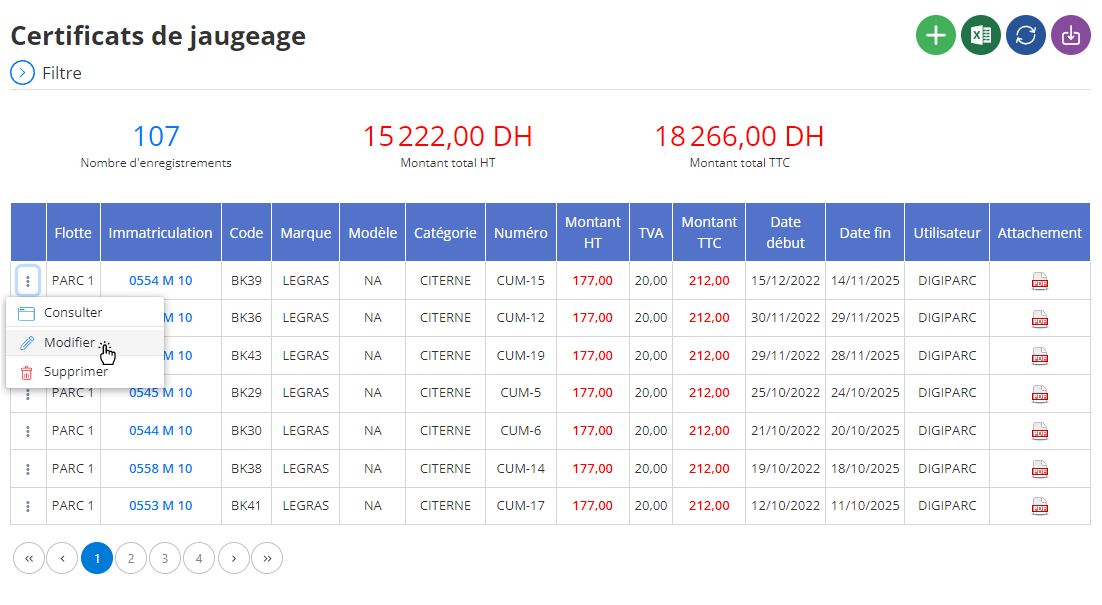
In this interface, you can adjust various elements relating to the certificate. This may include information such as the date of calibration, the measurement results, the type of equipment used for the gauging, as well as comments from the technicians who carried out the operation. It is essential to ensure that all information is accurate, as an accurate and up-to-date gauging certificate is essential to ensure equipment conformity and proper operation.
After making the necessary modifications, you will need to click on “Save” to validate the changes. This action helps keep a complete and accurate record of all updates made to the certificate, which is essential for quality checks or internal audits. In addition, by having regularly updated and correctly documented certificates, you ensure rigorous management of equipment and contribute to the continuous improvement of processes within the company.
Deletion of a tonnage certificate
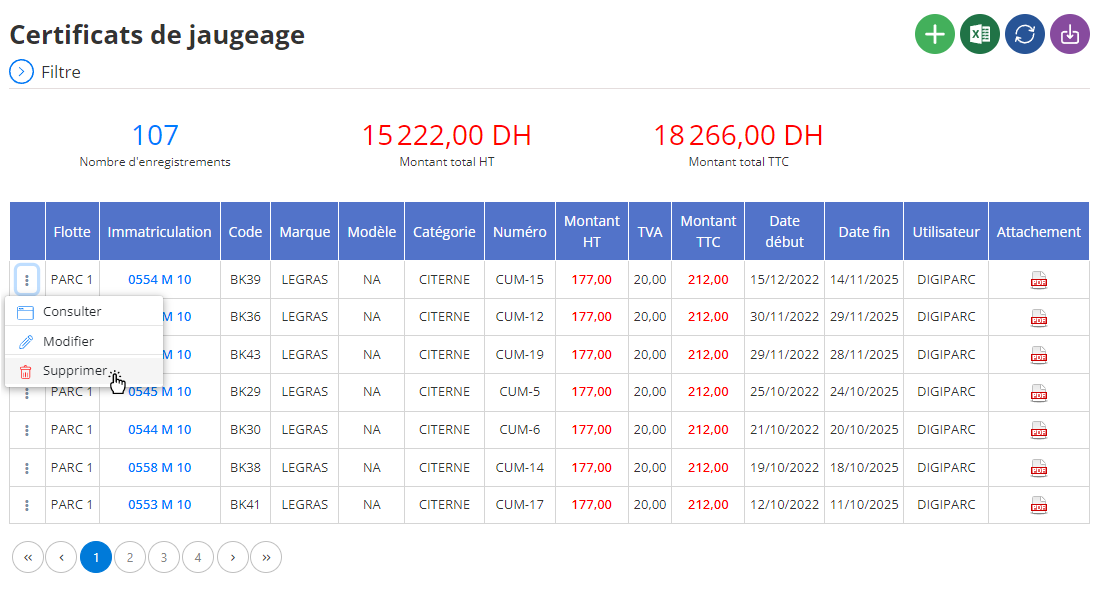
To delete a gauging certificate from the database, first access the list of certificates registered in the system. Use the search tools to locate the certificate you wish to remove, filtering by criteria such as certificate number, calibration date, or other relevant information. Once the certificate is found, select it and then click on the “Delete” option to start the process.
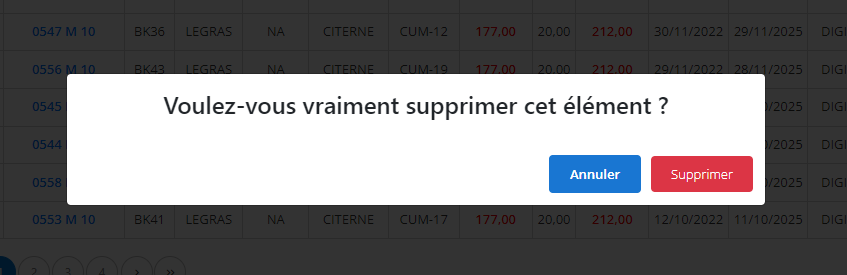
A confirmation window will appear, asking you to validate your choice. It is important to understand that the deletion of a certificate is permanent and irreversible. This means that all associated information, such as measurement results, calibration dates, as well as technician comments, will be permanently lost. Before confirming this action, it is recommended to carefully verify that the deletion is necessary and that no important data will be deleted by mistake.
The removal of a tonnage certificate must be carried out with great caution, especially when this information may be essential for future checks or to ensure the conformity of equipment in the long term. Before proceeding with this deletion, it may be wise to back up relevant information, particularly that which could be useful for audits or evaluations of equipment performance. This approach ensures that only truly obsolete or unnecessary data is removed from the system.
Consultation of a tonnage certificate
The consultation interface fortonnage certificatesprovides a complete and detailed view of the essential information associated with each issued certificate. This system allows simplified management and clear traceability of data linked to each vehicle.
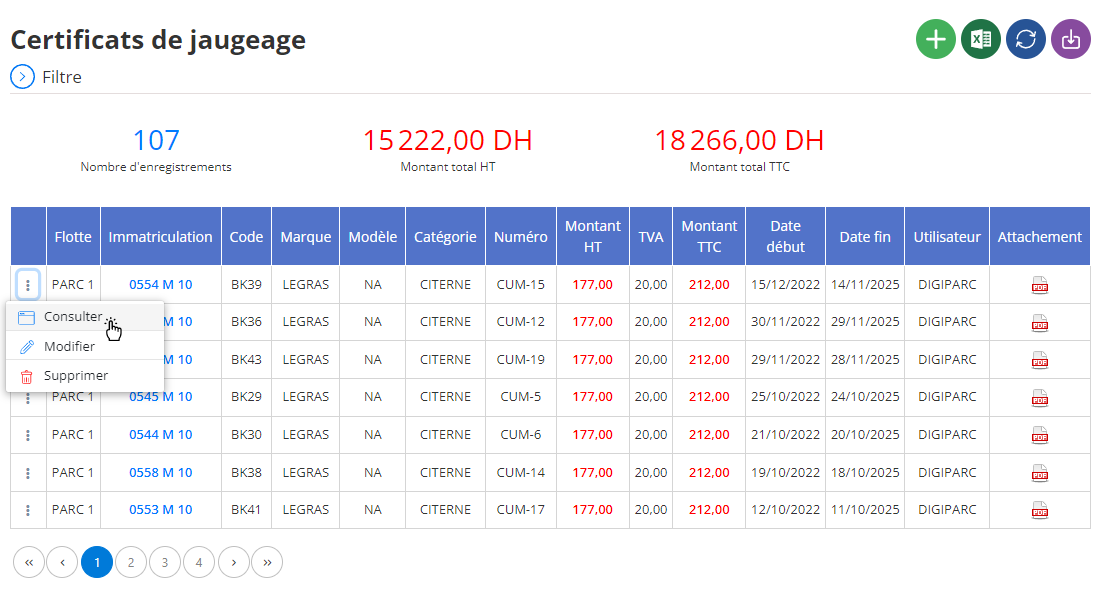
When you view a certificate, specific information about the associated vehicle is immediately displayed:
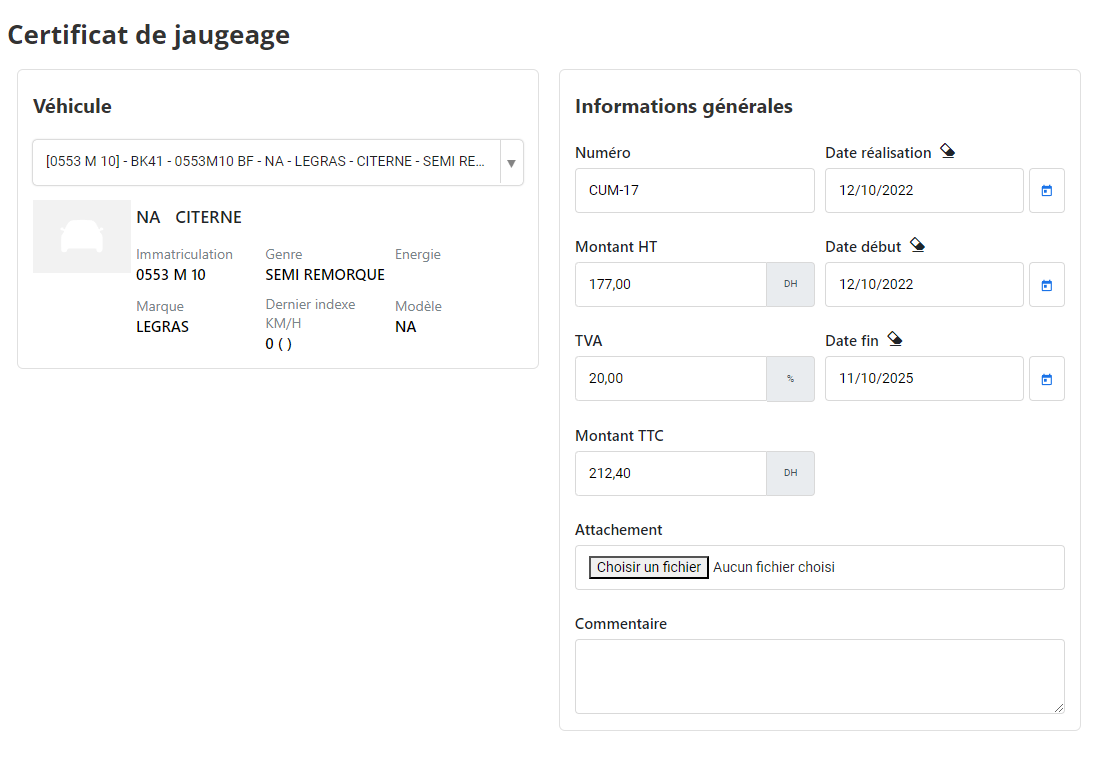
General certificate information
-
Certificate number
A unique identifier associated with each certificate, essential for administrative tracking and rapid database searching.
-
Validity dates
- Completion date: The precise date of issue of the certificate, confirming its compliance with regulatory deadlines.
- Validity period: Start and end of validity, ensuring clear monitoring for technical checks and necessary renewals.
-
Amount
- Amount excluding tax and tax included: Information on the cost of the certificate, with a clear indication of the amount excluding taxes and all taxes included, including the VAT rate applied.
Attached documents
The section dedicated to attachments provides access to all associated documents, such as:
- Copy of official certificate.
- Inspection or technical gauging reports.
- Any other documentation necessary to support the validity of the certificate.
Comments area
Free space for specific observations or contextual remarks. This field may include recalls, indications of vehicle condition, or recommendations for future inspections.
Thanks to this interface, the consultation of measurement certificates becomes a simple and structured process, promoting rigorous management and effective monitoring of vehicles and their certifications.