The telescopic authorization administration module is designed to simplify and structure the management of these essential documents, thus ensuring methodical organization and optimal traceability. This system adapts perfectly to the needs of users by offering them a clear and intuitive framework to centralize and administer all the necessary information.
With this module, telescopic authorizations are documented exhaustively, incorporating details such as beneficiaries, specific conditions of use, validity dates, and references to applicable regulations. This approach ensures proactive management, allowing teams to have a clear overview of active permissions and those requiring review or renewal.
The system also ensures continued compliance with current standards by making it easier to track deadlines and providing full transparency on approval processes. Users can quickly access the necessary information, thus optimizing verifications and limiting the risks of inaccuracies or non-compliance.
By centralizing data and automating certain steps of the process, this module is an essential tool for any organization wishing to streamline the management of its telescopic authorizations. It not only contributes to strengthening operational efficiency, but also to supporting precise and sustainable organization of activities linked to these authorizations.
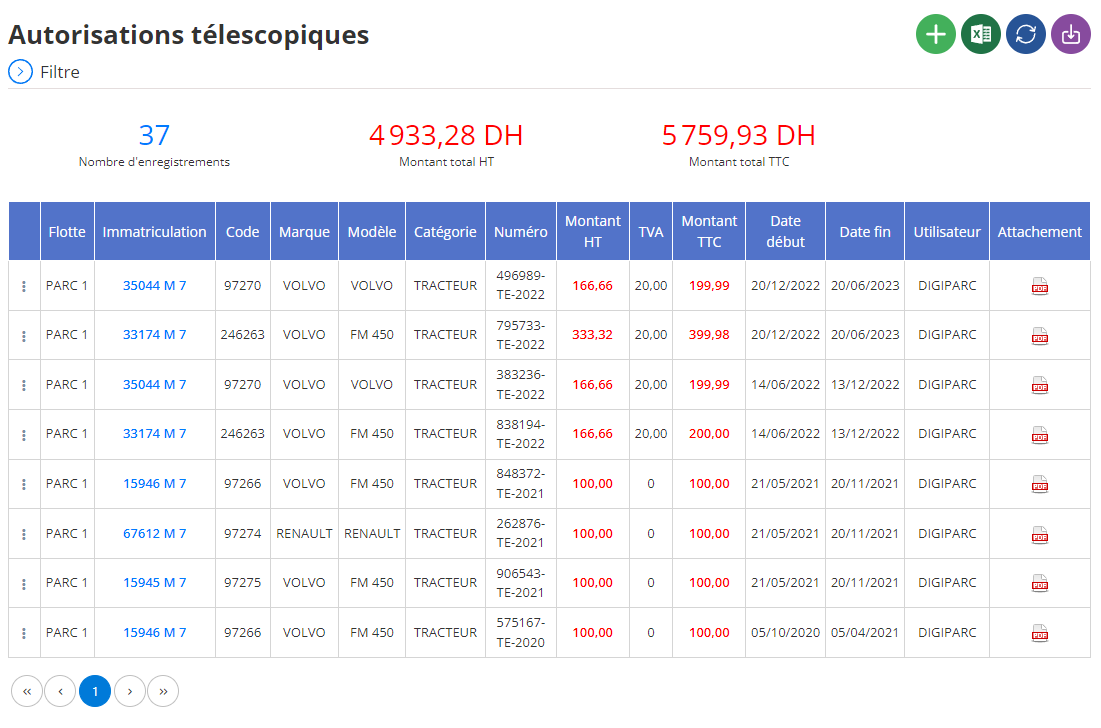
Added a new telescopic authorization
This interface facilitates the recording of essential information for adding a new telescopic authorization associated with a vehicle. It aims to centralize and structure this data efficiently in order to ensure optimal management of the necessary authorizations.
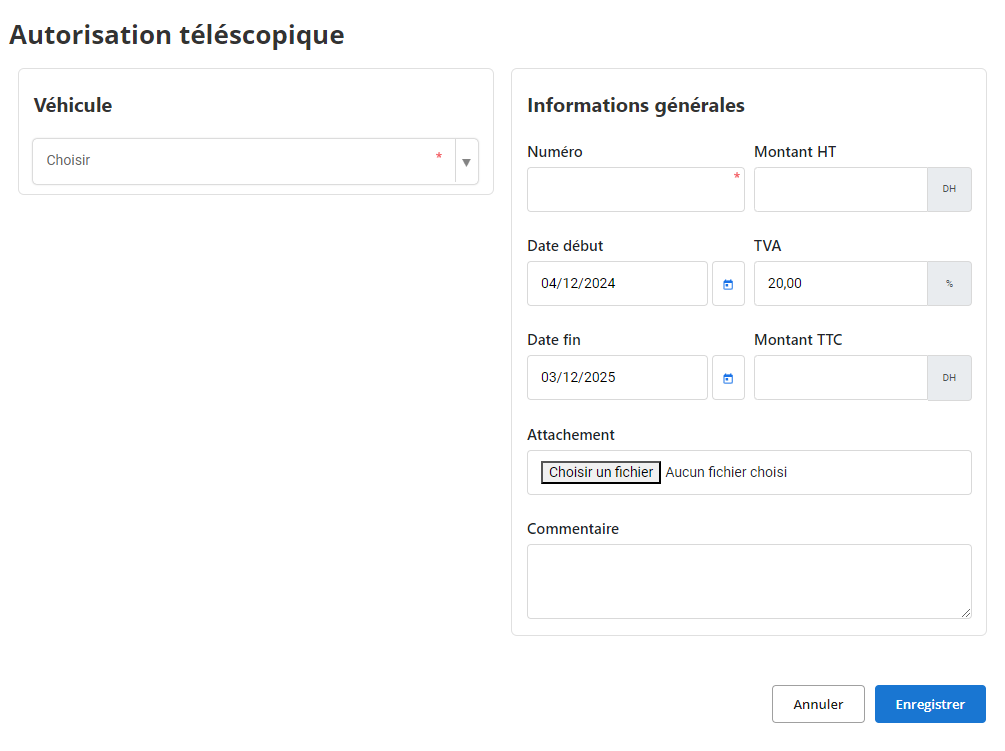
When using this interface, you are prompted to complete the following sections:
Vehicle concerned: Select the vehicle to associate with the telescopic authorization in the drop-down menu. This step ensures that the authorization is linked to the correct vehicle and makes it easier to follow up later.
Authorization number: Enter a unique number to identify this authorization precisely. This field is essential for structured management and to avoid duplication in the system.
Validity period: Indicate the start and end dates of validity of the authorization. This information helps ensure that the document is up to date and complies with current regulatory requirements.
Financial amounts: The fields dedicated to the amount excluding tax (HT), the VAT rate, and the total amount including taxes (TTC) provide transparency on the costs linked to the authorization. This also allows financial aspects to be managed accurately.
Attached documents: This section allows you to add relevant supporting documents, such as contracts, certifications or invoices. These documents ensure complete traceability and facilitate access to important information when needed.
Comments: A free space is provided to enter specific remarks or additional information related to the authorization, such as special conditions, observations on the use of the vehicle, or recommendations for future renewals.
Thanks to a clear and intuitive structure, this interface allows rigorous management of telescopic authorizations. By centralizing the necessary data and making it easily accessible, it contributes to a fluid organization and ensured compliance with administrative and regulatory requirements. This method ensures effective planning and constant updating of information.
Modification of a telescopic authorization
To update information about a telescopic authorization, go to the authorizations section in the system. Use the available search tools to quickly locate the relevant permission. You can filter by authorization number, associated vehicle, validity period, or any other relevant criteria. Once the authorization is identified, select the "Modify" option to access the update interface.
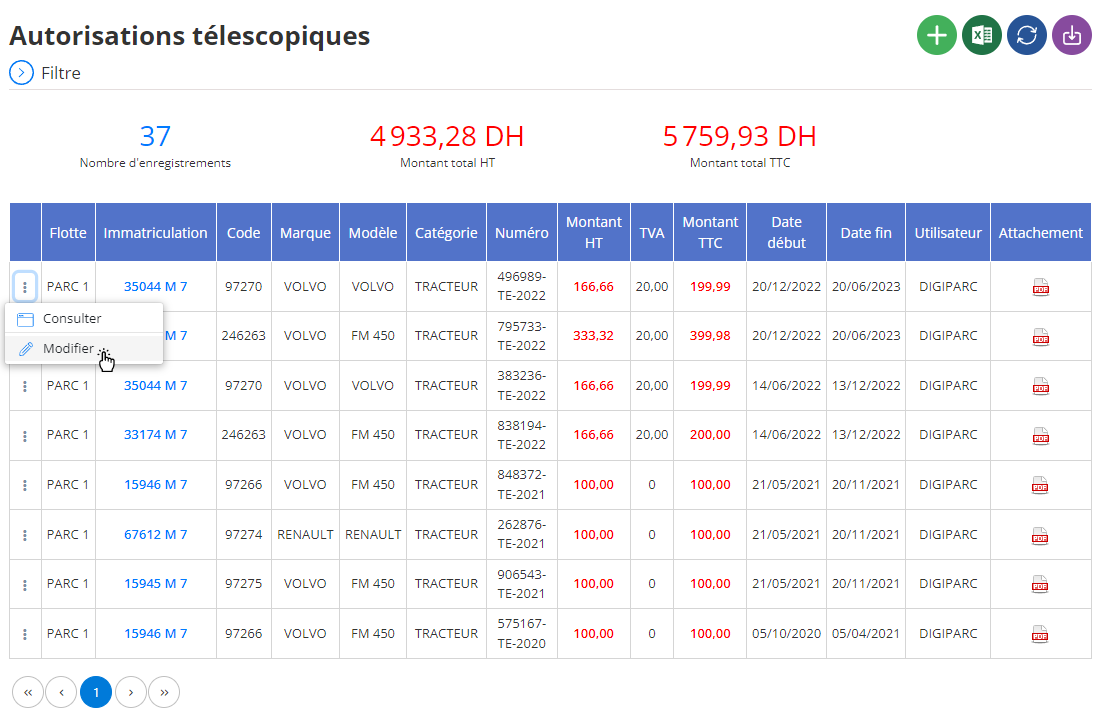
In the modification interface, you can update essential information related to the authorization. This includes:
Authorization number: You can adjust or correct the unique number assigned to the authorization to ensure clear and organized management.
Validity dates: Change the start and end dates if the validity period has changed or if an extension is needed. This step ensures that current authorizations are always compliant with regulations and fit for purpose.
Financial amounts: Review the information regarding the amount excluding tax (HT), the VAT rate, or the total amount (TTC), if financial adjustments have been made.
Vehicle concerned: If the authorization must be attached to another vehicle, you can make this change by selecting the appropriate vehicle from the drop-down list.
Attached documents: Remove or add relevant documents, such as new certifications or updated supporting documents, to maintain a complete and accurate record.
Comments: This field allows you to revise or add specific comments on the authorization. For example, remarks about the terms of use or notes about an upcoming renewal can be recorded here.
Modifying a telescopic authorization is a critical operation to ensure smooth and compliant management of administrative documents. By ensuring that each update is rigorously documented, you help to preserve optimal traceability and avoid any ambiguity. A well-kept file allows you to anticipate deadlines, ensure regulatory compliance, and respond to operational needs proactively.
Consultation of a telescopic authorization
The telescopic authorization consultation interface provides access to all the information associated with an authorization recorded in the system. This tool provides a comprehensive and detailed view, making it easier to track and verify current or past authorizations.
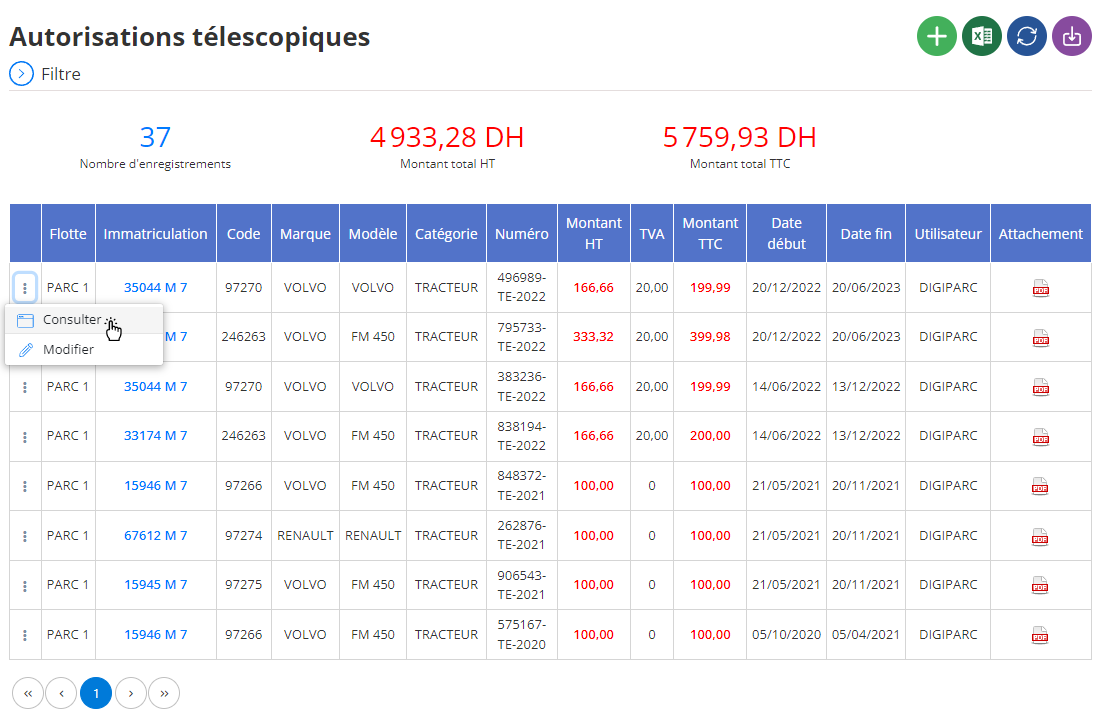
When you select a specific permission, all the details are displayed on the screen, allowing you to view the following information:
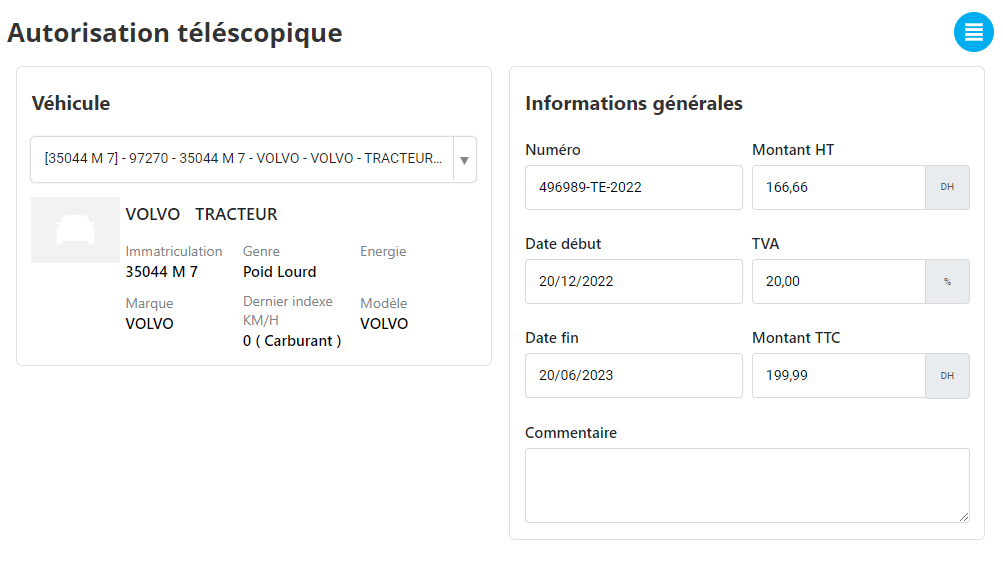
Vehicle concerned: The vehicle to which the authorization is associated is clearly indicated, making it easy to verify which equipment is covered by the authorization.
Authorization number: This field displays the unique number assigned to the authorization, ensuring accurate identification and efficient document management.
Validity period: The start and end dates of the authorization are indicated, allowing you to confirm that the document is still valid or to identify upcoming deadlines.
Financial amounts: Details relating to the amounts, such as the amount excluding tax (HT), the VAT rate applied, and the total amount including tax, are accessible. This information makes it possible to monitor the financial aspects linked to the authorization.
Attachments: Cette section liste tous les documents associés à l’autorisation, tels que des justificatifs, des contrats ou des preuves de paiement. L’accès centralisé à ces pièces facilite les vérifications administratives.
Comments: A space is dedicated to additional remarks or observations concerning the authorization. This may include notes on conditions of use, possible adjustments, or recommendations for future review.
By bringing all this data together in a single interface, the consultation process becomes simple and quick. This tool guarantees efficient management and optimal traceability of telescopic authorizations, allowing users to make informed decisions and ensure that documents are in order and adapted to operational needs.

