

Module · Fleet
Import Contracts
Import Contracts
Bulk import of rental contracts provides users with an efficient method to add multiple contracts simultaneously into the system, using a preformatted file. This option is particularly beneficial for companies or organizations managing a large number of contracts, allowing them to integrate them quickly and without errors.
By allowing you to upload a file containing all the necessary information about each contract, this feature greatly simplifies the addition process. It reduces the time spent on manual data entry and ensures that available rental contracts are quickly updated. This allows managers to focus on higher value-added tasks, while ensuring that contract data remains constantly updated and consistent.
This import method is simple to use and ensures that all contracts are added consistently and according to system standards. It also promotes optimized management of all rental operations, facilitating their monitoring and regular updating.
Step 1: Download and prepare the template file
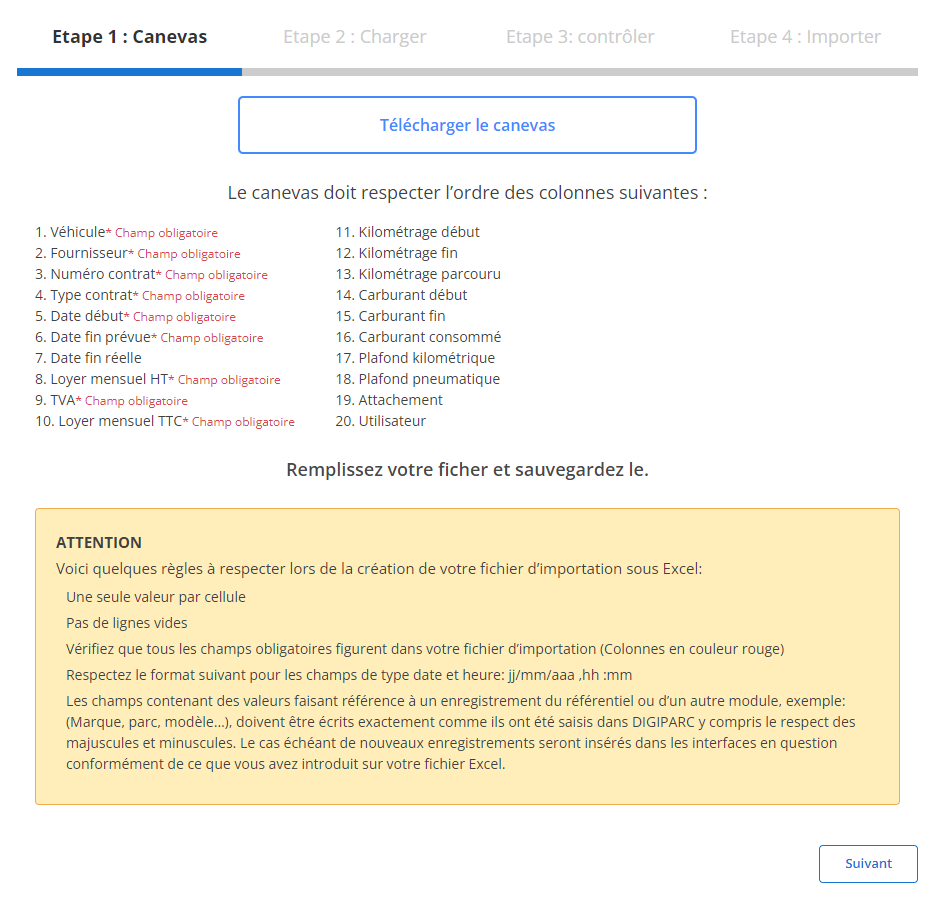
Before you begin importing, you must first download a template file designed specifically for this task. This file contains predefined columns that must be respected to ensure a smooth and error-free import. Here's how to prepare this file:
-
Download the template:
The model file is easily accessible through the interface. It contains all the columns needed for import.
-
Respect the order of the columns:
Each column in the file corresponds to specific data. Here are the fields included in the template:
TEArequired fieldsare:
- vehicle(MANDATORY)
- Supplier(MANDATORY)
- Contract number(MANDATORY)
- Standard contract(OBLIGATORY)
- Start date(OBLIGATORY)
- Expected end date(OBLIGATORY)
- Monthly rent excluding tax(MANDATORY)
- Monthly rent including tax(MANDATORY)
-
Prepare your file:
- Make sure each cell contains a single value.
- Avoid blank lines in the middle of the file.
- Complete all required fields for each line.
- Make sure the dates follow the expected format (dd/mm/yyyy).
- Numerical values (for example, rent or mileage) must follow the intended format (numbers only, no text or symbols).
Step 2: Load the rental agreements file
Once the file is properly prepared, you can move on to the next step: loading the file into the system.
-
Select file:
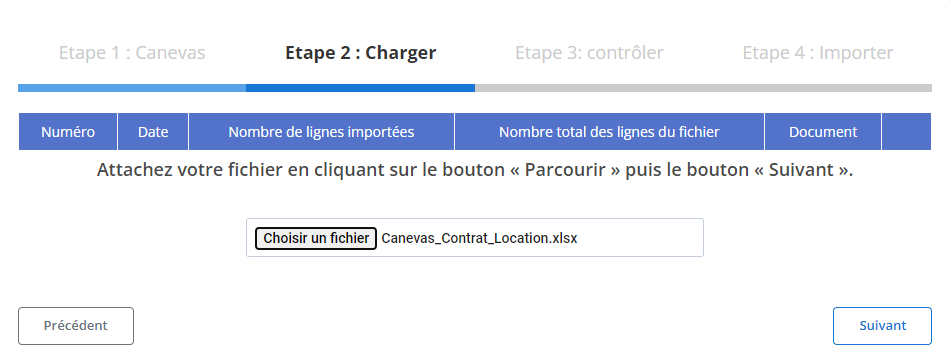
Click the button“Browse”to locate the template file on your computer, then select it.
-
Start loading:
Once the file is selected, click“Following”to start the data loading process. The system will analyze the file to identify any anomalies and prepare the information for final verification.
-
Data Summary:
A summary will be displayed on the screen, indicating the total number of lines in the file as well as the number of lines ready for import. This step allows a first validation before going further.
Step 3: Verifying the imported data
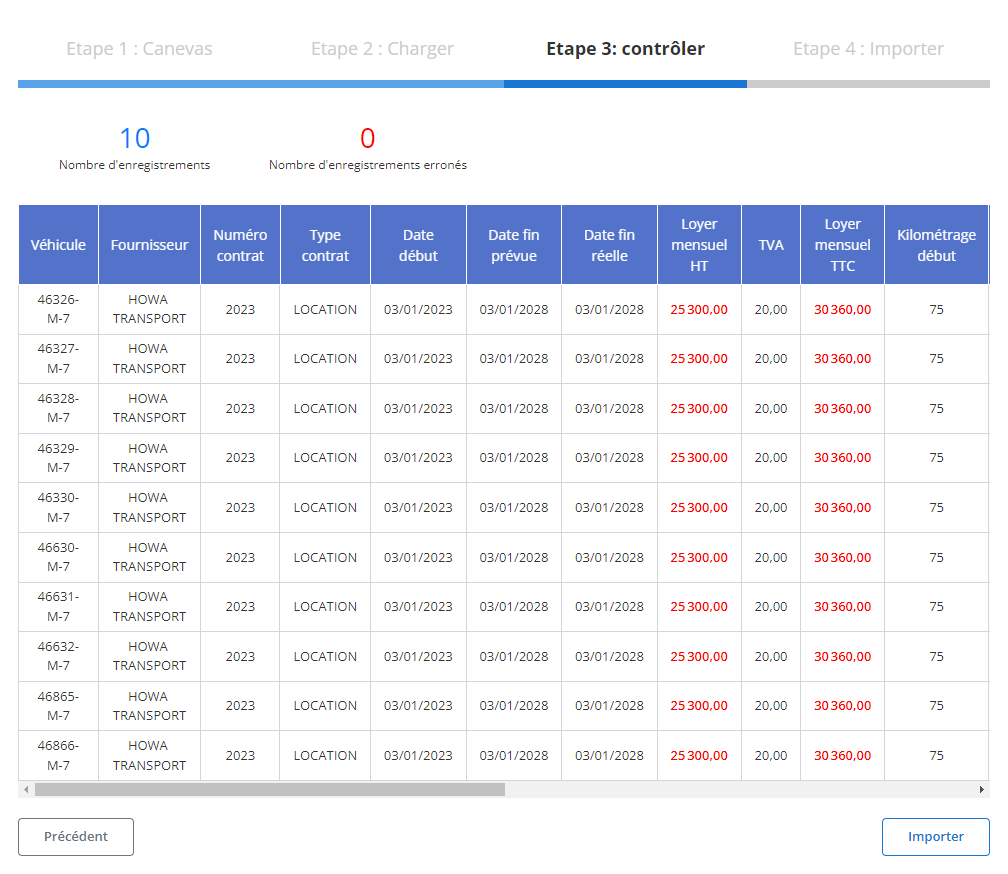
After loading the file, a summary table will be displayed with all the lines from the file. At this stage, it is crucial to verify that all data is compliant.
-
Error checking:
- The system will highlight any potential errors, such as missing required fields (vehicle, Supplier, GoldMonthly rent excluding tax) or incorrect data (for example, a poorly formatted date).
- The errors identified will need to be corrected to allow the import.
-
Validation of correct records:
- Rows without errors will be marked as ready for final import.
- You can review key information for each contract, such as:
- vehicle
- Supplier
- Contract number
- Start date
- Monthly rent including tax
- Mileage traveled
- Fuel consumed
Step 4: Finalize the import of rental contracts
Once all the data has been verified and corrected, you can proceed to the final import of the contracts.
-
Click “Import”:
Validate the addition of rental contracts in the system.
-
Import confirmation:
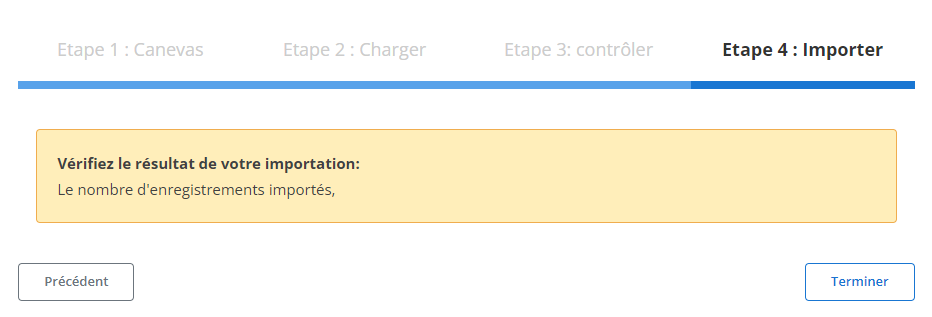
A confirmation message will appear to indicate that the import was successful and that all contracts were added correctly.
The structured lease import process has several advantages:
- Save time: Simultaneous integration of several contracts significantly reduces processing time.
- Reduction of errors: The system automatically validates data, minimizing potential errors.
- Simplified management: Contracts are organized and easily accessible in the system, making them easy to track and update.
Using this method, managers can efficiently integrate a large volume of contracts while ensuring accuracy and consistency of information. This ensures optimal management of rental contracts and effective monitoring of operations within the organization.