

Module · Fleet
Search for vehicles
Search for vehicles
TEAvehicle filterallows you to quickly sort and search vehicles based on various criteria, such as make, model, category or vehicle status. This functionality improves management efficiency by making it easy to find vehicles corresponding to specific needs.
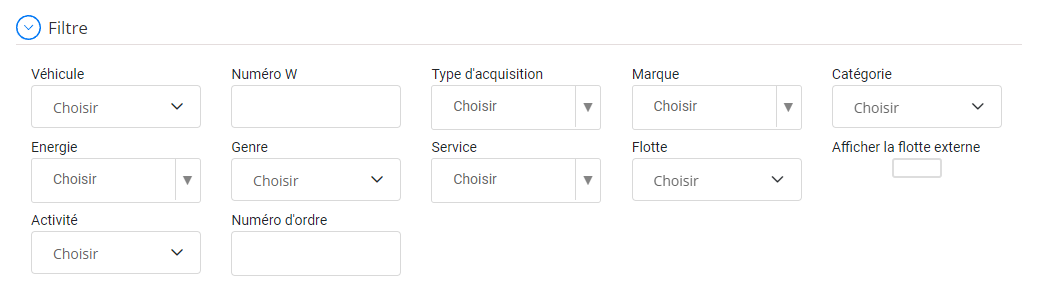
Filter and search vehicles
At the top of the vehicle management interface, a section dedicated to filtering allows you to restrict the list of vehicles displayed according to personalized criteria. You can apply the following filters:
- vehicle: Select a specific vehicle from the drop-down menu to view its information.
- W number: Filter based on vehicle serial or identification number.
- Type of acquisition: Refine the search according to the method of acquisition (purchase, rental, etc.).
- Brand: Filter vehicles by brand (Volvo, SEAT, etc.).
- Category: Filter by vehicle category (tractor, sedan, etc.).
- Energy: Sélectionnez le type de carburant utilisé par le véhicule (essence, diesel, électrique, etc.).
- Genre: Filter vehicles according to their type (utility, personal, etc.).
- Service: Refine the list according to the service to which the vehicle is assigned.
- Fleet: Filter according to the fleet or sub-fleet to which the vehicle belongs.
- Activity: Filter based on vehicle activity.
- Order number: Filter vehicles based on a specific order number.
This functionality allows you to quickly manage and view available vehicles, facilitating decision-making and operational management.