

Module · Fleet
Filtering Mileage
Filtering Mileage
The mileage data filter interface is designed for quick and intuitive searching. It offers various filter criteria, such as dates, vehicle numbers, or mileage intervals, to refine the results in a targeted manner. Filter options are easily accessible and organized to simplify navigation and finding information. With this advanced interface, users can quickly locate the specific records they need, optimizing the management and analysis of mileage data efficiently and accurately.
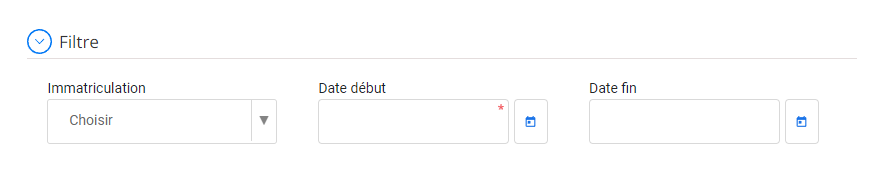
Filter and search vehicles by registration and dates
To refine your vehicle search, you can use the following filters:
- Registration:This field allows you to directly search for a vehicle by entering its registration number. Just type the full number or part of it to get a list of matching vehicles.
- Start date:Indicate the date from which you want to display the vehicles. For example, if you want to see all vehicles acquired after January 1, 2024, enter that date in this field.
- End date:Specify the date up to which you want to include vehicles in your search. To continue the previous example, if you wish to limit your search to vehicles acquired before December 31, 2024, enter this date in this field.
This feature allows you to quickly manage and view mileage records, facilitating decision-making and operational management efficiency. By providing quick access to mileage data, it allows users to track vehicle usage, spot deviations or irregularities, and make informed decisions on fleet maintenance and optimization. Thanks to this centralized management, it is possible to improve the accuracy of tracking and ensure optimal control of the distances traveled.