

Module · Fleet
Liste Kilométrages
Liste Kilométrages
L'affichage des kilométrages sous forme de liste offre une vue claire, détaillée et organisée, où chaque enregistrement de kilométrage est présenté sous forme de lignes dans un tableau structuré. Ce format permet aux utilisateurs de visualiser en un coup d'œil plusieurs informations essentielles, telles que la date de l'enregistrement, le numéro du véhicule, la distance parcourue, et les remarques éventuelles. Cette présentation facilite le suivi précis des kilométrages, permettant une analyse rapide de l'évolution des distances parcourues par chaque véhicule. En rendant les données facilement accessibles, cette vue en liste améliore la prise de décision, contribue à optimiser les coûts de maintenance et assure une gestion rigoureuse de la flotte.
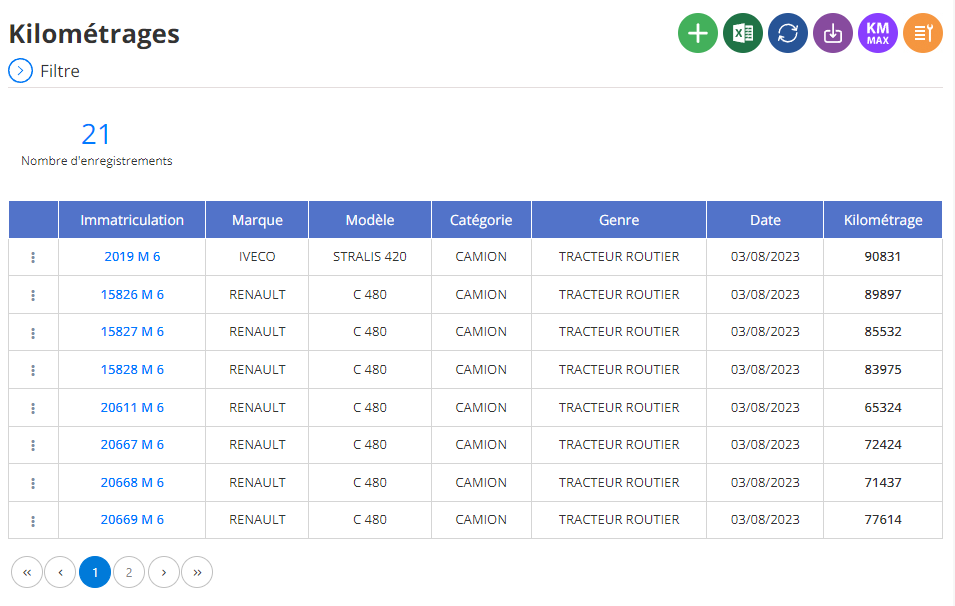
Suivi du kilométrage : une vue claire et précise
L'interface de suivi du kilométrage vous présente, sous forme de tableau, un récapitulatif clair et concis des données relatives aux kilométrages de vos véhicules. Chaque ligne du tableau correspond à un enregistrement de kilométrage pour un véhicule spécifique.
Les informations clés à votre disposition
- Véhicule:Le nom ou l'identifiant du véhicule pour lequel le kilométrage a été enregistré.
- Date:La date précise à laquelle le kilométrage a été relevé.
- Kilométrage:La valeur du kilométrage indiqué lors du relevé.
Interprétation des données
- Suivre l'évolution du kilométrage:En parcourant les différentes lignes, vous pouvez observer l'augmentation du kilométrage au fil du temps pour chaque véhicule.
- Identifier les véhicules ayant parcouru les plus grandes distances:Les véhicules avec les kilométrages les plus élevés seront facilement identifiables.
- Planifier la maintenance:En comparant les kilométrages actuels avec les recommandations du constructeur, vous pouvez anticiper les entretiens à réaliser.
- Analyser l'utilisation des véhicules:Vous pouvez identifier les véhicules les plus utilisés et ajuster votre flotte en conséquence.