Module · Fleet
Résumé de véhicule
Résumé de véhicule
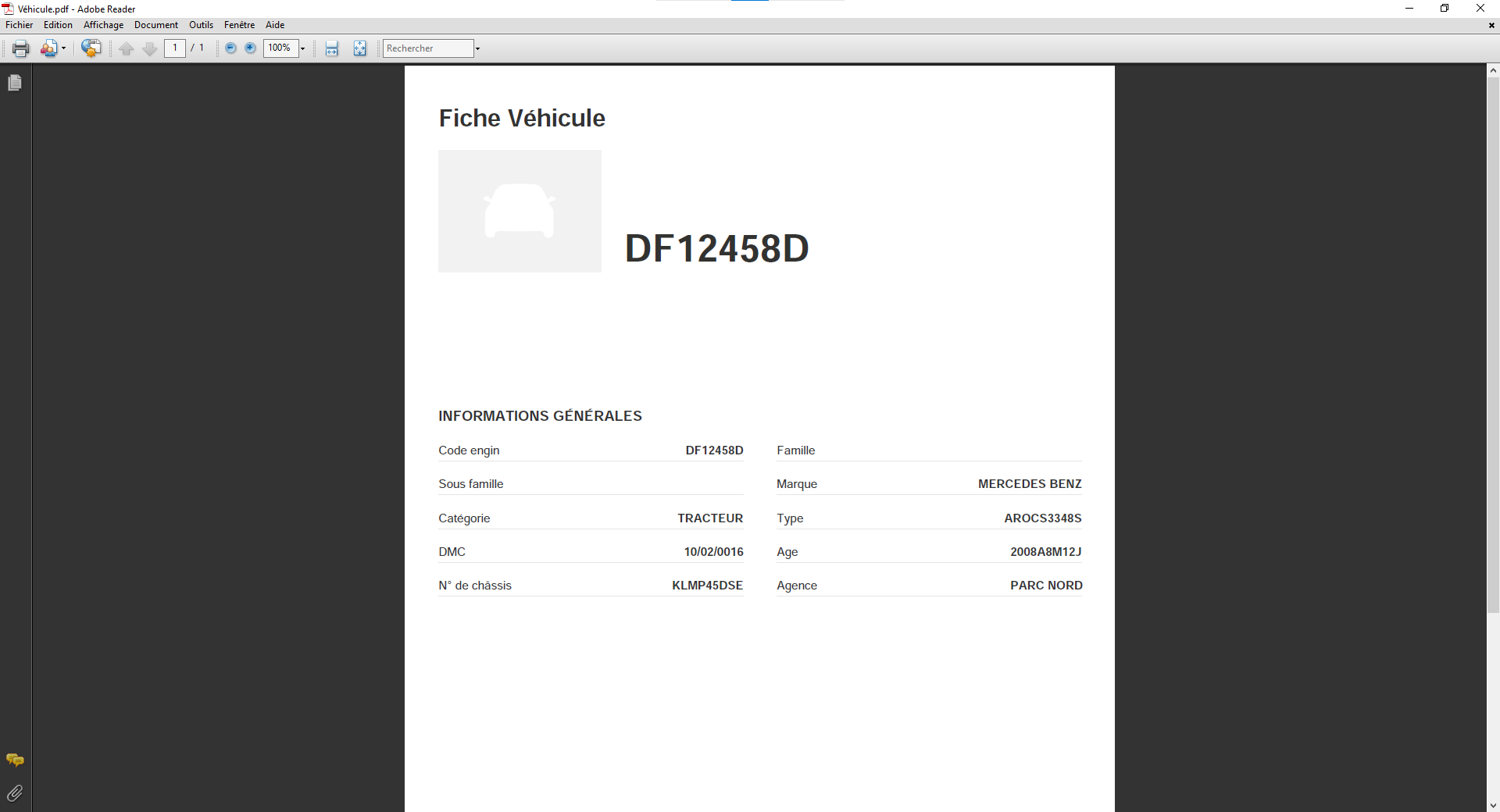
La fonctionnalitéImpression de véhiculepermet de générer un document détaillé rassemblant toutes les informations essentielles liées à un véhicule. Ce document comprend les éléments suivants :
- Plaque d’immatriculation: Identification unique du véhicule.
- Modèle: Type et version du véhicule.
- Marque: Fabricant du véhicule.
- Genre: Catégorie du véhicule (légers, poids lourds, etc.).
- État: Condition actuelle du véhicule (en service, réformé, etc.).
- Spécificités techniques: Informations sur les dimensions, poids, performances, énergie, etc.
Ce document est particulièrement utile pour des besoins administratifs, de gestion de flotte, ou de contrôle interne. Il peut être imprimé pour des dossiers physiques ou partagé sous format numérique.
Imprimer de véhicule
Pour imprimer les informations d’un véhicule déjà ajouté, accédez à la liste des véhicules dans le système.
Sélectionnez le véhicule dont vous souhaitez imprimer les informations, puis cliquez sur le boutonImprimer.
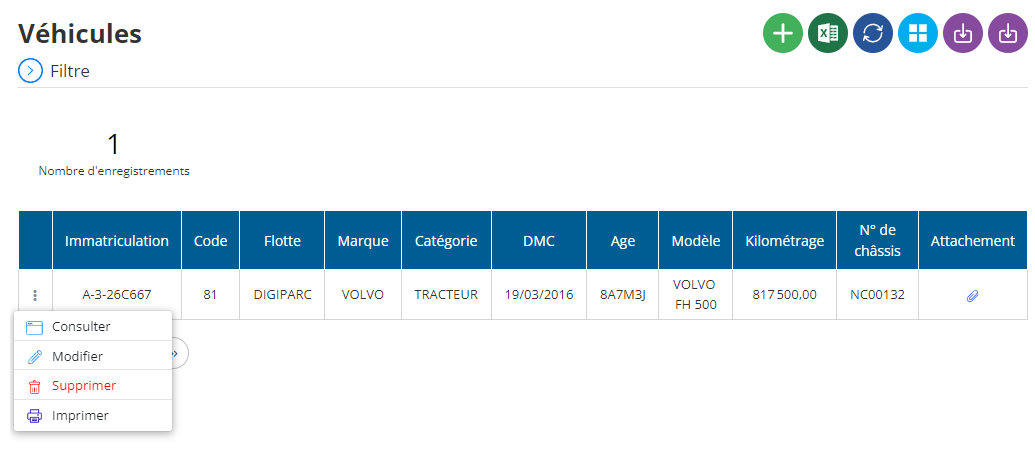
Cela générera un document complet avec les détails du véhicule, tels que l'immatriculation, la date de mise en circulation, le type d'acquisition, et d'autres informations pertinentes. Si nécessaire, vous pouvez également ajuster les informations avant d'imprimer en utilisant les options disponibles pour personnaliser le document. Après avoir confirmé les détails, cliquez surImprimerpour obtenir le document ou enregistrez-le en PDF selon vos besoins.