Module · Fleet
Schedule Management
Schedule Management
Time index management is a key feature, designed to enable accurate and responsive administration of time data. With an intuitive interface, this functionality offers the ability to add, modify or delete time indexes based on the user's specific needs.
-
Adding time indexes: Allows you to save new time indexes by entering essential information such as start time, end time, and any other relevant details. This ensures that all necessary schedules are recorded in a clear and structured manner.
-
Changing time indexes: Time index data can be updated at any time, making it easier to adapt to schedule changes or necessary adjustments. This helps ensure that information is always current, improving schedule reliability for better management.
-
Deleting time indexes: When a time index is no longer relevant, it can be deleted to avoid unnecessary data overload. This option ensures that only schedules in use are retained, while providing archiving capabilities if a history is necessary.
Thanks to these options, time index management guarantees data that is always accurate and easily accessible, thus facilitating organization and rapid decision-making.
Add a time index
Click on “Add”, the following form is displayed:
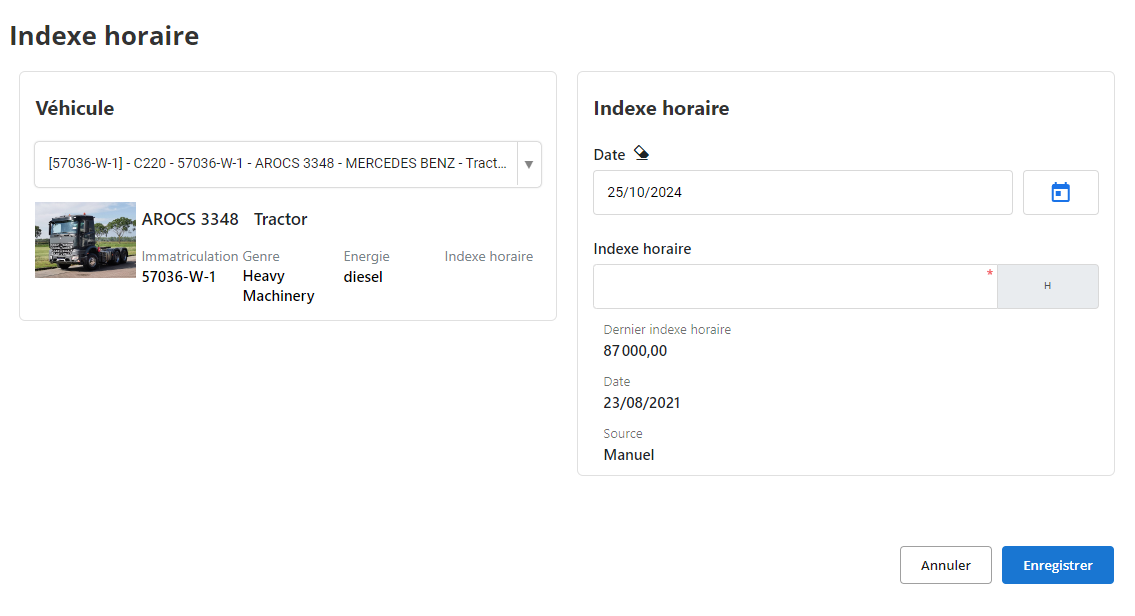
This section allows you to enter a vehicle's hourly index information to track usage hours.
Vehicle information
- Registration: Affiche le numéro de plaque du véhicule, ici "57036-W-1".
- Détails du véhicule:
- Modèle: Name of the vehicle model, here "AROCS 3348".
- Gender: Type of vehicle, for example "Heavy Machinery".
- Energy: Type of fuel used by the vehicle, here "diesel".
Entering the time index
- Date: Allows you to select the date of recording the time index. By default, today's date is displayed, here "10/25/2024".
- Time index: Field to enter the new hourly index (number of operating hours) of the vehicle. This field is required.
Latest time index details
- Latest time index: Displays the last recorded value of the time index, here "87,000.00".
- Date of last registration: Date of the previous recording of the time index, here "08/23/2021".
- Source: Indicates the origin of the time index data, here "Manual" (manual entry).
Utility:Entering and regularly updating the time index allows precise monitoring of vehicle use and facilitates the management of maintenance operations.
Modifying a time index
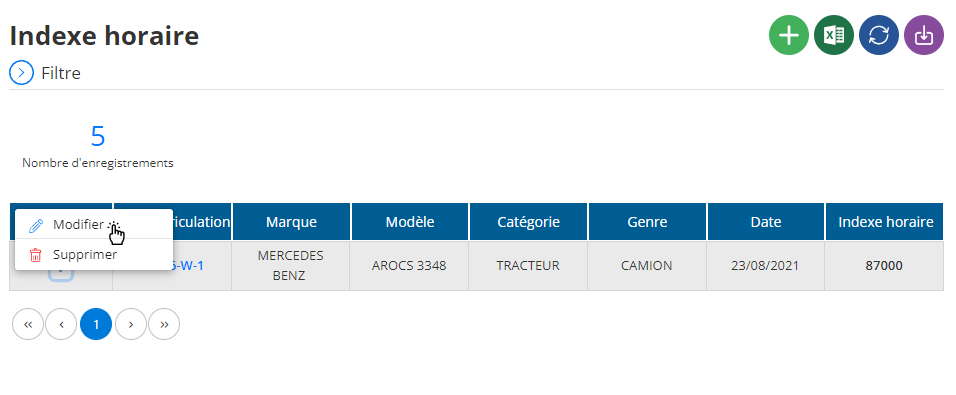
To modify an already saved time index, access the list of time indexes in the system.
Select the time index you want to adjust, then click the Edit button. You will then be able to update the index information, such as the recording date, time index value, and other details. If necessary, it is also possible to add a new record following the same procedure as during the initial addition. Once you have made the changes, click Save to save them.
Deleting a time index
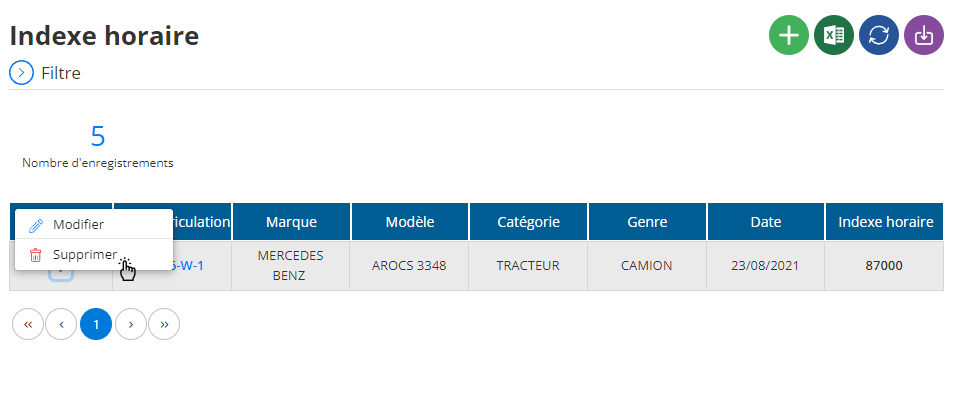
If you want to delete a time index, go to the list of time indexes, select the one you want to delete, and click the Delete button.
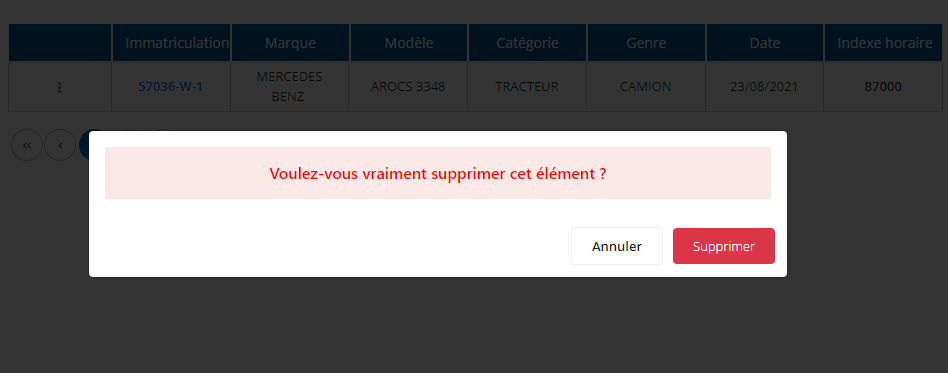
You will be asked for confirmation to validate the permanent deletion of this time index. This action is irreversible: the time index and all associated data will be permanently deleted from the system.