

Module · HR
Rest Management
Rest Management
Monitoring and organizing rest days is an essential component for effective management of human resources within a company. This process ensures a balanced distribution of leave while respecting the individual needs of employees and organizational constraints.
Rest day management is based on a structured approach to record, monitor and plan employee rest periods. Each recorded day of rest is associated with key information, such as the employee's name, the period of rest and any observations regarding the reason or nature of the leave.
Using this approach, managers can effectively organize rest days while promoting a balanced work environment and anticipating replacement or temporary reorganization needs. This monitoring also contributes to employee satisfaction by promoting transparency and respect for their rest rights.
Adding a day of rest
This interface allows you to manage and add rest days allocated to an employee in the system. The objective is to record rest periods accurately and in detail to ensure optimal organization and effective resource planning.
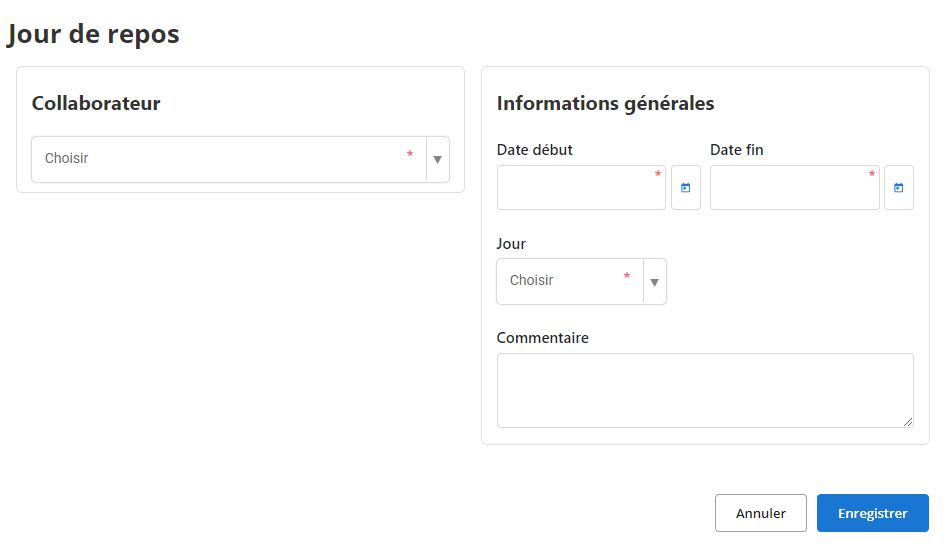
- Collaborator: Select the collaborator from the drop-down list. This step is essential to associate the day of rest with the profile of the employee concerned. This field is required.
- Start date and End date: Indicate the start and end dates of the day of rest. This information makes it possible to clearly define the period of absence and avoid any conflict with other professional obligations. Both fields are required.
- day: Choose the specific day off from the drop-down list. This may include options like "Monday", "Tuesday", or other specific days. This selection helps to standardize the recording of rest days and avoid duplicates.
- How: Add remarks or clarifications in this free space. This field can be used to provide additional details, such as the reason for the day off (e.g. "Compensatory leave", "Worked holiday made up"). Although optional, it can be useful for maintaining a clear and detailed history.
By using this interface, managers can accurately record the rest days allocated to each employee, thus contributing to better team planning and effective absence management.
Changing a day of rest
To adjust the information related to a day of rest, access the dedicated section in the system. Use the search tools to quickly locate the desired recording, filtering by collaborator name, relevant dates, or any other relevant criteria. Once identified, select the option“To modify”to access the update form.
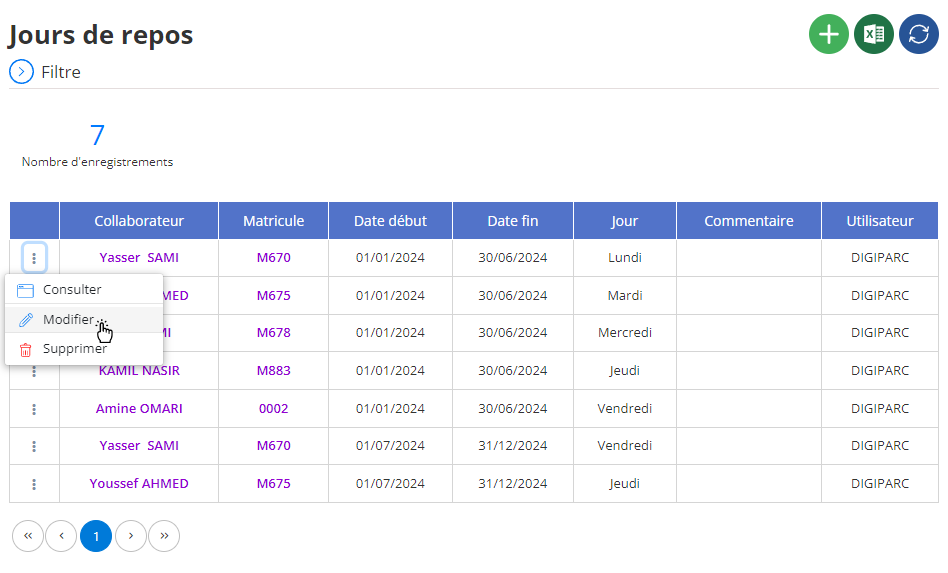
In the editing interface, it is possible to update different aspects of the day off, including:
- Collaborator: Correct or change the employee concerned, if necessary.
- Start date and end date: Adapt the dates to reflect a new rest period or correct an entry error.
- day: Adjust the selected rest day, choosing another option if a change is necessary.
- How: Add or update remarks to explain the context of the rest, for example: "Compensatory leave" or "Exceptional day".
Each modification must be carried out carefully to ensure the accuracy of the recorded data. As this information is used for absence management and shift planning, it is essential that it remains reliable and up to date.
Once all changes have been made, click“Save”to validate and save the changes. This procedure helps maintain a consistent and accurate database, thus facilitating proactive management of absences and better human resources planning.
Removal of a day of rest
To remove a day of rest from the database, first access the list of days of rest. Use the available search options to precisely locate the day you want to delete (for example, by searching by employee or by date). Once the day of rest is found, select it and click on“DELETE”to initiate the process.
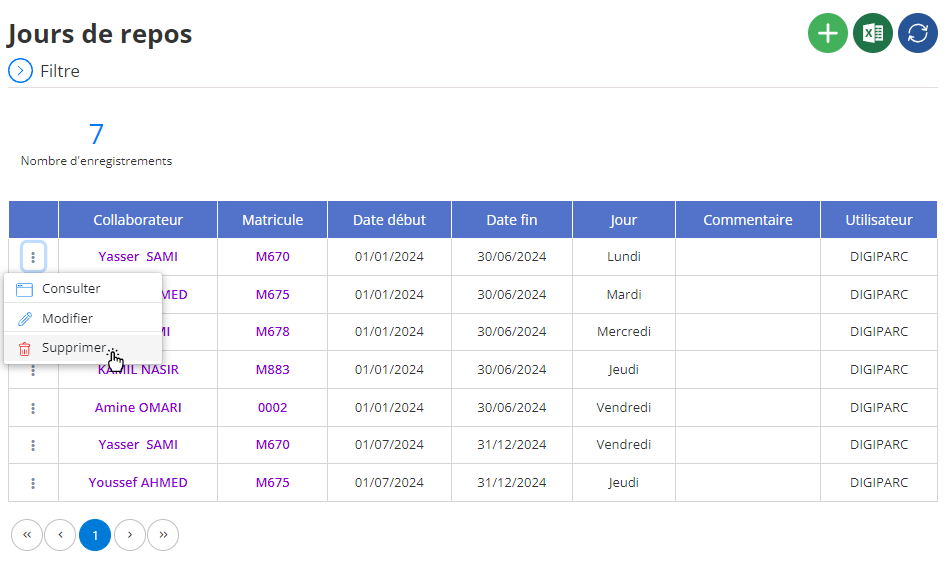
A confirmation window will appear, asking you to validate this deletion. Take the time to review the information to ensure this action is intentional.
Once confirmed, the deletion will be permanent: all associated information, such as dates and comments, will be irretrievably erased from the system.
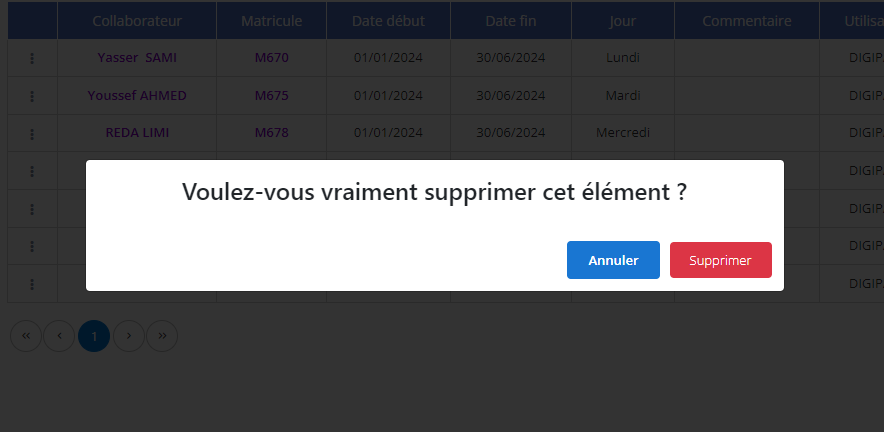
Before deleting a day off, make sure that this data will no longer be useful. Deletion is an irreversible action; It is therefore recommended to archive or export any essential information before proceeding. This precaution is particularly important if this data must be used for future assessments or analyses, such as annual monitoring of absences or justification to human resources.
Deletion should be carried out with caution, ensuring that only relevant and current information remains in the system.
Day off consultation
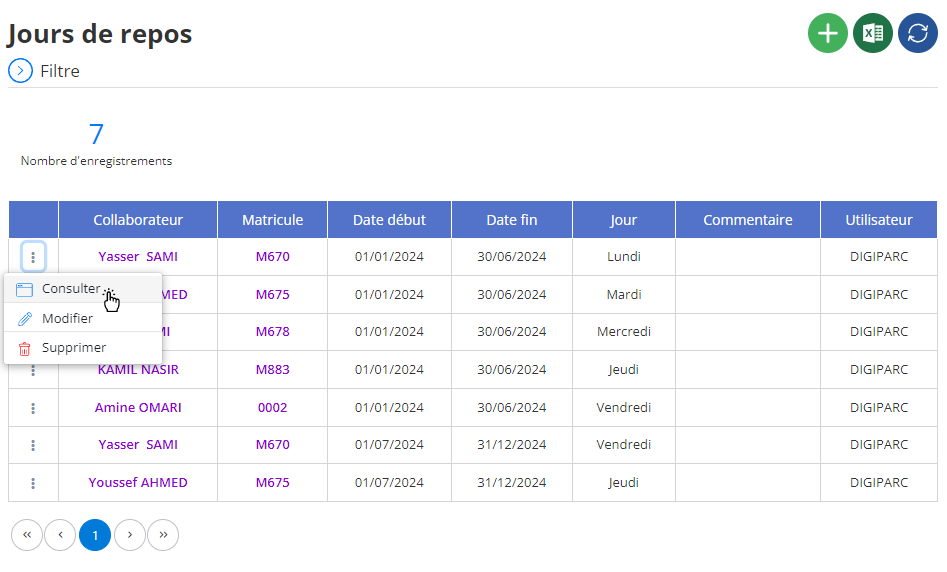
The consultation interface provides detailed access to information recorded on a specific day of rest. This tool is designed to provide a comprehensive and clear view, allowing managers to verify data without the risk of accidental modification.
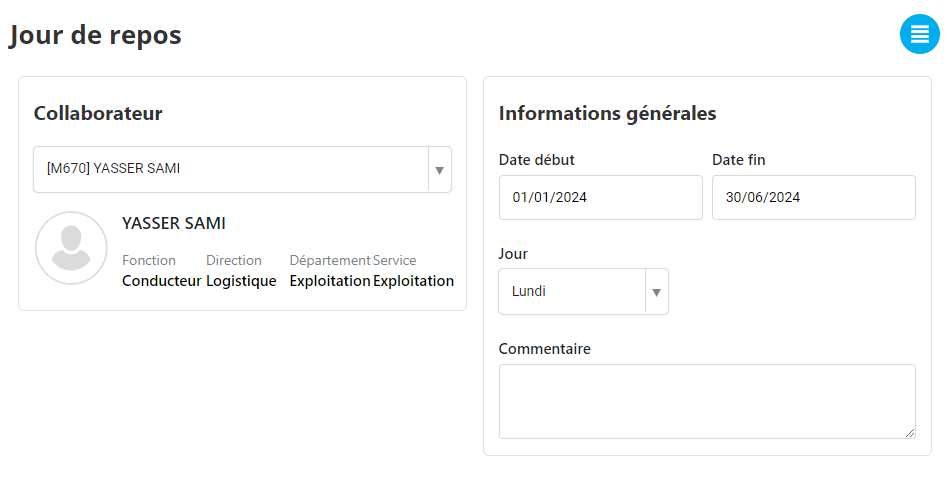
Information available:
- Collaborator: Identity of the employee, including their name, position and possibly department.
- Start and end date: Precise rest period, ensuring consistency with overall schedules.
- day: Specific day concerned with rest, such as "Monday" or "Tuesday".
- How: Observations or remarks associated with the day of rest, offering details on its context or modalities.
By consulting this data, managers have an overview which allows them to:
- Effectively plan human resources, particularly by adjusting team schedules.
- Identify possible prolonged or frequent absences for a given employee.
- Facilitate internal audits or discussions with employees regarding their rest periods.
Thanks to this consultation tool, the management of rest days becomes more transparent and more structured, thus allowing a better balance between employee satisfaction and the operational needs of the company.