

Module · HR
Interviews List
Interviews List
Displaying interviews in list form offers a structured and detailed view of each interview carried out with employees. This table brings together essential information for rigorous and organized monitoring of employee evaluation, allowing rapid consultation and optimized management of files.
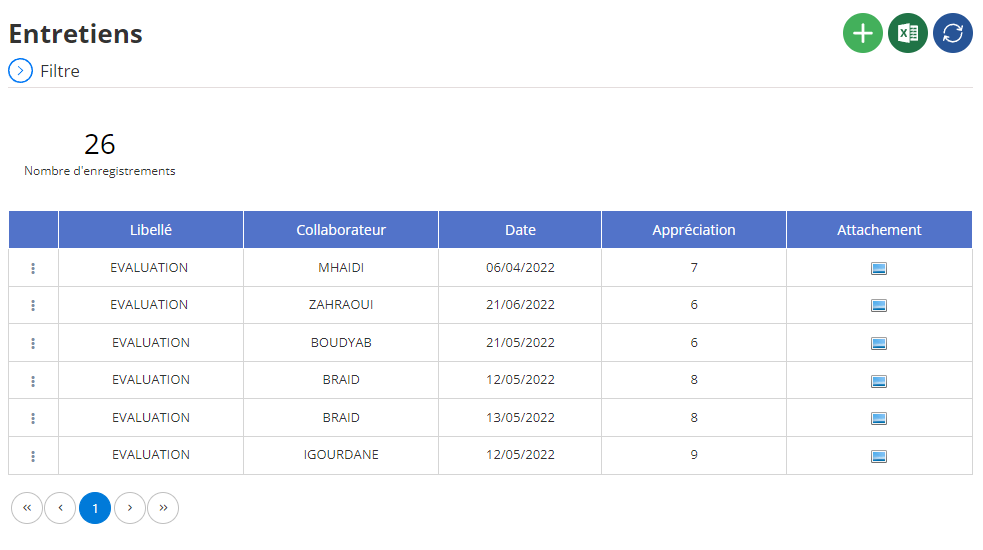
Viewing interviews in list
In the central part of the interface, the interviews are presented in table form, where each row corresponds to an interview and each column to key information. Here is a description of the information available in each column:
-
Wording: Designation of the interview, allowing you to quickly identify the type of meeting in the list, such as "ASSESSMENT".
-
Collaborator: Name of the employee concerned by the interview. This field is essential for viewing the evaluation history of a specific employee.
-
Date: Date on which the interview was carried out, making it possible to keep a chronological history of discussions and evaluations with employees.
-
Appreciation: Qualitative rating or evaluation awarded during the interview, which provides an overview of the employee's performance or progress during this specific interview.
-
Attachment: Allows you to attach associated documents, such as assessment reports, in formats such as PDF. This field ensures centralization of evaluation documents, thus facilitating access to information for human resources managers or managers.
This tabular view provides a comprehensive, organized perspective on interviews, allowing managers to rigorously track employee progress and anticipate their development needs. Thanks to the possibility of filtering data (by employee, date, etc.), this interface ensures smooth and optimized management of employee evaluations and interviews.