

Module · HR
Interview Management
Interview Management
The monitoring and history of employee interviews are essential to ensure effective and personalized management of human resources. This section provides a comprehensive framework for centralizing and organizing interview information, giving HR managers and managers easy access to up-to-date data for each employee.
The options provided allow you to add new interviews, update existing information, view specific details about each interaction, and delete obsolete records, ensuring a clear and reliable history. This structured monitoring makes it possible to optimize talent management and ensure continuous professional development adapted to the needs of each employee.
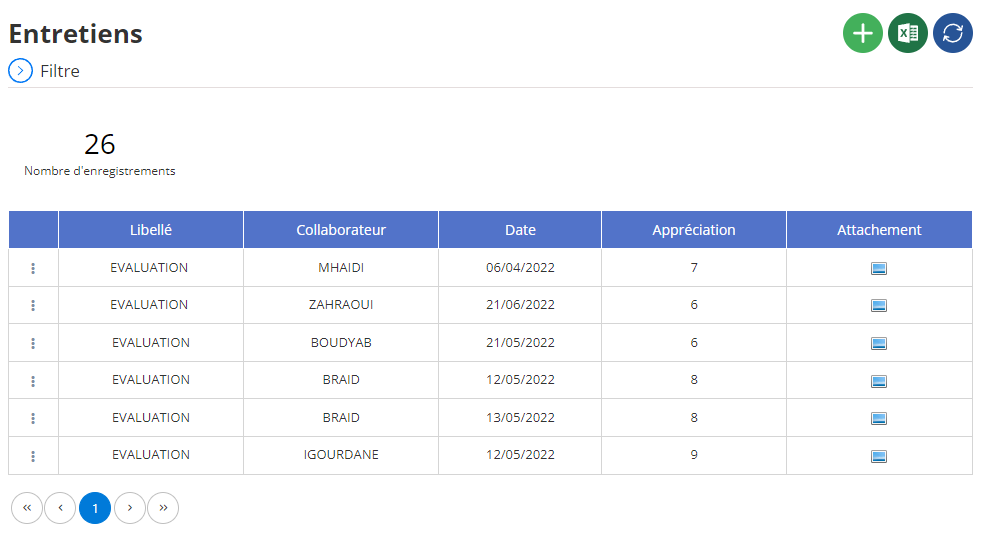
Added a new interview
The new interview recording interface allows you to record in detail all the information relating to a professional interview. This tool helps you monitor the progress of your recruitments, evaluate candidates and facilitate the decision-making process.
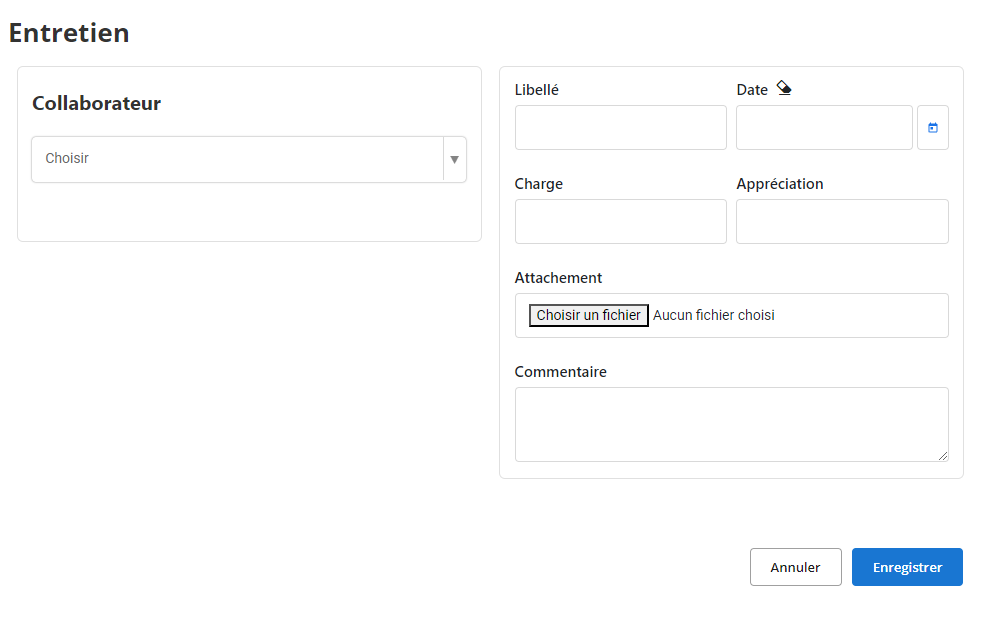
- Collaborator:Si l'entretien concerne un collaborateur existant (entretien annuel, évaluation), sélectionnez son nom dans la liste déroulante. Pour un nouveau candidat, laissez ce champ vide.
- Libellé:Indiquez le type d'entretien (entretien d'embauche, entretien annuel, entretien de suivi, etc.).
- Date:Saisissez la date à laquelle l'entretien s'est déroulé.
- Charge:Précisez le poste ou le service concerné par l'entretien.
- Appréciation:Évaluez le candidat ou le collaborateur en utilisant une échelle de notation ou des commentaires libres.
- Attachement:Joignez tous les documents pertinents à l'entretien (CV, lettre de motivation, compte-rendu détaillé, etc.).
- Commentaire:Saisissez toutes les informations complémentaires que vous jugez utiles : points forts du candidat, axes d'amélioration, décisions prises, etc.
Editing an interview
To edit information for an interview that has already been recorded, follow these steps:
- Access the list of interviews:Go to the section of your human resources management tool dedicated to interviews.
- Find the interview to edit:Use the available search filters (date, collaborator, interview type, etc.) to locate the interview you want to edit.
- Select the "Modify" or "Edit" option:Once the interview is found, click on the corresponding button to access the modification screen.
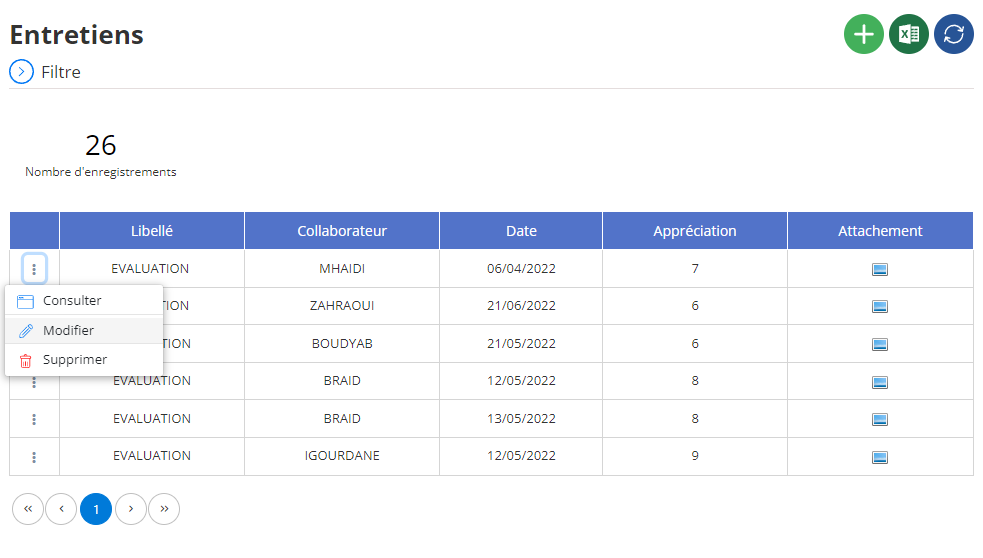
The editing interface will generally allow you to edit the following:
- Collaborator:If an error has occurred in the choice of collaborator, you can correct it.
- Wording:You can further specify the type of interview (technical job interview, project monitoring interview, etc.).
- Date:If the interview date was incorrect, you can correct it.
- Charge:You can adjust the position or department concerned by the interview.
- Appreciation:You can modify the evaluation of the candidate or employee based on new information or a readjustment of your criteria.
- Attachment:You can add, delete or replace the documents attached to the interview (CV, cover letter, detailed report, etc.).
- How:You can add to or modify your comments on the interview for better future understanding.
Deleting an interview
To delete an interview from the database, first access the list of interviews saved in the system. Use the search options to quickly locate the interview you want to remove by filtering, for example, by the employee's name or the date of the interview. Once the interview is identified, select it and click on the “Delete” button to start the deletion process.
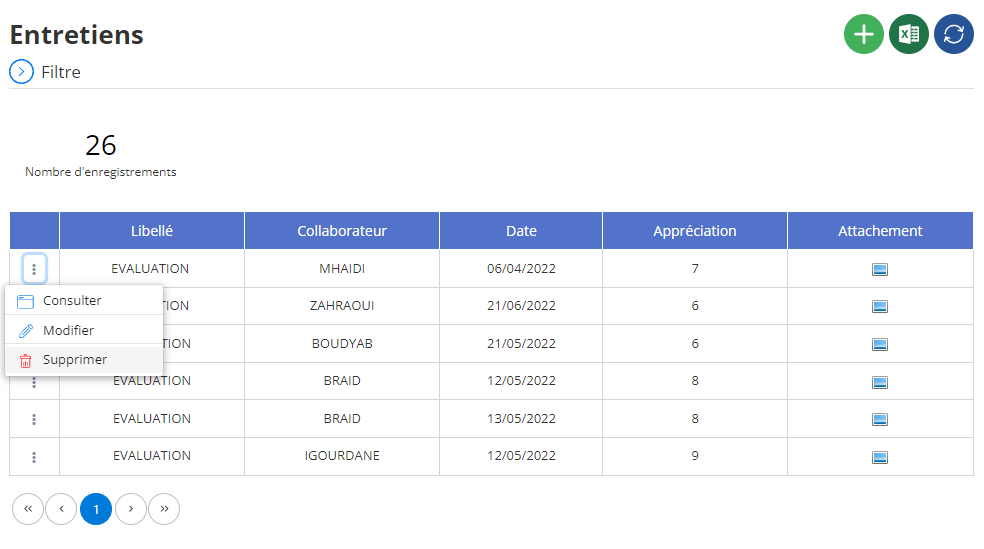
A confirmation window will then be displayed asking you to validate this permanent deletion. This step is crucial because deleting an interview is an irreversible action, resulting in the complete loss of information associated with that interview, including performance ratings, recommendations, and set goals. It is therefore essential to carefully verify that the deletion is justified before confirming the action.
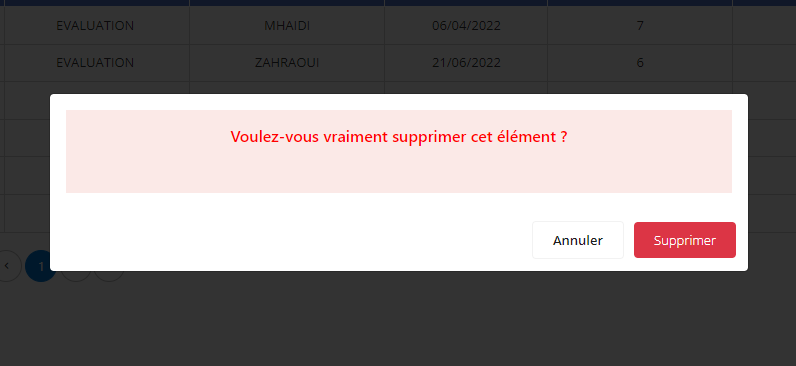
Deleting an interview should be done with caution, particularly if the information is used to evaluate the employee's progress or career development. To ensure the preservation of relevant data, it is advisable to archive essential information before proceeding. This allows you to keep a record of the history, useful for future analyzes or consultations. By applying this methodical approach, only the necessary information is maintained, thus ensuring optimal monitoring and efficient management of each employee's files.
Viewing an interview
The interview consultation interfaceallows you to access all the information recorded during a professional interview. This tool gives you a detailed view of the interview and makes it easier to find specific information.
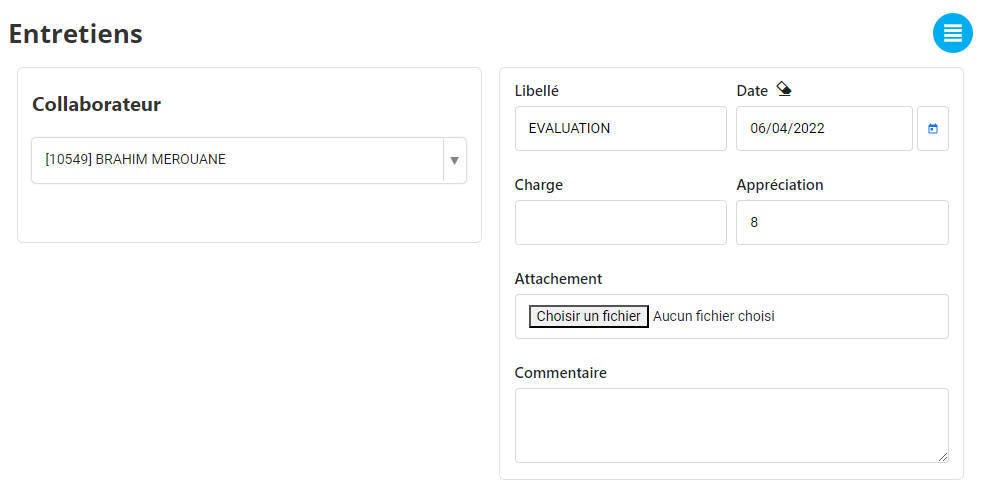
Once the interview is selected, its details will be displayed on the screen. You can consult:
- The employee concerned:Their name, position, etc.
- The type of maintenance:Hiring, evaluation, monitoring, etc.
- The date of the interview:The date the interview took place.
- Those present:If this information is recorded.
- Topics covered:The main points discussed during the interview.
- The evaluation:The notes and assessments attributed to the employee.
- Attached documents:CVs, cover letters, detailed reports, etc.
- Comments:Observations and remarks recorded during the interview.